
MES Production Scheduling and Dispatching: Planning Levels, Finite Capacity, Sequencing and Rescheduling
On this page
Production scheduling decides which order runs on which resource, in what sequence and when. It sits between business planning, which decides what and how much to make, and shop-floor execution, which makes it. Confusion about which system does which part is behind many failed scheduling projects. This guide sets out the planning levels first, then explains how detailed scheduling and dispatching work.
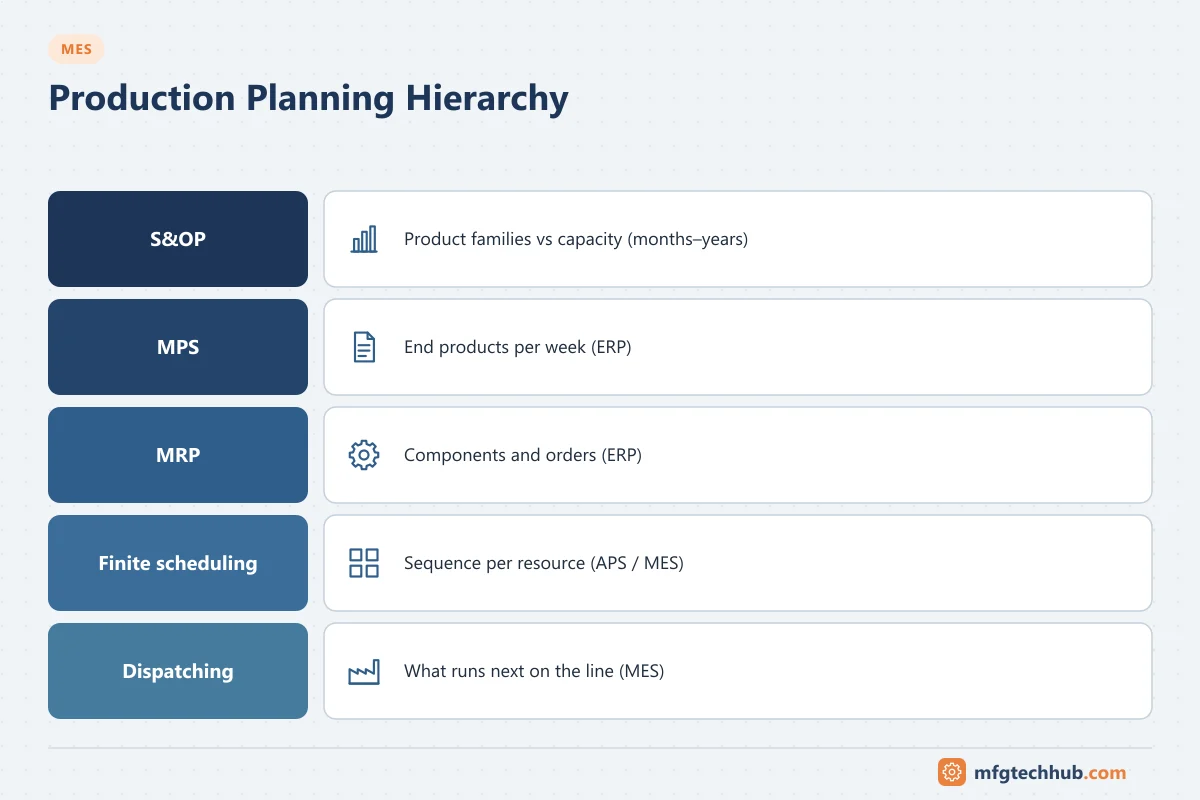
The planning hierarchy: who does what
| Level | Question | Horizon | Typical system |
|---|---|---|---|
| Sales and operations planning (S&OP) | How much of each product family, balanced against capacity? | Months to years | ERP / planning tools |
| Master production schedule (MPS) | Which end products, how many, in which week? | Weeks to months | ERP |
| Material requirements planning (MRP) | Which components and orders are needed, and when? (usually infinite capacity) | Days to months | ERP |
| Detailed / finite scheduling | Which order on which machine, in what sequence, respecting constraints? | Hours to weeks | Advanced planning and scheduling (APS), MES scheduling module or ERP detailed scheduling |
| Dispatching and execution | What runs next on this line, right now? | Minutes to shifts | MES |
Demand forecasting and MRP normally belong to ERP and planning tools, not to the MES. The MES contributes actual status: order progress, machine availability, material staged and labour present. It also executes the sequence. See SAP PP Production Planning and SAP–MES Integration for an ERP example.
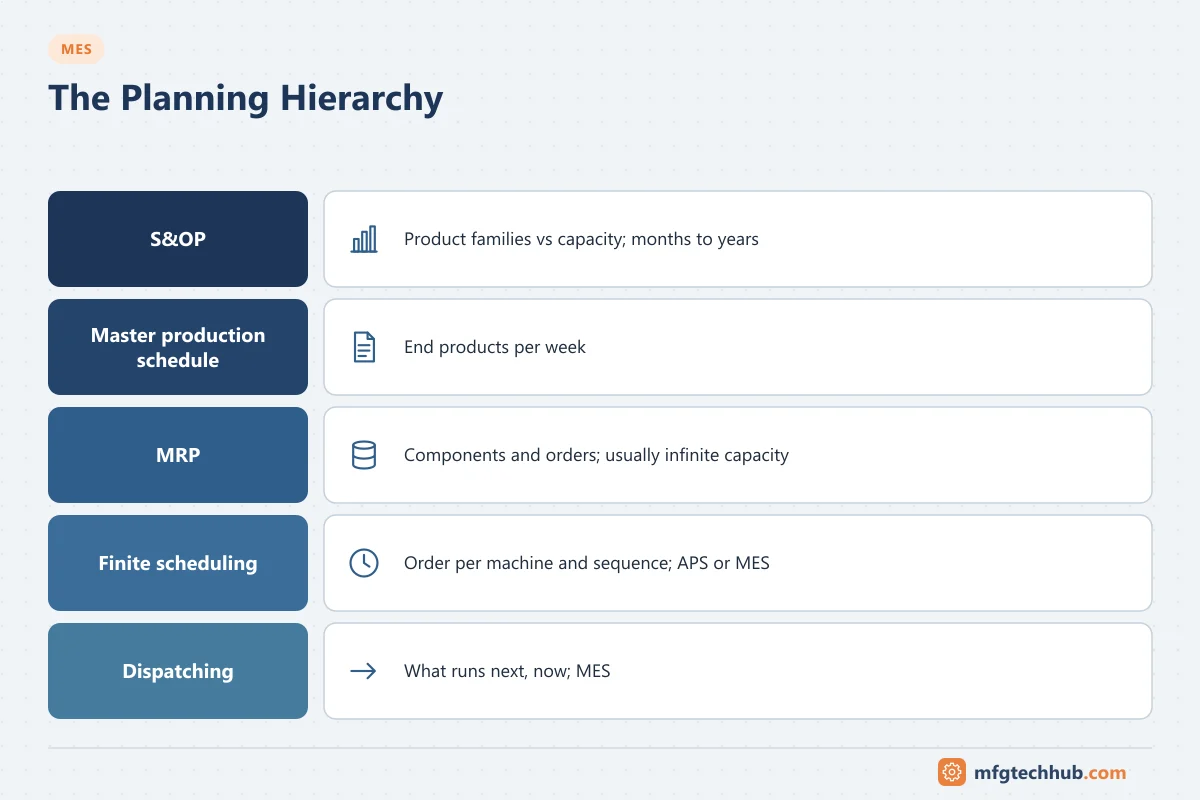
Infinite vs finite capacity
- Infinite capacity planning (typical of MRP) schedules orders to their due dates and reports overloads, but does not resolve them.
- Finite capacity scheduling places orders only where capacity actually exists, respecting constraints, and shows the real completion date.
A plan that ignores capacity looks fine on paper and fails on the shop floor. Finite scheduling is what makes promised dates realistic.
Scheduling constraints
| Constraint | Example | Data needed |
|---|---|---|
| Resource capacity | Line speed, shift pattern, planned maintenance | Calendars, rates per product and resource |
| Changeovers | Colour, allergen, size or format changes; cleaning between products | Changeover matrix: time from each product to each other product |
| Tools and fixtures | Moulds, dies, fixtures available in limited numbers | Tool assignments and availability |
| Materials | Components or intermediates available only from a certain time | Material availability from ERP/warehouse, upstream order completion |
| Labour and skills | Qualified operators per shift | Crew plans and qualifications. See MES Labour Management |
| Process rules | Campaigns, maximum hold times between steps, shelf life of intermediates | Product and routing rules |
| Quality and regulatory | Line clearance, cleaning validation, equipment qualification status | Equipment status from MES |
The accuracy of this master data decides the quality of the schedule more than the scheduling algorithm does.
Sequencing rules
| Rule | Effect | Suitable when |
|---|---|---|
| Earliest due date | Minimises lateness | Delivery dates dominate |
| Shortest processing time | Moves many orders through quickly | Many small orders, flow matters |
| Changeover minimisation (product wheels, colour/size sequences) | Reduces lost time between products | Long or costly changeovers |
| Bottleneck-first | Schedules the constraint resource and synchronises others to it | One resource limits output |
| Priority rules | Customer or order priority | Service commitments differ by order |
In practice, schedulers combine rules, for example a fixed product wheel on the bottleneck with due-date sequencing elsewhere. APS tools use optimisation or heuristics to balance several objectives; results should always be reviewed by a planner.
Dispatching: executing the schedule
The MES turns the schedule into a dispatch list per line or work centre:
- Next orders in sequence, with product, quantity, recipe and materials.
- Readiness checks before start: materials staged, tools available, equipment clean and qualified, operators qualified. See MES Process Management.
- Progress tracking against the plan, with actual start and end times and quantities.
- Feedback to the scheduler and ERP: completed quantities, scrap, delays.
Frozen horizon and rescheduling
- A frozen horizon (for example the current and next shift) is not changed except for defined emergencies. It gives the shop floor stability for staging materials and preparing changeovers.
- Rescheduling triggers include machine breakdowns, material shortages, quality holds, rush orders and large deviations from planned rates.
- Reschedule event-driven and deliberately, not continuously. Constant re-sequencing destroys the preparation work on the floor.
Measuring schedule performance
| Measure | Meaning |
|---|---|
| Schedule adherence | Share of orders (or quantity) produced in the planned sequence and period |
| On-time delivery / order completion | Orders completed by their due date |
| Planned vs actual changeover time | Accuracy of the changeover matrix |
| Planned vs actual run rates | Accuracy of the rates used for scheduling |
| Schedule changes inside the frozen horizon | Stability of the plan |
When schedule adherence is poor, compare planned and actual rates, changeover times and downtime first. Most schedule failures come from wrong assumptions, not from the algorithm. See MES Reporting, KPIs and Analytics.
Troubleshooting common scheduling problems
| Symptom | Likely causes | Actions |
|---|---|---|
| Schedule never achieved | Rates or changeover times too optimistic; unplanned downtime not allowed for | Update master data from MES actuals; plan realistic availability |
| Frequent material shortages at start | Material availability not a scheduling constraint; staging lead time missing | Include material and staging lead times; readiness checks |
| Planners work in spreadsheets beside the system | Constraints missing from the tool; poor usability; distrust of data | Model the missing constraints; fix data; involve planners in design |
| Lines idle while orders wait | Readiness problems (tools, cleaning, qualification) not visible | Readiness status on the dispatch list |
| Excessive changeovers | Due-date-only sequencing; no changeover matrix | Product wheels or changeover-aware sequencing |
Frequently asked questions
Does the MES or the ERP do production scheduling?
Usually both, at different levels. ERP handles master scheduling and material planning, often with infinite capacity. Detailed finite scheduling is done in an APS tool, an MES scheduling module or an ERP detailed scheduling function. The MES dispatches and executes the sequence and reports actual progress.
What is finite capacity scheduling?
Scheduling that places orders only where resource capacity is actually available, taking into account shifts, changeovers, tools, materials and other constraints, so the resulting dates are achievable.
Why do production schedules fail?
Most often because of inaccurate master data (rates, changeover times, availability), missing constraints such as material or tool availability, and constant rescheduling without a frozen horizon.
Key takeaways
- Separate the planning levels: S&OP, MPS and MRP in ERP; finite scheduling in APS/MES; dispatching in MES.
- Finite scheduling requires accurate constraints: capacity, changeover matrices, tools, materials, labour and process rules.
- Choose sequencing rules to match the plant’s main objective, and review optimiser results.
- Protect a frozen horizon, reschedule on defined events, and feed actual rates back into the master data.
Related tutorials
Before you apply this in a plant: this article is for education. Always check the current edition of the relevant standards, the manufacturer's documentation for your exact product and version, and your site's procedures. Safety-related work needs qualified personnel. See our editorial policy.