
Data Integrity in Manufacturing Automation: ALCOA+, Audit Trails, Electronic Records and Common Gaps
On this page
Data integrity means that data is complete, consistent and accurate throughout its lifecycle, from the moment it is created until it is archived or destroyed. In regulated manufacturing, batch release decisions depend on data from automation: temperatures from a historian, weights from a scale, alarms from SCADA, electronic batch records from MES. If that data can be changed, lost or misattributed without detection, the decisions built on it cannot be trusted.
Important: this is an educational overview. Apply the regulations and guidance that govern your products and markets (for example FDA requirements including 21 CFR Part 11, EU GMP including Annex 11, PIC/S, WHO and national guidance), under your company’s quality system.
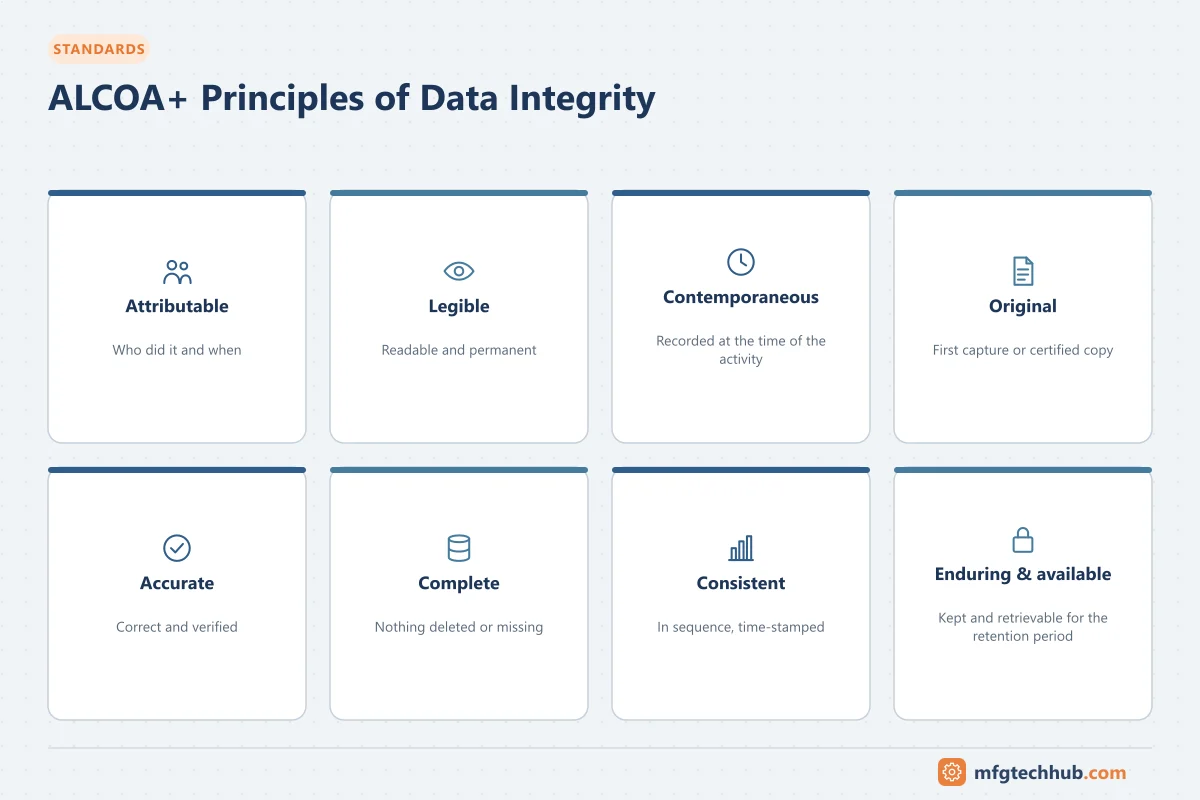
ALCOA+ principles
| Principle | Meaning | Automation example |
|---|---|---|
| Attributable | Who performed an action and when | Individual login for every GxP action; no shared “operator” accounts |
| Legible | Readable and understandable for its lifetime | Records remain readable after software upgrades or migration |
| Contemporaneous | Recorded at the time of the activity | Values captured automatically when measured, not typed in at shift end |
| Original | The first capture of data (or a certified true copy) | Raw data from instruments retained, not only calculated results |
| Accurate | Correct and truthful | Calibrated instruments, validated calculations, correct timestamps |
| Complete | All data, including repeats, failures and changes | Failed batches and aborted runs retained; no selective deletion |
| Consistent | Chronological order, consistent timestamps | Synchronised clocks across PLC, SCADA, historian and MES |
| Enduring | Retained for the required period | Backups, archives and readable formats |
| Available | Accessible for review and inspection throughout retention | Retrievable within reasonable time |
Audit trails
An audit trail is a secure, computer-generated, time-stamped record of actions that create, modify or delete GxP data, showing who did what, when, the old and new values, and why (where required).
Good practice for automation systems:
- Enable audit trails for GxP-relevant data and critical configuration (for example setpoint and alarm limit changes, recipe edits, user management).
- Users must not be able to disable or edit audit trails.
- Review audit trails as part of batch record review or periodic review, focusing on high-risk actions (deletions, changes after the fact, repeated attempts).
- Ensure audit trails survive system upgrades and data migration.
Access control and user management
- Unique user IDs; no shared accounts for GxP actions.
- Role-based access with segregation of duties (for example, operators cannot change recipes; administrators should not approve their own changes).
- Controlled administrator and engineering access; administrator accounts not used for daily operation.
- Periodic access reviews; prompt removal of leavers.
- Password and session policies appropriate to the system.
Time and timestamps
- Synchronise all systems to a trusted time source; restrict who can change system clocks.
- Record time zone information or use UTC consistently.
- Investigate time jumps (for example after a PLC battery failure) because they break the chronology of records.
Where automation data integrity typically fails
| Weak point | Typical gap | Remediation |
|---|---|---|
| Standalone HMIs and instruments | Local generic logins, data stored locally and deletable, no audit trail, clock changeable | Individual accounts or controlled access, data transferred automatically to a secure system, audit trails, restricted settings |
| Operating system level | Users can delete or rename files outside the application | Restrict OS access; application-controlled storage |
| Historian | Compression or exception settings remove relevant data; manual edits without audit trail | Review settings for GxP tags; control and audit data edits. See Industrial Historians |
| Spreadsheets and exports | Calculations in uncontrolled spreadsheets; copies treated as originals | Validated calculations; defined original records |
| Hybrid systems | Electronic data with paper signatures, poorly linked | Clear linkage, defined record, or move to electronic signatures |
| Backups | Not tested; restores never performed | Scheduled restore tests. See OT Backup and Restore Runbook |
| Alarm and event logs | Overwritten when buffers fill | Adequate retention and transfer to secure storage |
| Interfaces | Data changed or lost between PLC, SCADA, MES and ERP without detection | Validated interfaces, reconciliation, error handling. See MES Integration Guide |
Electronic records and signatures
Where electronic signatures replace handwritten ones, systems typically need:
- Signatures linked to their records, showing the signer’s name, date/time and meaning (for example “reviewed”, “approved”)
- Signature components that cannot be reused by others (for example username and password, re-entered for each signing event where required)
- Controls so signatures cannot be removed, copied or transferred to other records
Check the exact requirements that apply to your region and system (for example 21 CFR Part 11 and EU GMP Annex 11).
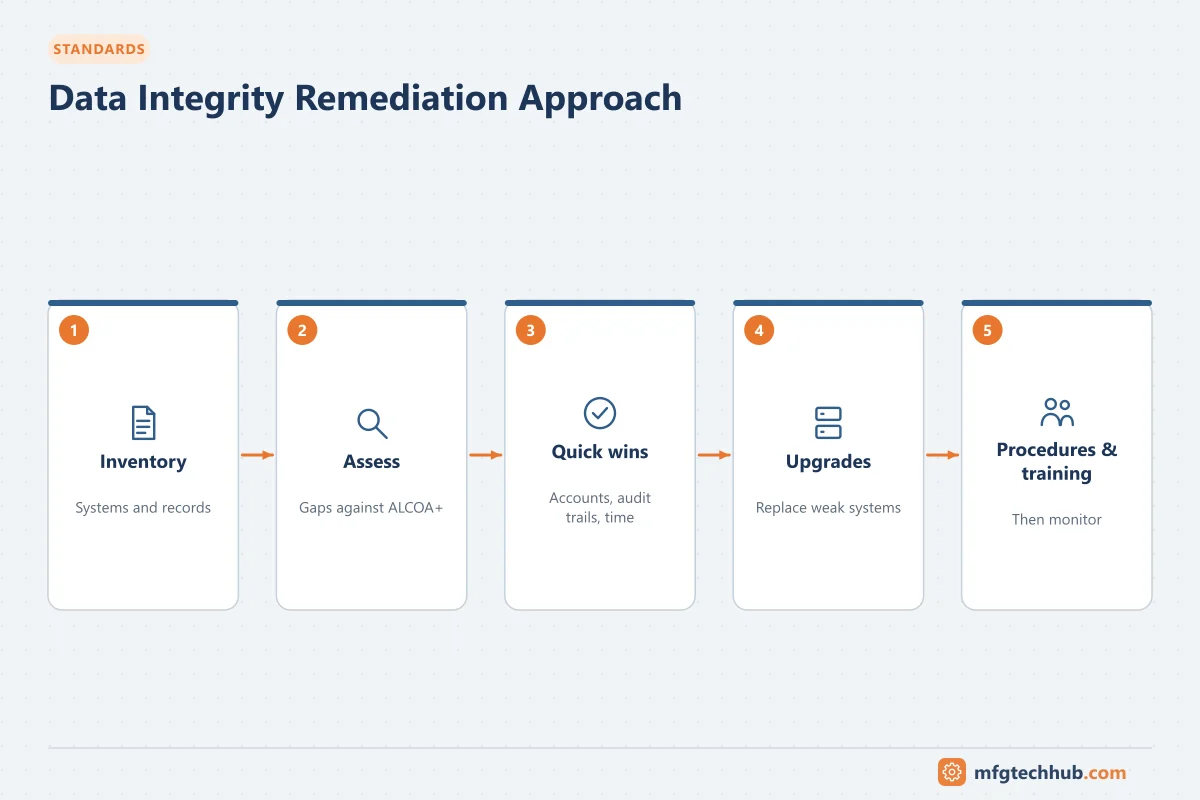
A practical remediation approach
- Inventory GxP computerised systems, including standalone instruments and HMIs, and map the data flows (where data is created, processed, stored and reviewed).
- Assess each system against ALCOA+ and applicable requirements; prioritise by risk to product and patients.
- Fix quick wins: individual accounts, clock protection, audit trail activation, backup tests.
- Plan technical upgrades: replace or upgrade systems that cannot meet requirements; centralise data capture.
- Update procedures: audit trail review, access reviews, data review in batch release.
- Train operators, engineers and reviewers on why data integrity matters.
- Monitor through periodic reviews and self-inspections.
Frequently asked questions
What does ALCOA+ stand for?
Attributable, Legible, Contemporaneous, Original and Accurate, plus Complete, Consistent, Enduring and Available.
Do PLCs need audit trails?
Where PLC or HMI data or settings are GxP-relevant, changes to them must be controlled and traceable. This may be achieved by the HMI/SCADA audit trail, controlled engineering access with change control, or supervisory systems that record changes. Standalone systems without these controls are a common inspection finding.
What is a hybrid system?
A system where electronic records are combined with paper records or handwritten signatures, for example printing an electronic report and signing it by hand. Hybrid systems need clear rules on which record is the original and how the two are linked.
Key takeaways
- Data integrity means data is attributable, legible, contemporaneous, original, accurate, complete, consistent, enduring and available.
- Automation systems need individual access, audit trails with review, synchronised time, secure storage and tested backups.
- Standalone HMIs, instruments, spreadsheets and interfaces are frequent weak points.
- Remediate by inventory, risk-based assessment, technical fixes, procedures and training.
Before you apply this in a plant: this article is for education. Always check the current edition of the relevant standards, the manufacturer's documentation for your exact product and version, and your site's procedures. Safety-related work needs qualified personnel. See our editorial policy.