
MES Integration Guide: ERP, SCADA, PLC, LIMS and WMS Interfaces Explained
On this page
An MES is only as useful as its connections. It receives orders and master data from ERP, sends instructions and recipes to equipment, collects counts and process data from PLCs and SCADA, and reports production, consumption and quality results back. Integration is usually the largest technical risk in an MES project, and it is where most support issues appear after go-live.
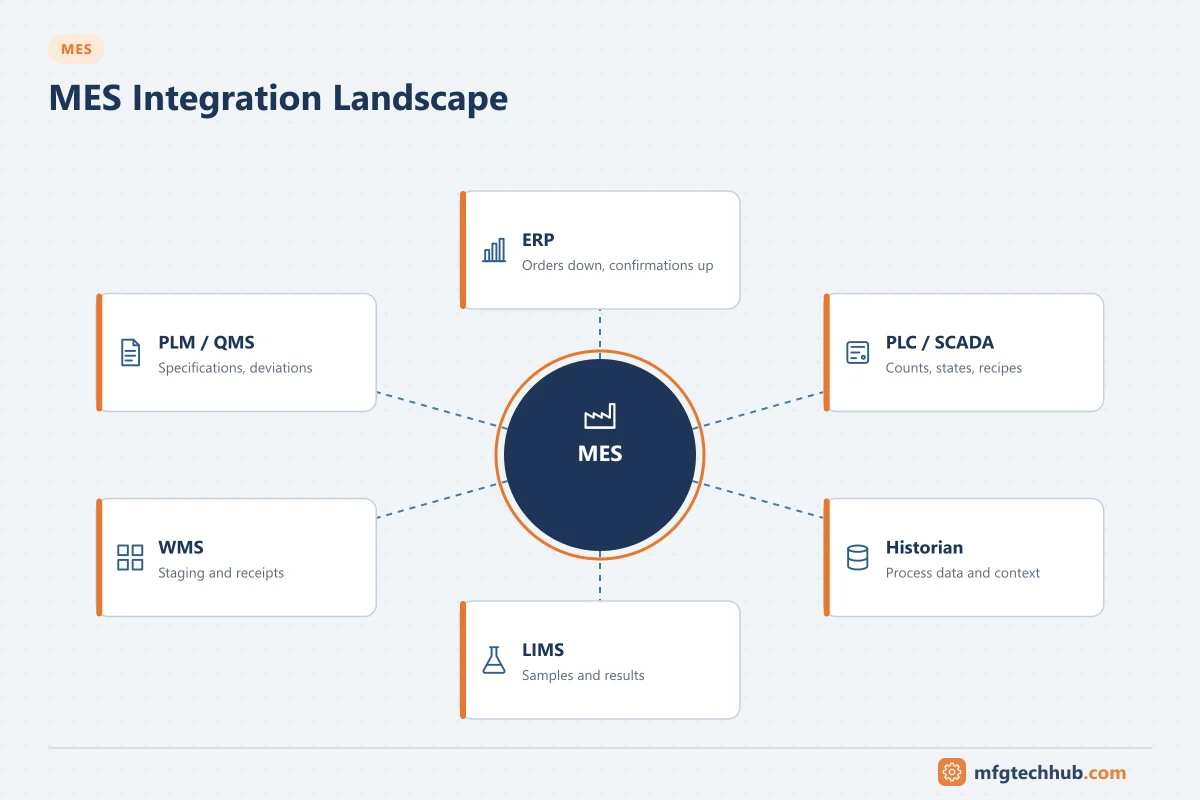
This guide explains what data flows across each interface, the common technical patterns, and the practices that make interfaces reliable.
The integration landscape
| System | Direction | Typical data |
|---|---|---|
| ERP (Level 4) | ERP → MES | Production orders, BOMs, routings/recipes, material master, planned quantities and dates |
| MES → ERP | Order status, produced quantities, goods issues (consumption), scrap, labour/machine time, batch information | |
| PLC / DCS / SCADA (Levels 1–2) | MES → control | Order/batch start, product and recipe parameters, setpoints, release signals |
| Control → MES | Machine states, counts, rejects, process values, alarms, batch events | |
| Historian | Historian → MES | Time-series process data for batch reports, analysis and genealogy context |
| LIMS | MES ↔ LIMS | Sample requests, sample results, specifications, disposition (release/reject) |
| WMS | MES ↔ WMS | Material requests to the line, staging, pallet/lot movements, finished goods receipt |
| QMS | MES ↔ QMS | Deviations, non-conformances, CAPA references |
| PLM | PLM → MES | Engineering changes, product definitions, work instructions, as-designed data |
| CMMS/EAM | MES ↔ CMMS | Equipment status, run hours, downtime events, maintenance orders |
The ISA-95 model defines the objects exchanged between Level 3 and Level 4: production schedules, production performance, product definitions, material, equipment and personnel information.
ERP ↔ MES integration
Typical transactions
- Order download: ERP releases a production or process order; MES receives it with its BOM, operations and quantities.
- Order execution in MES: operators or automation execute operations; MES records consumption, production, scrap and times.
- Confirmations: MES sends goods issues, goods receipts and operation confirmations to ERP, per operation, per shift or at order completion.
- Inventory synchronisation: lot/batch information and stock movements stay consistent between systems.
Technical options
- Standard messages based on ISA-95/B2MML (XML) for production schedules and performance.
- Vendor connectors between specific MES and ERP products.
- ERP interfaces, for example in SAP environments: IDocs, BAPIs/RFCs and, in SAP S/4HANA, OData-based APIs, often through middleware such as SAP Integration Suite. SAP PP-PI also defines process messages for process-industry integration. Validate the interfaces available in your specific ERP release. See SAP–MES Integration for the SAP side in detail.
- Middleware / integration platforms (enterprise service bus or iPaaS) for transformation, routing and monitoring.
Design decisions
| Decision | Options | Consider |
|---|---|---|
| Confirmation timing | Real time, per operation, per shift, at order end | ERP inventory accuracy vs transaction volume |
| Master of each object | ERP or MES | For example, recipes may be mastered in MES in process industries, in ERP in others |
| Handling of ERP downtime | Queue in MES and send later | MES must continue production when ERP is unavailable |
| Unit of measure and lot handling | Conversion rules | Mismatches cause rejected postings |
MES ↔ PLC / SCADA integration
What is exchanged
- From MES: order number, product code, recipe parameters, target quantity, release/enable signals.
- From automation: machine state (running, stopped, faulted, idle), good and reject counts, process values, events and alarms, batch phase status.
Technologies
- OPC UA (client/server or PubSub) is the preferred standard for new integrations. Companion specifications (for example PackML-based or machine-type specifications) define standard information models.
- MQTT / Sparkplug B for event-driven data collection, often via edge gateways and brokers.
- Native PLC drivers in the MES or a connectivity server.
- SCADA or historian as intermediary, where MES reads machine data from the SCADA/historian rather than directly from PLCs.
The handshake pattern
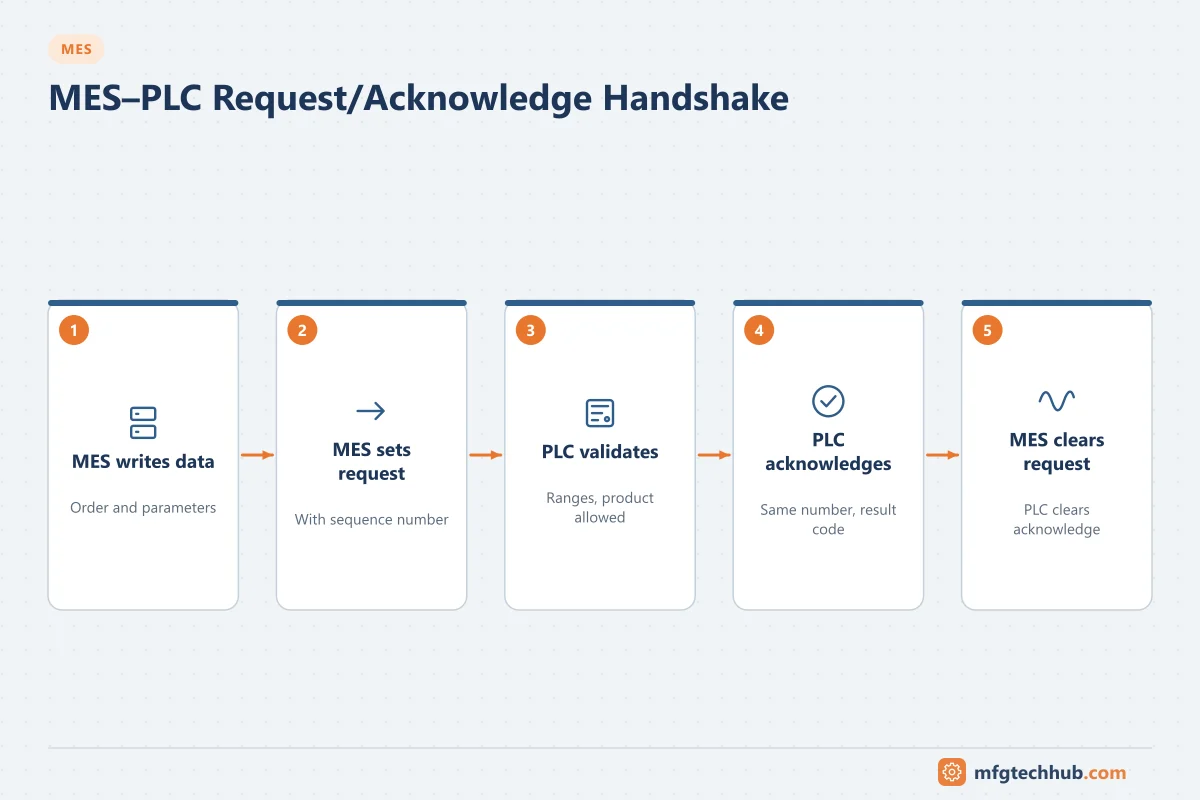
Commands between MES and PLC must be reliable even with network interruptions and restarts. A common pattern for downloading an order or recipe:
| Step | MES | PLC |
|---|---|---|
| 1 | Writes order data and parameters to a data block/structure | — |
| 2 | Sets a request flag with a sequence number | — |
| 3 | — | Validates data (ranges, product allowed), copies it to working area |
| 4 | — | Sets acknowledge with the same sequence number and a result code (OK / error code) |
| 5 | Reads the result, clears the request | — |
| 6 | — | Clears acknowledge; ready for the next request |
For data reported from the PLC (for example a completed unit or batch record), the same pattern works in reverse, often with a buffer in the PLC so that data is not lost if MES is temporarily unavailable.
Rules:
- Use sequence numbers or message IDs to detect duplicates and missed messages.
- The PLC must validate parameters; MES data must never create an unsafe state.
- Define timeouts and what each side does when they expire.
- Counts should be cumulative counters that MES differences, not pulses that can be missed.
See MES Real-Time Data Acquisition and MES Data Collection and Integration.
LIMS, WMS and PLM integration
- LIMS: MES creates sample requests at defined steps (with batch, sample point and time); LIMS returns results and dispositions. MES can hold material or block the next step until results are approved.
- WMS: MES requests materials for upcoming orders; WMS stages them; MES confirms consumption and reports finished goods for put-away. Clear ownership of stock locations avoids double counting.
- PLM: engineering changes and work instructions flow to MES with effectivity dates; as-built data can flow back for comparison.
Middleware and architecture patterns
| Pattern | Description | Good for | Watch out for |
|---|---|---|---|
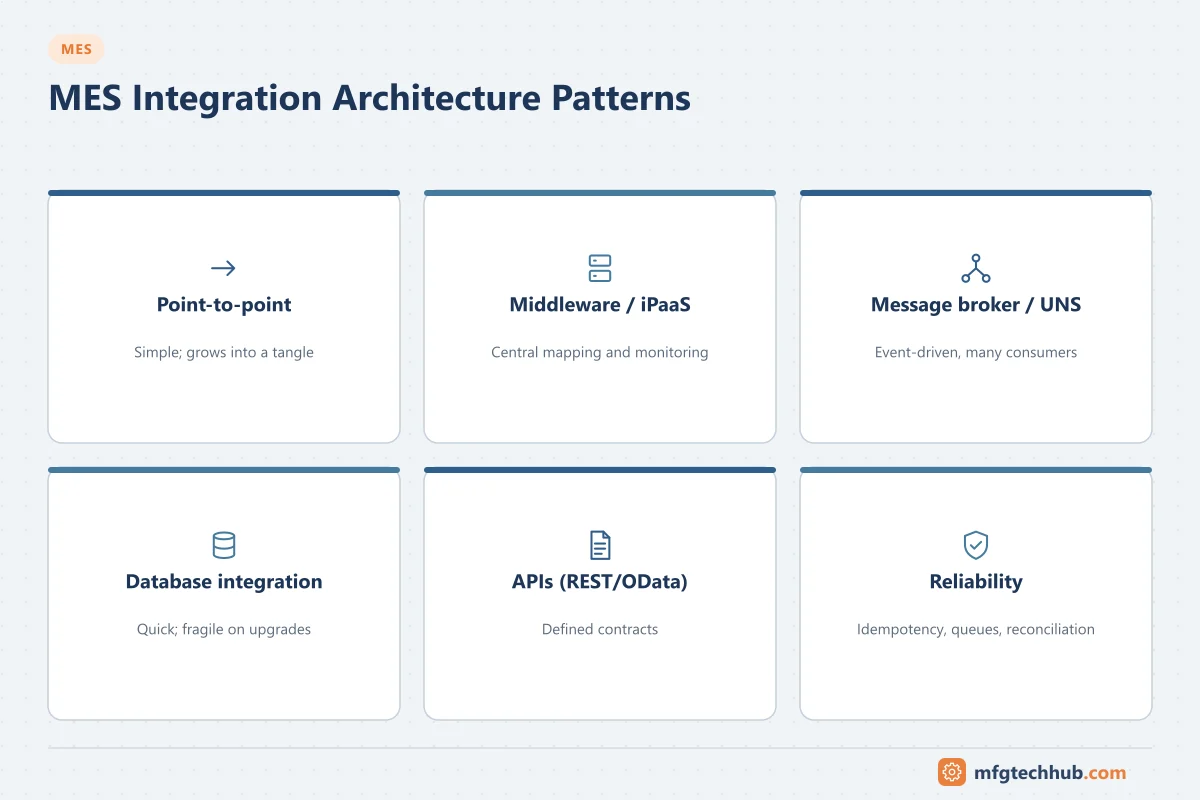
| Point-to-point | Direct interface between two systems | Few interfaces | Becomes unmanageable as interfaces grow |
| Middleware / ESB / iPaaS | Central platform transforms and routes messages | Many enterprise interfaces | Needs skills and governance |
| Message broker / unified namespace | Systems publish and subscribe to events (for example MQTT) | Shop-floor data distribution | Transactions still need acknowledgement and reconciliation |
| Database integration | Shared tables or staging tables | Legacy systems | Tight coupling, locking, unclear ownership |
| API (REST/OData) | Synchronous requests | Master data lookups, modern applications | Availability dependency between systems |
Making interfaces reliable
- Idempotency: receiving the same message twice must not post twice (use unique message IDs).
- Store-and-forward: queue messages when the target is unavailable; send in the correct order when it returns.
- Error queues: failed messages go to a visible queue with the reason, not into a log file nobody reads.
- Reconciliation: periodic comparison of totals (for example ERP stock vs MES consumption per order) to detect silent failures.
- Monitoring and alerting: interface health dashboards, alerts for backlogs and errors, clear ownership of each interface.
- Versioning: manage interface changes when either system is upgraded.
- Security: authenticated connections, encrypted where possible, service accounts with least privilege, and a DMZ between plant and enterprise networks. See ISA/IEC 62443.
Testing integration
- Interface specifications describing every field, format, unit, trigger, error code and timing.
- Unit tests of each interface with simulators.
- End-to-end tests in an integrated test environment: order release → execution → confirmation → ERP postings.
- Negative tests: invalid data, network loss, target system down, duplicate messages, late messages.
- Volume tests at peak transaction rates.
- Cutover tests: open orders and inventory at go-live.
Common problems and fixes
| Problem | Typical cause | Fix |
|---|---|---|
| ERP stock does not match physical stock | Failed or late consumption postings | Error queue monitoring, reconciliation reports, correct unit conversions |
| Duplicate postings | Retries without idempotency | Unique message IDs, duplicate checks |
| Wrong counts in MES | Pulse counting missed, counter rollover | Cumulative counters, rollover handling |
| Orders stuck in MES | Master data missing or inconsistent | Master data validation before release |
| Recipe download rejected | Parameter out of PLC limits, version mismatch | Consistent limits in MES and PLC, recipe version control |
| Interface slow at shift change | Batch confirmations at the same time | Spread transactions, asynchronous processing |
Frequently asked questions
What is the most common MES integration?
ERP-to-MES integration for production orders and confirmations, and MES-to-PLC/SCADA integration for machine data and counts. Almost every MES project includes both.
Which protocol should MES use to connect to PLCs?
OPC UA is the preferred open standard for new projects, often complemented by MQTT for event-driven data collection. Native drivers or SCADA/historian interfaces are common with older equipment.
What happens if ERP is down?
A well-designed MES continues production and queues transactions, sending them when ERP is available again. This behaviour should be specified and tested before go-live.
Key takeaways
- MES exchanges orders, master data, consumption, production and quality data with ERP, and parameters, states and counts with automation.
- Use reliable patterns: handshakes with sequence numbers, idempotent messages, store-and-forward and reconciliation.
- Specify, monitor and test every interface, including failure scenarios.
Related tutorials
Before you apply this in a plant: this article is for education. Always check the current edition of the relevant standards, the manufacturer's documentation for your exact product and version, and your site's procedures. Safety-related work needs qualified personnel. See our editorial policy.