
MES Infrastructure and Networking: Where MES Sits, DMZ, Protocols and High Availability
On this page
An MES touches almost every network in a plant. It talks to PLCs and SCADA on the control network, to ERP in the data centre or cloud, and to hundreds of shop-floor terminals, scanners and printers. Getting the infrastructure right determines whether the MES is reliable, secure and fast enough for operators, and it is often underestimated in projects.
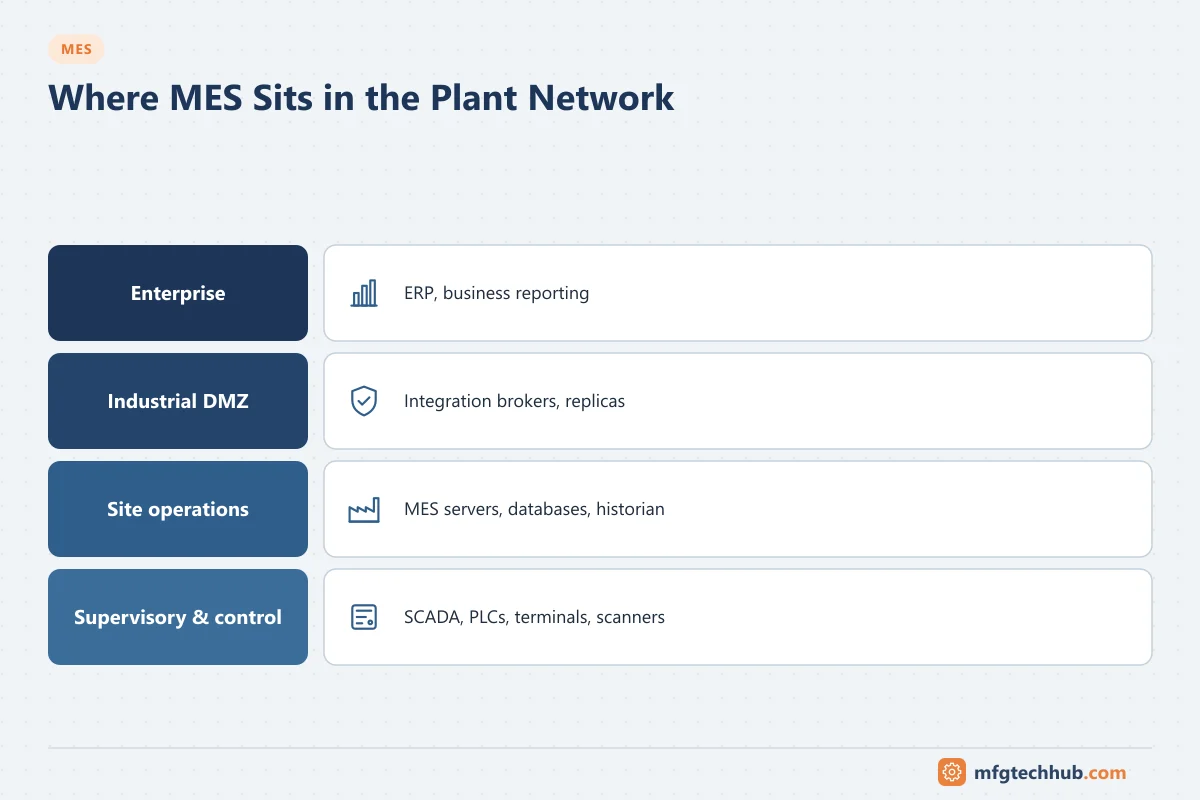
This article covers where MES components sit, how data crosses network boundaries, which protocols are used, and how to design for availability.
Where MES sits in the network
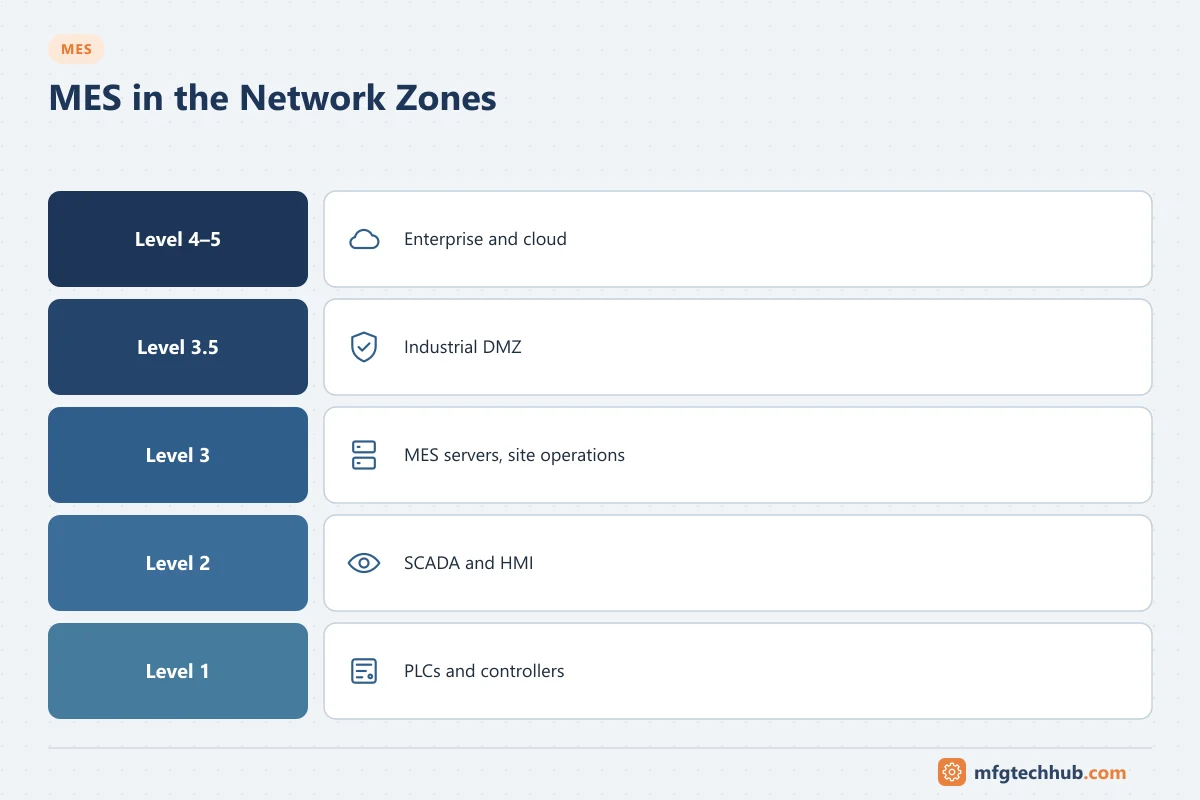
| Zone (Purdue-style) | What lives there | MES relationship |
|---|---|---|
| Level 4–5: enterprise / cloud | ERP, PLM, corporate analytics, cloud MES services | Orders, master data, confirmations, enterprise reporting |
| Level 3.5: industrial DMZ | Data brokers, historian replicas, patch/AV servers, remote access gateways | Controlled data exchange between plant and enterprise |
| Level 3: site operations | MES application and database servers, site historian, domain services | Core MES functions |
| Level 2: supervisory | SCADA, HMI, batch servers, OPC UA servers, edge gateways | Machine data and commands exchanged with MES |
| Level 1: control | PLCs, DCS controllers | Usually accessed through Level 2 connectivity, not directly from Level 4 |
Principle: no direct traffic between the enterprise network and the control network. Data passes through the DMZ, ideally with connections initiated from the more trusted side. See ISA/IEC 62443.
Typical data flows and how to allow them
| Flow | Direction | Typical protocol | Firewall consideration |
|---|---|---|---|
| ERP → MES orders and master data | Enterprise to site | Middleware, web services/APIs, message queues | Via DMZ broker or integration server |
| MES → ERP confirmations | Site to enterprise | Same as above | Queue in MES if ERP unavailable |
| MES ↔ PLC/SCADA | Within site (Level 3 ↔ 2) | OPC UA, MQTT, native drivers, SQL tables | Allow only specific hosts and ports |
| Shop-floor clients → MES | Level 3 | HTTPS (web clients), thin clients | Separate VLAN for terminals |
| Scanners and printers | Level 3 | Wi-Fi, TCP/IP printing protocols | Device management, segmentation |
| Remote support | External to site | Remote access gateway with MFA | Time-limited, logged sessions |
Document every flow in an interface and firewall matrix: source, destination, protocol, port, direction, purpose and owner. It is essential for security reviews and troubleshooting.
Protocols used by MES
| Protocol | Use | Notes |
|---|---|---|
| OPC UA | Machine and SCADA data, commands, recipes | Preferred open standard; supports security (certificates, encryption). See Industrial Communication Protocols |
| MQTT / Sparkplug B | Event-driven data collection via brokers | Common with edge gateways and unified namespace architectures |
| REST/HTTPS APIs | Integration with ERP, PLM, LIMS, apps | Synchronous; plan for availability of the other system |
| Message queues / middleware | Reliable enterprise messaging | Guaranteed delivery, retries |
| SQL / database interfaces | Legacy integration, reporting | Tight coupling; control access carefully |
| B2MML (XML) | ISA-95 based message content | Often transported over queues or APIs |
| Fieldbus and PLC protocols | Via connectivity servers | EtherNet/IP, PROFINET, Modbus TCP are usually handled by OPC servers or gateways, not by MES directly |
Shop-floor devices
- Operator terminals: industrial PCs or thin clients; consider touch operation, gloves, cleaning agents, IP rating and mounting.
- Mobile devices and tablets over Wi-Fi; plan coverage, roaming and device management.
- Barcode scanners and label printers: reliable Wi-Fi or wired connections; printers often become bottlenecks.
- Scales and measuring devices via serial-to-Ethernet converters or OPC UA.
High availability and resilience
| Component | Typical approach |
|---|---|
| Application servers | Clustered or load-balanced servers; virtual machine high availability |
| Database | Database clustering or replication with tested failover |
| Network | Redundant core switches and uplinks; critical areas on redundant paths |
| Interfaces | Store-and-forward queues so no transaction is lost when a partner system is down |
| Edge / line level | Local buffering or edge functions so lines keep running during MES or WAN outages |
| Procedures | Documented offline procedures and data catch-up after recovery |
Define availability targets per function: some functions (for example label printing or order start) may stop a line within minutes if unavailable; others (reports) can wait.
Time synchronisation
MES records events from many systems. Consistent time is essential for genealogy, OEE and investigations:
- Synchronise MES servers, SCADA, PLCs and historians to the same NTP hierarchy (PTP where higher accuracy is needed).
- Store timestamps in UTC and convert for display.
- Monitor time drift.
Sizing and performance
- Estimate transaction rates: orders, operations, scans, machine events per minute at peak (for example shift start).
- Plan data growth and retention; archive old data.
- Test performance with realistic volumes before go-live.
- Monitor response times at the operator terminal, not only server load.
Checklist
- MES components placed in the correct zones
- Interface and firewall matrix documented and approved
- No direct enterprise-to-control-network connections
- Secure protocols and certificates where supported
- High availability design and tested failover
- Store-and-forward for all critical interfaces
- Offline procedures documented
- Time synchronisation across all systems
- Performance tested with realistic volumes
Frequently asked questions
Should the MES server be on the control network?
Usually not. The MES belongs in the site operations zone (Level 3), separated from the control network by firewalls. It communicates with PLCs and SCADA through defined, restricted connections, often via OPC UA servers or edge gateways.
What is an industrial DMZ?
A network zone between the plant networks and the enterprise network that hosts systems used to exchange data (brokers, historian replicas, remote access gateways), so that no direct connection is needed between the two sides.
Can MES run in the cloud?
Parts of it can. Most designs keep time-critical shop-floor functions on site or at the edge. See Cloud MES vs On-Premise MES.
Key takeaways
- MES spans network zones; place its servers at Level 3 and exchange enterprise data through a DMZ.
- Document every data flow and restrict firewall rules to what is needed.
- Use OPC UA, MQTT, APIs and message queues appropriately, with store-and-forward.
- Design for availability, time synchronisation and realistic performance.
Related tutorials
Before you apply this in a plant: this article is for education. Always check the current edition of the relevant standards, the manufacturer's documentation for your exact product and version, and your site's procedures. Safety-related work needs qualified personnel. See our editorial policy.