
Computerised System Validation for Automation: GAMP 5, CSA, 21 CFR Part 11 and EU Annex 11
On this page
In pharmaceutical, biotech, medical device and other GMP-regulated manufacturing, automation and IT systems that affect product quality, patient safety or data integrity must be validated: there must be documented evidence that they are fit for their intended use and remain so throughout their life. For automation engineers this means PLCs, SCADA, DCS, historians, MES and laboratory systems all come with validation deliverables.
Important: regulations and guidance change and differ between regions and product types. This article is an educational overview. Follow your company’s quality system, the current regulations that apply to your products and markets, and advice from your quality and validation specialists.
The regulatory landscape
| Source | Scope (simplified) |
|---|---|
| 21 CFR Part 11 (US FDA) | Requirements for electronic records and electronic signatures used to meet FDA record-keeping requirements |
| EU GMP Annex 11 | Computerised systems used in GMP-regulated activities in the EU. A substantially expanded revision was published as a draft in July 2025 for consultation, with the final version expected afterwards; check the current status |
| FDA guidance on Computer Software Assurance (CSA) | Final guidance (September 2025) for production and quality system software used by medical device manufacturers, promoting a risk-based, least-burdensome assurance approach; its principles are widely discussed across life sciences |
| ISPE GAMP 5 (Second Edition, 2022) | Industry guidance for a risk-based approach to compliant GxP computerised systems |
| PIC/S, WHO and national guidance | Including data integrity guidance. See Data Integrity and ALCOA+ |
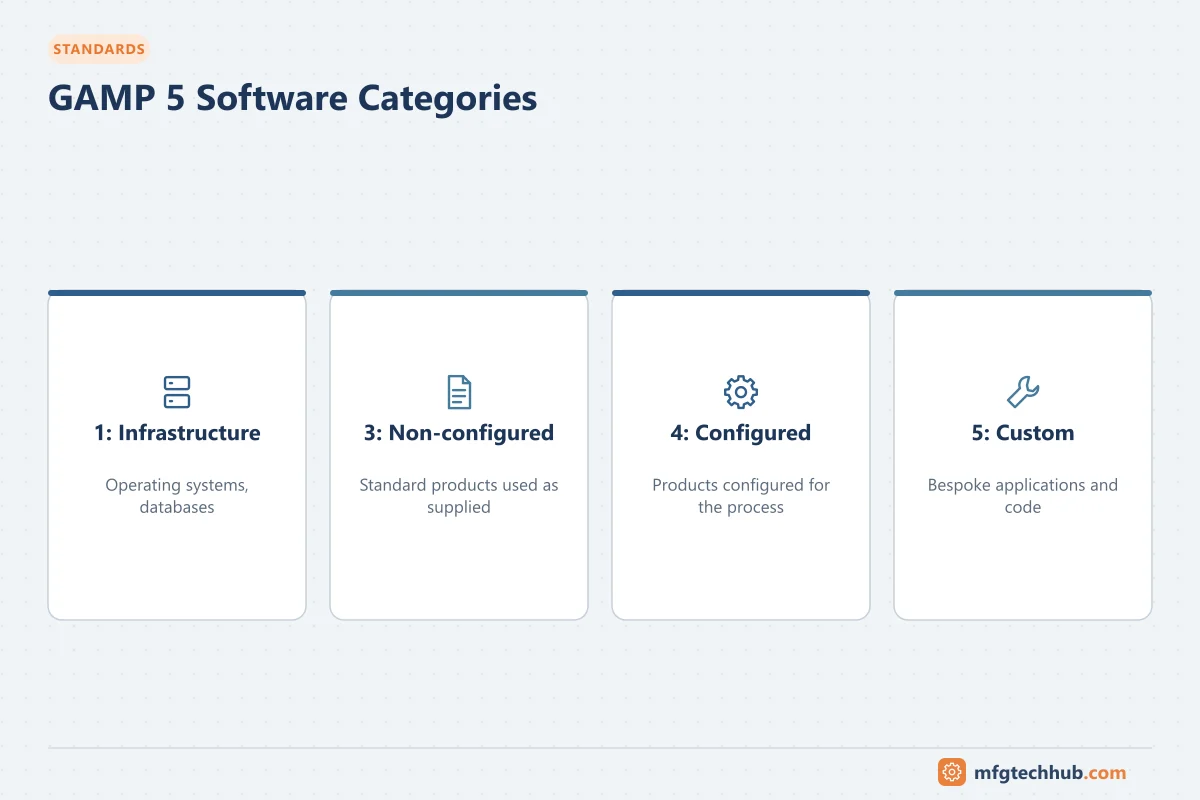
GAMP 5 software categories
| Category | Description | Automation examples | Typical effort |
|---|---|---|---|
| 1 – Infrastructure software | Operating systems, databases, network software | Windows Server, SQL Server, virtualisation | Qualify the infrastructure; manage configuration |
| 3 – Non-configured products | Used as supplied, only parameters entered | Firmware of a standard instrument, simple standalone devices | Verify intended use, lighter testing |
| 4 – Configured products | Configured to meet business processes using standard functions | SCADA and MES configured with standard features, DCS with standard function blocks | Specify and test the configuration |
| 5 – Custom applications | Bespoke code | Custom PLC logic, scripts, custom MES extensions and interfaces | Full lifecycle: design, code review, detailed testing |
(Category 2 from earlier GAMP versions is no longer used.) Real systems combine categories: a SCADA product (category 4) with custom scripts (category 5) running on qualified infrastructure (category 1).
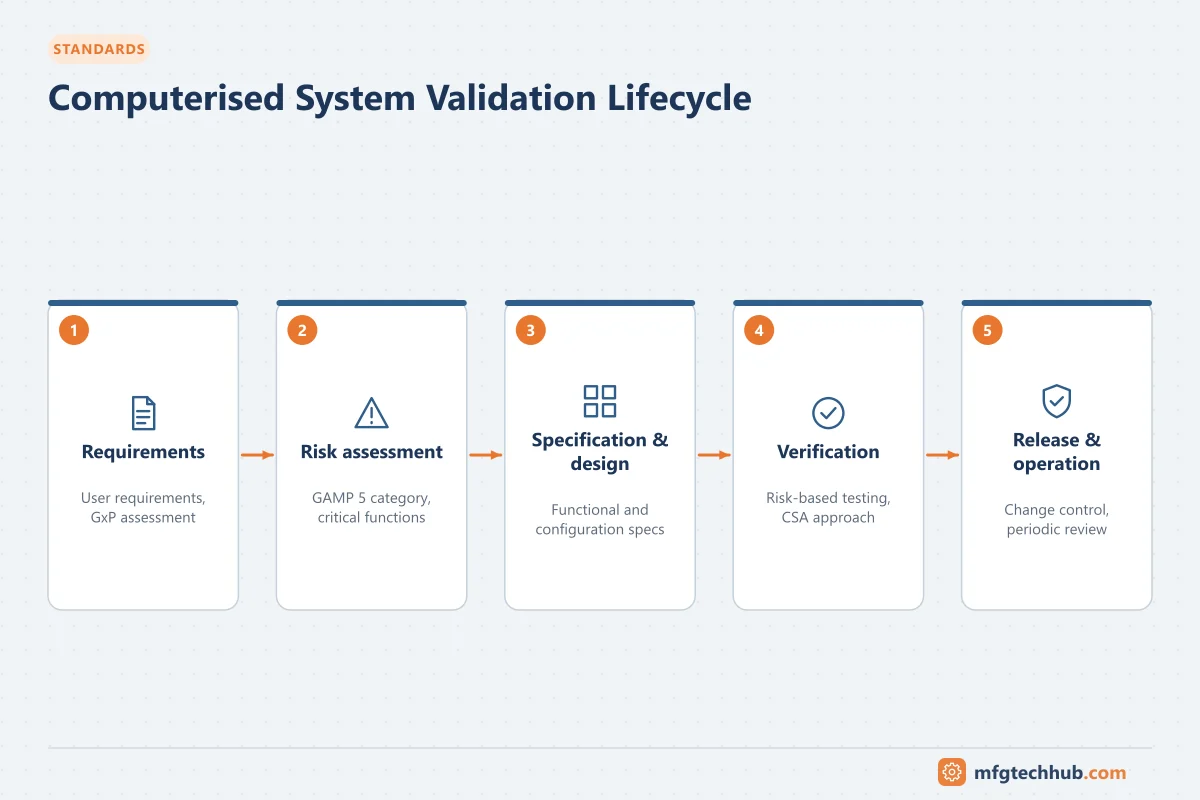
The validation lifecycle
| Phase | Deliverables (typical) | Automation perspective |
|---|---|---|
| Planning | Validation plan, system classification, GxP and risk assessment | Decide scope: which functions are GxP-critical |
| Requirements | User requirements specification (URS) | Process, data, alarm, security, audit trail and interface requirements |
| Specification | Functional specification (FS), design specification (DS), configuration specification | Control narratives, I/O lists, alarm lists, network and security design |
| Build | Code and configuration under version control, code reviews | Coding standards, libraries. See PLC Programming Best Practices |
| Verification | FAT, SAT, IQ, OQ (and PQ where applicable), traceability matrix | Leverage supplier FAT/SAT evidence where controlled and adequate |
| Release | Validation report, handover to operation | Approved baselines and backups |
| Operation | Change control, incident and deviation management, periodic review, backup/restore, security | Most compliance problems appear here |
| Retirement | Data migration or archiving, decommissioning | Records must remain available for their retention period |
IQ, OQ, PQ in automation terms:
- IQ (installation qualification): hardware, software versions, network and configuration installed as specified.
- OQ (operational qualification): functions work as specified, including alarms, interlocks, security, audit trails, error handling and interfaces.
- PQ (performance qualification): the system performs consistently in the real process (often combined with process validation).
Risk-based testing and computer software assurance
The modern approach concentrates effort where risk to product quality, patient safety and data integrity is highest:
- Identify intended use and which functions are GxP-relevant.
- Assess risk of each function (impact if it fails, probability, detectability).
- Choose assurance activities proportionate to risk: scripted testing for high-risk functions; unscripted or exploratory testing, supplier evidence and verification of configuration for lower-risk functions.
- Record the rationale and results efficiently; avoid generating documentation that adds no assurance.
- Leverage suppliers: assess the supplier’s quality system and reuse their testing where appropriate.
Automation-specific points inspectors and auditors look for
- Access control: individual user accounts, role-based rights, no shared passwords for GxP actions, protection of engineering access to PLCs and SCADA.
- Audit trails for GxP data and critical configuration changes, with reviews. See Data Integrity and ALCOA+.
- Time synchronisation of controllers, HMIs and servers.
- Backups and restore tests. See OT Backup and Restore Runbook.
- Change control for PLC programs, recipes, alarm limits and SCADA configurations, including impact assessment and retesting.
- Configuration baselines: the running program matches the validated version.
- Standalone systems (HMIs, instruments with local data) are often weak points: local accounts, data that can be deleted, no audit trail.
- Interfaces between systems (for example MES to ERP, historian to reports) validated as part of the data flow.
Validating typical systems
| System | Focus areas |
|---|---|
| PLC / skid control | Interlocks and alarms affecting quality, recipe parameters, data sent to SCADA/MES, access control, program version control |
| SCADA / HMI | Displays and alarms for GxP parameters, audit trails, electronic records, user management, data transfer to historians |
| DCS and batch systems | Recipes (ISA-88), batch reports, alarms, audit trails, interfaces to MES |
| Historian | Data collection completeness, compression settings, timestamps, retention, reports used for batch release. See Industrial Historians |
| MES / EBR | Workflow enforcement, electronic signatures, review by exception, interfaces to ERP and equipment |
Maintaining the validated state
- Change control: every change assessed for GxP impact; appropriate testing; documentation updated.
- Periodic review: confirm the system remains fit for use (incidents, changes, audit trail reviews, security, supplier status).
- Security management: patches, antivirus and access reviews handled through change control with appropriate testing. See ISA/IEC 62443.
- Supplier management: service agreements, change notifications, especially for cloud and SaaS systems.
Frequently asked questions
What is the difference between CSV and CSA?
Computerised system validation (CSV) is the overall discipline of demonstrating that systems are fit for their intended use. Computer software assurance (CSA) is a risk-based approach, promoted in FDA guidance, that focuses assurance activities on high-risk functions and accepts less documentation-heavy methods for lower-risk ones. CSA is a way of performing validation, not a replacement for it.
Does every PLC in a pharmaceutical plant need validation?
Systems that can affect product quality, patient safety or GxP data need to be validated in proportion to their risk. Utilities and non-GxP equipment may need only good engineering practice. The system’s GxP assessment decides.
What is a traceability matrix?
A document or tool that links each requirement to the specifications, tests and results that demonstrate it has been met, so reviewers can confirm every requirement is covered.
Key takeaways
- Validation demonstrates that GxP computerised systems are fit for intended use and remain so.
- GAMP 5 categories and a risk-based lifecycle guide effort; CSA focuses assurance on high-risk functions.
- For automation, access control, audit trails, time sync, backups, change control and baselines are critical.
- Maintaining the validated state through change control and periodic review matters as much as the initial validation.
Before you apply this in a plant: this article is for education. Always check the current edition of the relevant standards, the manufacturer's documentation for your exact product and version, and your site's procedures. Safety-related work needs qualified personnel. See our editorial policy.