
OT Backup and Restore Runbook: PLCs, HMIs, SCADA, Historians and Network Devices
On this page
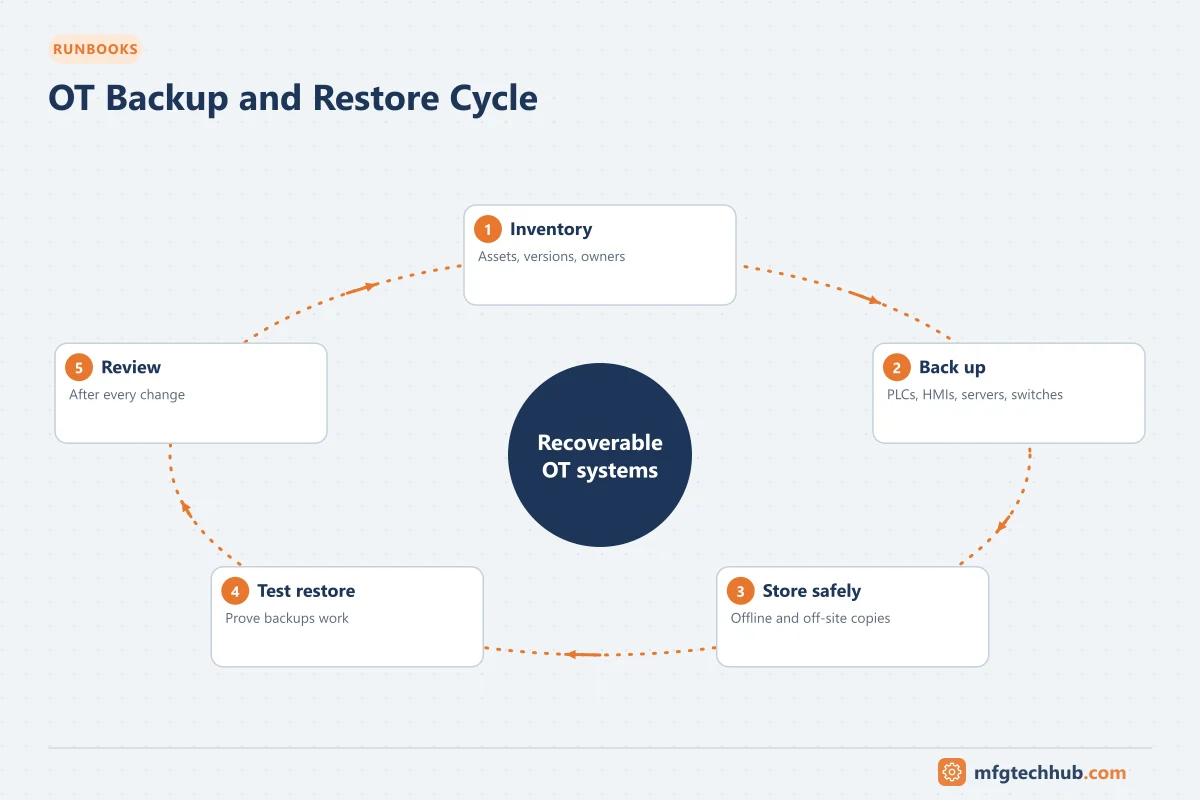
When a controller fails, a server’s disk dies or ransomware reaches the plant network, recovery speed depends on one thing: usable, recent, tested backups of every OT component, plus the software and licences needed to restore them. This runbook is a template to adapt to your site’s systems and procedures.
1. Purpose
Ensure that every OT system can be restored to a known-good state within an agreed recovery time, after hardware failure, corruption, human error or a cyber incident.
2. Scope
| Asset class | Examples |
|---|---|
| Controllers | PLCs, safety PLCs, DCS controllers, drives with parameters, robot controllers |
| HMIs and SCADA | Operator panels, SCADA servers and clients, alarm and report configurations |
| Historians and MES servers | Configuration, databases, archives |
| Engineering workstations | Engineering software, projects, licences |
| Network and security devices | Switches, routers, firewalls, remote access gateways |
| Infrastructure | Virtualisation hosts, domain controllers, time servers, certificate services |
3. Prerequisites
- Asset inventory with owner, criticality, firmware/software versions and backup method for every asset
- Recovery targets per asset: how much data loss is acceptable (RPO) and how fast it must be restored (RTO)
- Access rights and approved tools for each platform
- Secure backup storage, including an offline or immutable copy
- Engineering software installers and licences (correct versions) archived
4. What to back up
| Asset | Back up | Notes |
|---|---|---|
| PLC / DCS controller | Program/project file from the engineering tool, uploaded from the running controller, hardware configuration, retentive data and recipes where needed | Compare the online program with the archived version before trusting either |
| Safety PLC | Program, signature/checksum, safety configuration documentation | Follow safety change management; record checksums |
| Drives and servo | Parameter sets | Often forgotten; needed for replacement units |
| HMI panels | Runtime and project files | Keep the project file, not only the runtime |
| SCADA servers | Project/configuration, tag databases, alarm configuration, scripts, user roles; full system image for fast recovery | Application-level export plus image |
| Historian | Configuration, tag database, archives or database backups | Plan for archive size; test partial restores |
| MES / databases | Database backups with logs, application configuration | Follow database vendor practice |
| Network devices | Running configurations of switches, routers, firewalls | Store after every change |
| Engineering workstations | Images or documented rebuild procedures | Include licences and dongles |
| Documentation | Drawings, I/O lists, network diagrams, IP registers, certificates | Needed to rebuild anything |
5. Risks and precautions
- Online uploads from controllers are normally safe, but follow vendor guidance; avoid actions that change controller mode.
- Credentials and secrets in backups (passwords, keys, certificates) must be protected.
- Malware: scan media and store backups where a network compromise cannot reach them (offline or immutable storage).
- Version mismatch: a project that needs an unavailable software version is not restorable.
6. Execution (routine backup)
- Confirm the change log since the last backup.
- Back up each asset using the approved method.
- Record: asset ID, date, method, software version, checksum or file hash, operator.
- Compare controller programs with the previous version; investigate unexpected differences (they may indicate undocumented changes).
- Copy to primary backup storage and to the offline/immutable copy.
- Update the backup register.
Frequency: after every change, plus scheduled backups (for example monthly for controllers, daily for servers and databases), according to criticality.
7. Restore procedure (general)
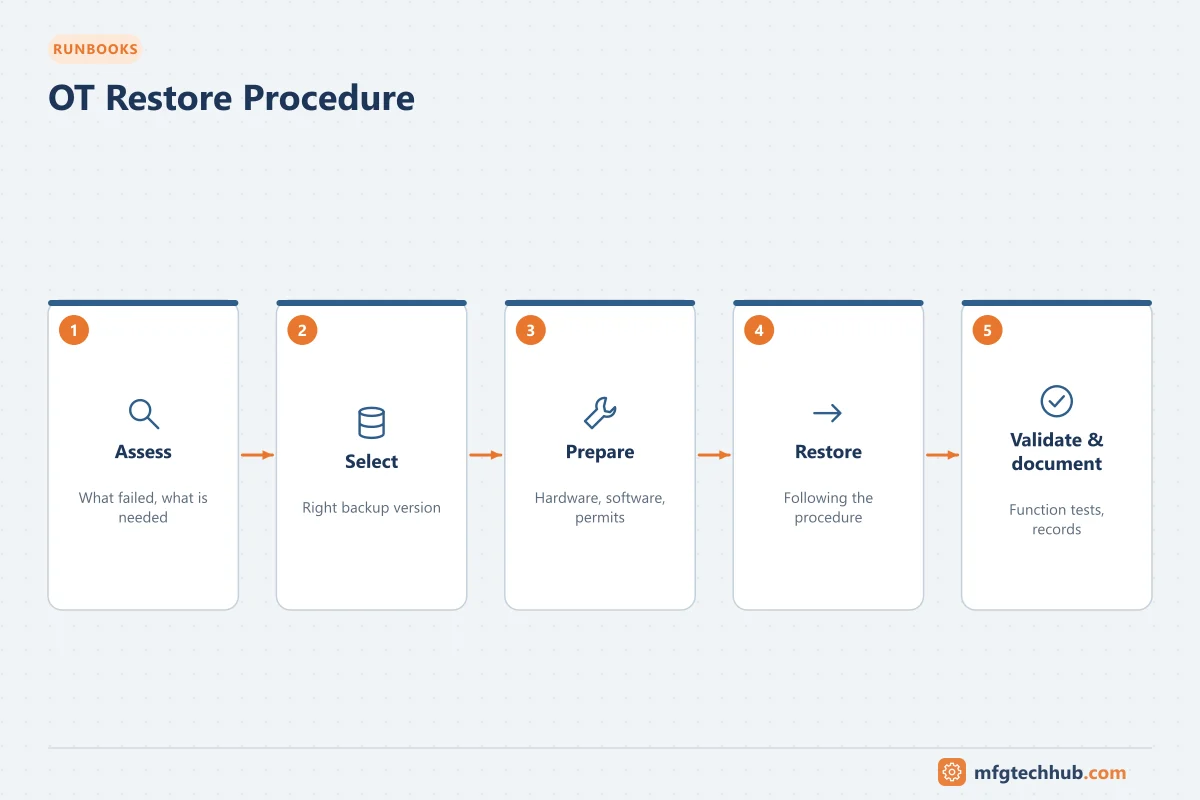
- Assess: identify the failed asset and confirm the cause (hardware, corruption, cyber). In a cyber incident, follow the incident response plan before restoring anything.
- Select the correct backup version (last known good, before the incident).
- Prepare replacement hardware with compatible firmware.
- Restore configuration or program using the approved tool.
- Validate (see below) before returning to production.
- Document the restore and any deviations.
8. Validation
- Controller or system runs without faults
- Program/checksum matches the intended version
- I/O, communication and interfaces working (SCADA, historian, MES)
- Safety functions tested according to safety procedures where affected
- Operators confirm displays, alarms and functions
9. Restore testing
Untested backups are assumptions. At least annually, and after major changes:
- Restore a controller program to a spare or simulator and compare
- Restore a SCADA or historian server to an isolated test environment
- Restore network device configurations to spare devices
- Time the restore and compare with the recovery target
10. Rollback and escalation
- If a restore fails validation, return to the previous state (if safe) and escalate to the system owner and vendor support.
- Keep vendor support contacts and contract numbers in the runbook.
11. Documentation and sign-off
| Item | Responsible |
|---|---|
| Backup register up to date | System owner |
| Restore test records | OT engineering |
| Exceptions and remediation | OT lead |
| Approval of runbook | Operations and OT management |
Related guides
Before you apply this in a plant: this article is for education. Always check the current edition of the relevant standards, the manufacturer's documentation for your exact product and version, and your site's procedures. Safety-related work needs qualified personnel. See our editorial policy.