
Industrial Network Design for OT Engineers: VLANs, Segmentation, DMZ, Redundancy and Time Sync
On this page
Automation engineers are increasingly responsible for networks: PLCs, drives, remote I/O, HMIs, SCADA servers and edge devices all communicate over Ethernet. OT networks follow the same technologies as IT networks, but with different priorities: availability and determinism first, long equipment life, and devices that cannot be patched or rebooted at will.
This guide explains the networking concepts an OT engineer needs to design, review and troubleshoot plant networks.
OT vs IT priorities
| Aspect | IT network | OT network |
|---|---|---|
| Priority | Confidentiality, then integrity, then availability | Availability and integrity (safety), then confidentiality |
| Traffic | Bursty, user driven | Cyclic, predictable, often time-critical |
| Device lifetime | 3–5 years | 10–25 years |
| Changes | Frequent, automated patching | Planned, tested, during shutdowns |
| Failure impact | Lost productivity, data | Stopped production, damaged equipment, safety events |
Building blocks
Managed industrial switches
Use managed switches for anything beyond a single small machine. They provide VLANs, redundancy protocols, IGMP snooping, port diagnostics, port security and SNMP monitoring. Industrial versions add wide temperature ranges, DIN-rail mounting, redundant power inputs and relay contacts for fault alarms.
Unmanaged switches have no diagnostics and forward all multicast traffic everywhere, which is a common cause of overloaded devices on EtherNet/IP and PROFINET networks.
IP addressing plan
- Plan subnets per area, line or function; document them in an IP address register.
- Controllers, I/O and drives use fixed addresses (configured statically or reserved), so connections do not break.
- Reserve address ranges for engineering laptops and future expansion.
- Avoid overlapping subnets between sites and with the corporate network; it causes problems with remote access and integration.
VLANs
A VLAN (IEEE 802.1Q) splits one physical switch infrastructure into separate logical networks. Typical OT VLANs:
- Control (PLCs, I/O, drives) per area or line
- Supervisory (SCADA servers, HMIs)
- Engineering workstations
- Security cameras and building systems
- Management (switch and device management interfaces)
Traffic between VLANs must pass through a router or firewall, where it can be controlled. VLANs alone are not a security boundary if routing between them is unrestricted.
Routing and NAT for machines
Machine builders often deliver identical machines with the same IP addresses. NAT (network address translation) routers, often 1:1 NAT, map each machine’s internal addresses to unique plant addresses, so machines can be integrated without reprogramming. Check that the protocols used work through NAT; some industrial protocols and discovery mechanisms do not.
Segmentation: zones, conduits and the DMZ
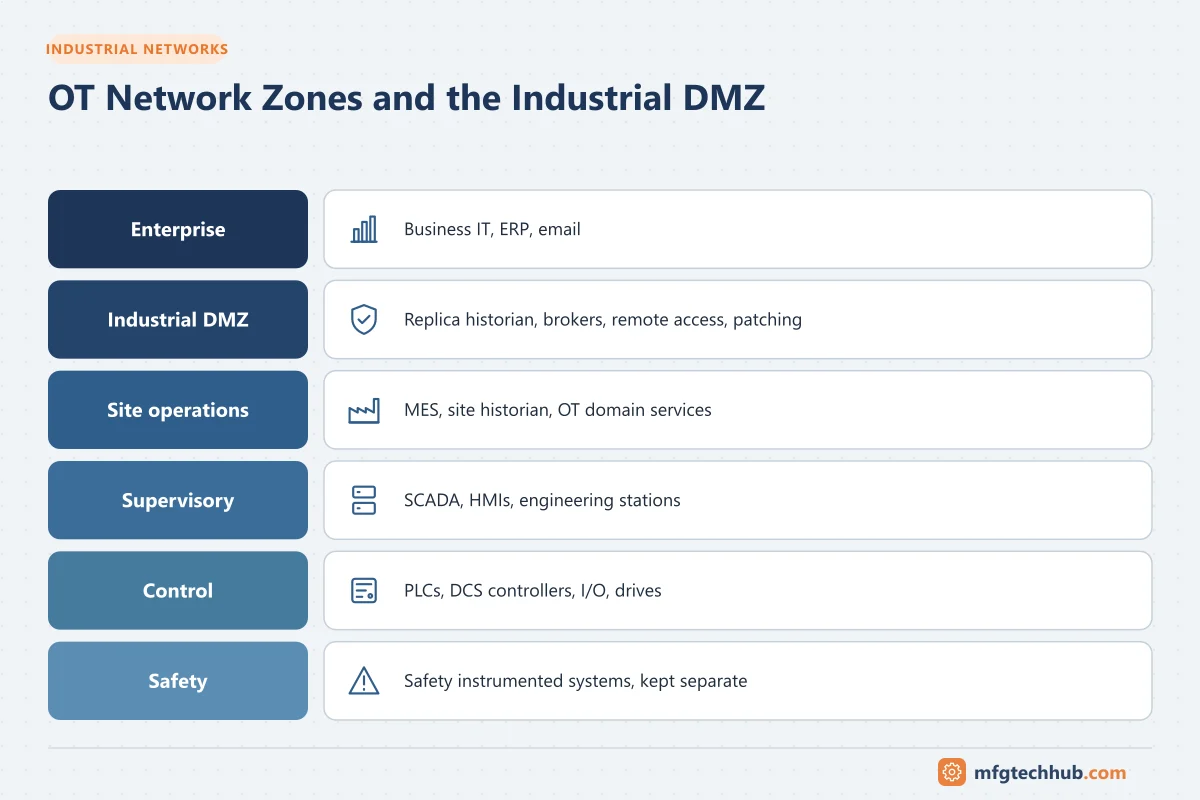
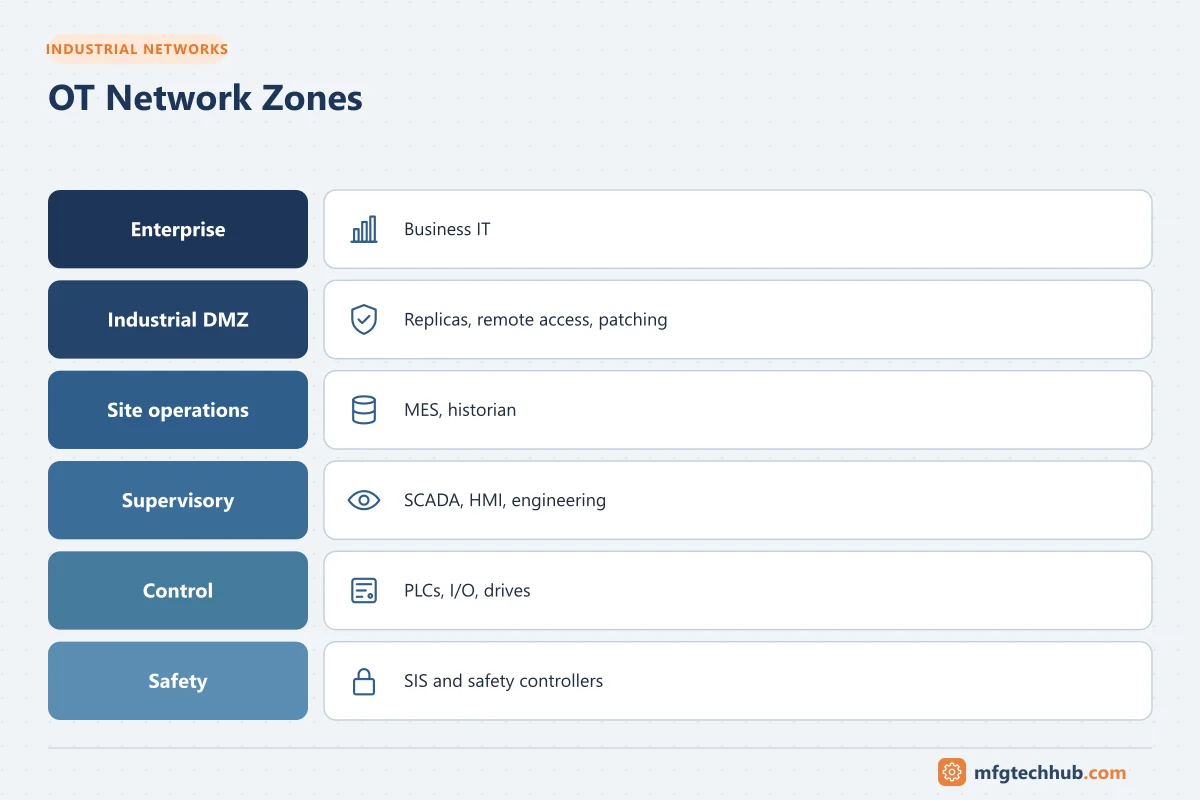
The ISA/IEC 62443 approach divides the plant into zones (groups of assets with similar security requirements) connected by conduits (controlled communication paths). In practice:
| Zone | Contents |
|---|---|
| Enterprise | Business IT, ERP, email |
| Industrial DMZ | Historian replicas, data brokers, patch and antivirus servers, remote access gateways |
| Site operations | MES, site historian, domain services for OT |
| Supervisory | SCADA, HMIs, engineering stations |
| Control | PLCs, DCS controllers, I/O, drives |
| Safety | Safety instrumented systems, kept separate |
Firewall rule principles:
- Default deny; allow only documented flows (source, destination, protocol, port).
- No direct traffic from the enterprise to control zones; data crosses via the DMZ.
- Prefer connections initiated from the more trusted zone outward.
- Review rules periodically and remove unused ones.
See ISA/IEC 62443 and MES Infrastructure and Networking.
Redundancy
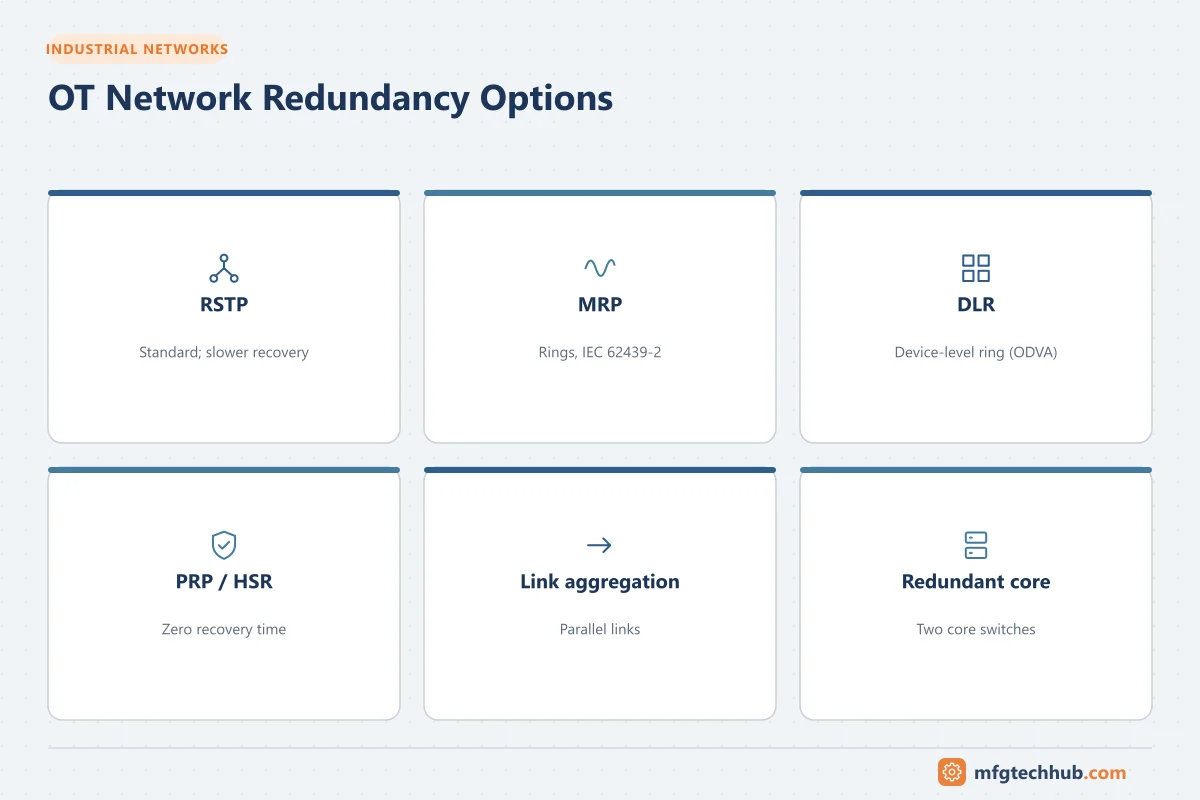
| Technique | Typical use | Notes |
|---|---|---|
| RSTP (IEEE 802.1D/Q) | General networks, mixed vendors | Recovery time depends on topology |
| MRP (IEC 62439-2) | PROFINET and industrial rings | Deterministic ring recovery |
| DLR (ODVA) | EtherNet/IP device-level rings | Devices with two ports form a ring |
| PRP / HSR (IEC 62439-3) | Zero-recovery applications, substations | Duplicate frames over two paths |
| Link aggregation | Uplinks between switches | Bandwidth and link redundancy |
| Redundant core switches | Supervisory and site networks | With redundant firewalls and power |
Do not mix ring protocols on the same ring, and ensure only one mechanism controls each loop. A redundancy failure must raise an alarm; otherwise, the network silently runs without protection. See DCS Networks.
Multicast, IGMP and QoS
- Some industrial protocols use multicast (for example EtherNet/IP implicit I/O can use multicast; many newer configurations use unicast). Without IGMP snooping and a querier, switches flood multicast to every port and overload devices.
- QoS prioritises real-time traffic. PROFINET and EtherNet/IP have recommended priority settings; follow the vendor’s network guidelines.
- Keep real-time I/O networks free of large file transfers, video and backups.
Physical layer
| Medium | Typical distance | Use |
|---|---|---|
| Copper (Cat 5e/6, industrial cables, M12 connectors) | Up to 100 m per segment | Inside panels and short runs |
| Multimode fibre | Hundreds of metres to around 2 km depending on speed and fibre type | Between panels and buildings on a site |
| Single-mode fibre | Kilometres to tens of kilometres | Long distances, between sites |
| Wireless (Wi-Fi, private cellular) | Varies | Mobile equipment, monitoring; careful design for control |
Fibre between buildings avoids ground potential differences and lightning-induced surges. Use shielded industrial cabling and proper grounding in electrically noisy areas. See Grounding and Earthing.
Network services in OT
- Time synchronisation (see Time Synchronisation in OT): NTP for servers and most devices; IEEE 1588 PTP where sub-microsecond accuracy is needed (motion, power systems). Use redundant time sources and monitor them.
- DHCP: acceptable for clients such as HMIs and laptops; avoid for controllers unless reservations are managed carefully. PROFINET assigns addresses by device name through its own mechanism (DCP).
- DNS: useful for servers and certificates (hostnames must match certificate entries), but critical control communication should not depend on DNS availability.
- Directory services: a separate OT domain or carefully controlled trust with the corporate domain.
Diagnostics and documentation
- Switch diagnostics: port status, error counters (CRC errors point to cabling or EMC problems), link speed/duplex mismatches, topology views.
- SNMP / syslog to a monitoring system; alarms for port and redundancy failures.
- Port mirroring (SPAN) or network taps for troubleshooting and for passive OT intrusion detection.
- Protocol analysers (for example Wireshark with industrial protocol dissectors) for detailed troubleshooting.
- Keep network drawings, IP registers, switch configurations and firewall rules under version control and backed up.
Common problems
For a step-by-step method, see OT Network Troubleshooting.
| Symptom | Likely cause |
|---|---|
| Random I/O connection faults | Multicast flooding (no IGMP snooping), duplex mismatch, bad cables or connectors |
| Duplicate IP address warnings | Laptops or replacement devices with wrong addresses; missing IP register |
| Network slows at certain times | Backups, video or file transfers on control VLANs |
| Ring failures after changes | Two redundancy protocols active, or a loop created without ring configuration |
| Devices unreachable after a switch replacement | Replacement switch without VLAN/redundancy configuration; restore from backup |
Frequently asked questions
Do I need VLANs in a small plant?
Even small plants benefit from separating control devices from office and camera traffic. At minimum, separate the control network from other networks with a firewall; VLANs make this easier as the plant grows.
What is the difference between a VLAN and a firewall?
A VLAN separates traffic logically on switches. A firewall inspects and filters traffic between networks according to rules. Security between zones requires firewall rules, not only VLANs.
Why do PLC networks need IGMP snooping?
Some industrial protocols send multicast traffic. Without IGMP snooping, switches forward it to every port, which can overload devices that do not need it and cause communication faults.
Key takeaways
- OT networks prioritise availability and determinism, with long device lifetimes.
- Use managed switches, an IP register, VLANs and firewalled zones with a DMZ.
- Choose redundancy protocols deliberately and monitor them.
- Manage multicast, QoS, time synchronisation and documentation as part of the design.
Related tutorials
Before you apply this in a plant: this article is for education. Always check the current edition of the relevant standards, the manufacturer's documentation for your exact product and version, and your site's procedures. Safety-related work needs qualified personnel. See our editorial policy.