
PROFINET Explained: Controllers, Devices, GSDML, Device Names, RT/IRT and Diagnostics
On this page
PROFINET is the Industrial Ethernet standard from PROFIBUS & PROFINET International (PI), standardised in IEC 61158 and IEC 61784. It is widely used for PLC-to-I/O, drives, robots and process instruments, especially in systems built around Siemens controllers, although many vendors support it.
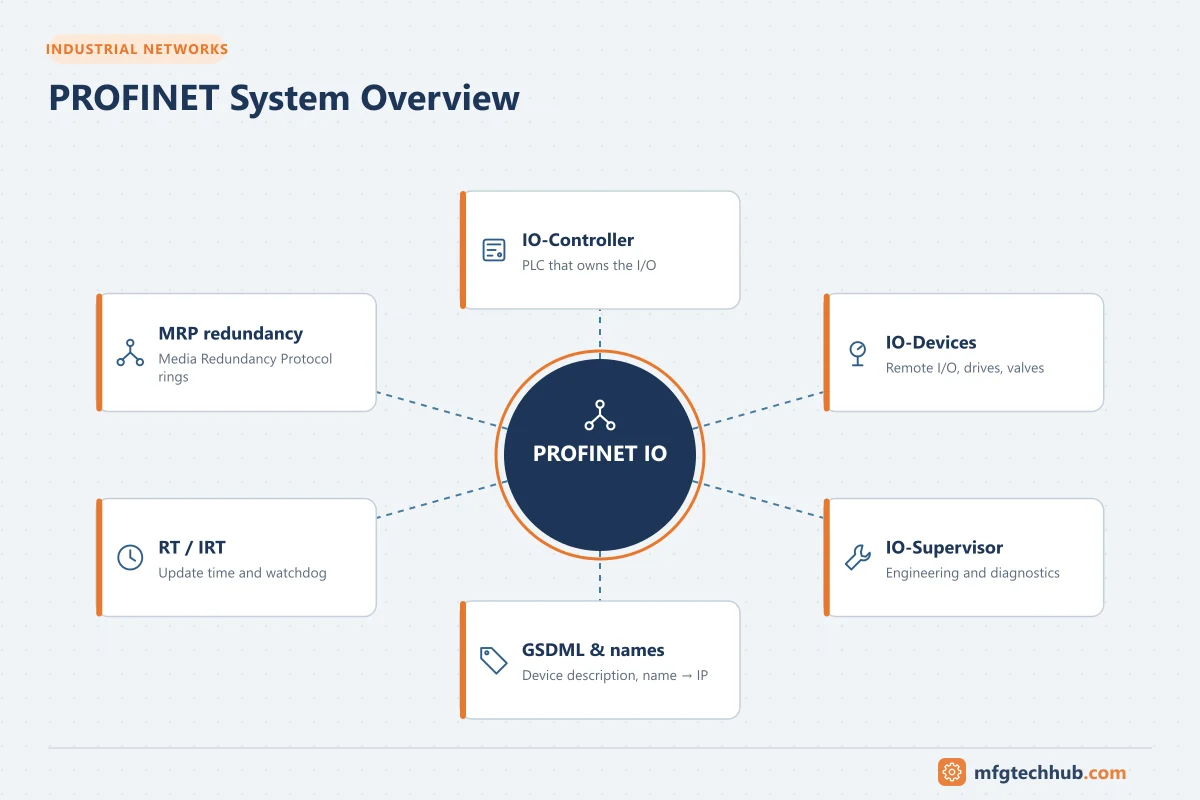
This guide explains how a PROFINET network is structured, how devices are identified and configured, the performance options, and how to troubleshoot common faults.
Roles in a PROFINET system
| Role | Description | Example |
|---|---|---|
| IO controller | Runs the control program and exchanges cyclic data with devices | PLC |
| IO device | Field device with inputs/outputs or data | Remote I/O station, drive, valve terminal, transmitter |
| IO supervisor | Engineering or diagnostic tool, used temporarily | Engineering laptop, HMI |
Communication is provider–consumer: the controller and each device send cyclic data to each other at the configured update time, rather than one side polling the other.
Device description: GSDML
Every PROFINET device comes with a GSDML file (an XML device description). It tells the engineering tool which modules, submodules, parameters, diagnostics and capabilities the device has. Use the GSDML version that matches the device’s hardware and firmware; mismatches are a common cause of configuration errors.
Device names and IP addresses
PROFINET identifies devices by device name (NameOfStation), not primarily by IP address:
- In the engineering project, each device is given a name (for example
line1-io-station-3). - On the network, the name is written into the physical device using the DCP (Discovery and Configuration Protocol), usually from the engineering tool, identified by MAC address or by flashing the device LED.
- At start-up, the controller finds each device by name and assigns its IP address.
Benefits: replacing a failed device is simple; if the replacement has no name, many controllers can assign it automatically based on topology (the neighbour relationships learned via LLDP), so no laptop is needed.
Communication classes
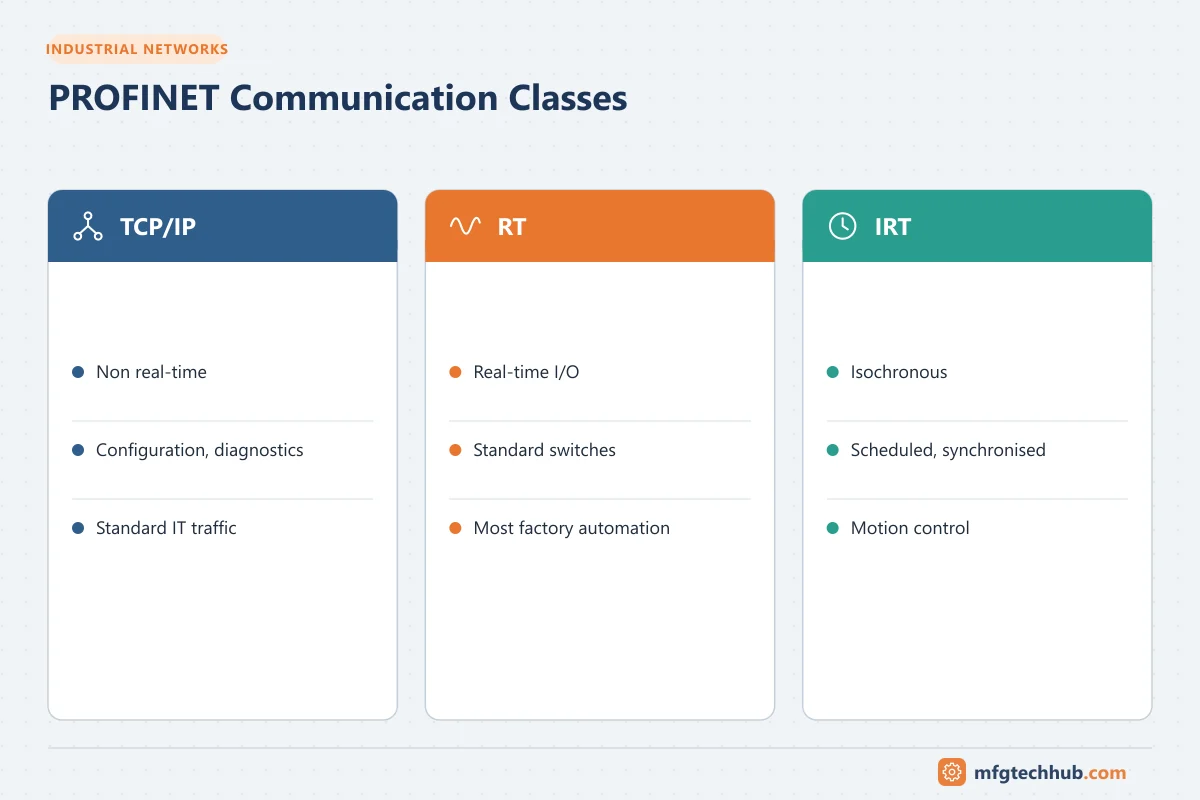
| Communication | Use | Characteristics |
|---|---|---|
| TCP/IP (non real-time) | Parameterisation, diagnostics, web servers, OPC UA | Standard Ethernet traffic |
| RT (real-time) | Cyclic I/O for most factory and process automation | Prioritised Ethernet frames (no IP layer), update times typically from about 1 ms upward |
| IRT (isochronous real-time) | Motion control and highly deterministic applications | Reserved time slots and hardware support in switches and devices; sub-millisecond cycles with very low jitter |
Conformance classes
| Class | Summary |
|---|---|
| CC-A | Basic RT communication; standard infrastructure permitted |
| CC-B | Adds network diagnostics and topology information (SNMP, LLDP); required for many process applications |
| CC-C | Adds IRT and bandwidth reservation for isochronous applications |
| CC-D | PROFINET over TSN (Time-Sensitive Networking) |
Specify the conformance class your application needs when selecting devices and switches.
Update time and watchdog
- The update time defines how often cyclic data is exchanged with each device (for example 2 ms, 4 ms, 32 ms). Faster is not always better; choose based on the application and network load.
- The watchdog time (update time × a factor) defines how long a device can miss data before the connection is considered lost and the device goes to its safe/substitute values.
- If devices drop out under load, check network load, jitter, and whether the watchdog factor is too tight.
Redundancy
| Type | What it protects |
|---|---|
| MRP (Media Redundancy Protocol) | Ring topology; recovers from a single cable or switch failure |
| MRPD | Bumpless media redundancy for IRT applications |
| System redundancy (S2) | Two redundant controllers; devices with a single interface connect to both |
| R1 / R2 | Higher-availability device configurations with redundant interface modules |
See DCS Networks: Topologies, Protocols and Redundancy for how these compare with other protocols.
Additional capabilities
- Shared device / shared input: one device’s modules used by more than one controller.
- I-device: a controller that also acts as an IO device for a higher-level controller.
- PROFIsafe: safety communication over PROFINET, used with safety controllers and certified devices; see Functional Safety.
- PROFIenergy: standard commands to switch devices to energy-saving states. See Energy Management with PLCs.
- PROFINET over Ethernet-APL: brings PROFINET to process instruments in hazardous areas.
Installation rules
- Use PROFINET-certified cables and connectors; maximum 100 m per copper segment; fibre for longer runs and between buildings.
- Follow PI installation guidelines for cable routing (separation from power cables), shielding and equipotential bonding.
- Use managed switches that support the required conformance class, LLDP and diagnostics.
- Keep real-time networks free of heavy non-automation traffic.
- Document the topology; many diagnostic tools compare the actual topology with the configured one.
Troubleshooting
| Symptom | Likely causes | Checks |
|---|---|---|
| Device not found at start-up | Device name missing or wrong, duplicate names, wrong subnet | Read names with the engineering tool (DCP browse); assign correct name |
| IP address conflict | Another device or laptop using the same IP | Scan network; use the IP register |
| Configuration error after replacement | Different hardware version or firmware; wrong GSDML | Compare device identity with the project; update GSDML or configuration |
| Intermittent device failures | Cable/connector faults, EMC, too-tight watchdog, overloaded network | Port error counters, lost-frame statistics, cable test, update/watchdog settings |
| Ring redundancy alarm | Broken ring segment or misconfigured redundancy manager | Switch and device port status; only one MRP manager per ring |
| Many devices fail together | Switch or power failure, network storm | Switch status, broadcast/multicast levels |
Vendor and third-party network diagnostic tools can scan a network, list devices with names and addresses, and show topology and port statistics; they are among the most useful tools to carry.
Frequently asked questions
What is the difference between PROFIBUS and PROFINET?
PROFIBUS is a serial fieldbus (DP for factory I/O, PA for process instruments). PROFINET runs on Ethernet with higher bandwidth, flexible topologies and integrated TCP/IP services. Both are maintained by PI, and many plants use gateways to integrate PROFIBUS segments into PROFINET systems.
Why does PROFINET use device names instead of IP addresses?
Names make device replacement and address management easier: the controller assigns IP addresses based on names, and topology-based naming allows replacement without engineering tools.
Do I need IRT?
Only for motion control and applications that need isochronous, very low-jitter communication. Most I/O applications work well with RT.
Key takeaways
- PROFINET uses IO controllers, IO devices and supervisors with cyclic provider–consumer data exchange.
- Devices are described by GSDML files and identified by device names assigned via DCP.
- RT covers most applications; IRT serves motion; conformance classes define required capabilities.
- Most faults come from naming, addressing, hardware/GSDML mismatches and cabling.
Related tutorials
Before you apply this in a plant: this article is for education. Always check the current edition of the relevant standards, the manufacturer's documentation for your exact product and version, and your site's procedures. Safety-related work needs qualified personnel. See our editorial policy.