
Time Synchronisation in OT: NTP, PTP, Time Zones and Troubleshooting Clock Problems
On this page
Every event in a plant (an alarm, a batch step, a breaker trip, a historian value, an MES transaction) carries a timestamp. When clocks disagree, sequence-of-events analysis becomes impossible, historian trends from different systems do not line up, batch records show impossible orders of events, and certificates suddenly appear expired or not yet valid. Time synchronisation is infrastructure, and it deserves the same design attention as the network.
How accurate does time need to be?
| Application | Typical accuracy need | Common method |
|---|---|---|
| Office systems, MES, ERP, general servers | Around a second or better | NTP |
| SCADA, historians, alarm and event logs, PLC/HMI clocks | Tens of milliseconds to around a second, consistent across systems | NTP |
| Sequence-of-events recording in power systems | Around a millisecond or better | NTP with good design, PTP, IRIG-B |
| Protection, synchrophasors, sampled values in substations | Microseconds | PTP (power profiles), GNSS-based clocks |
| Coordinated motion and distributed control | Microseconds or better | PTP / network-specific synchronisation |
NTP basics
- NTP (Network Time Protocol) synchronises clocks over IP networks.
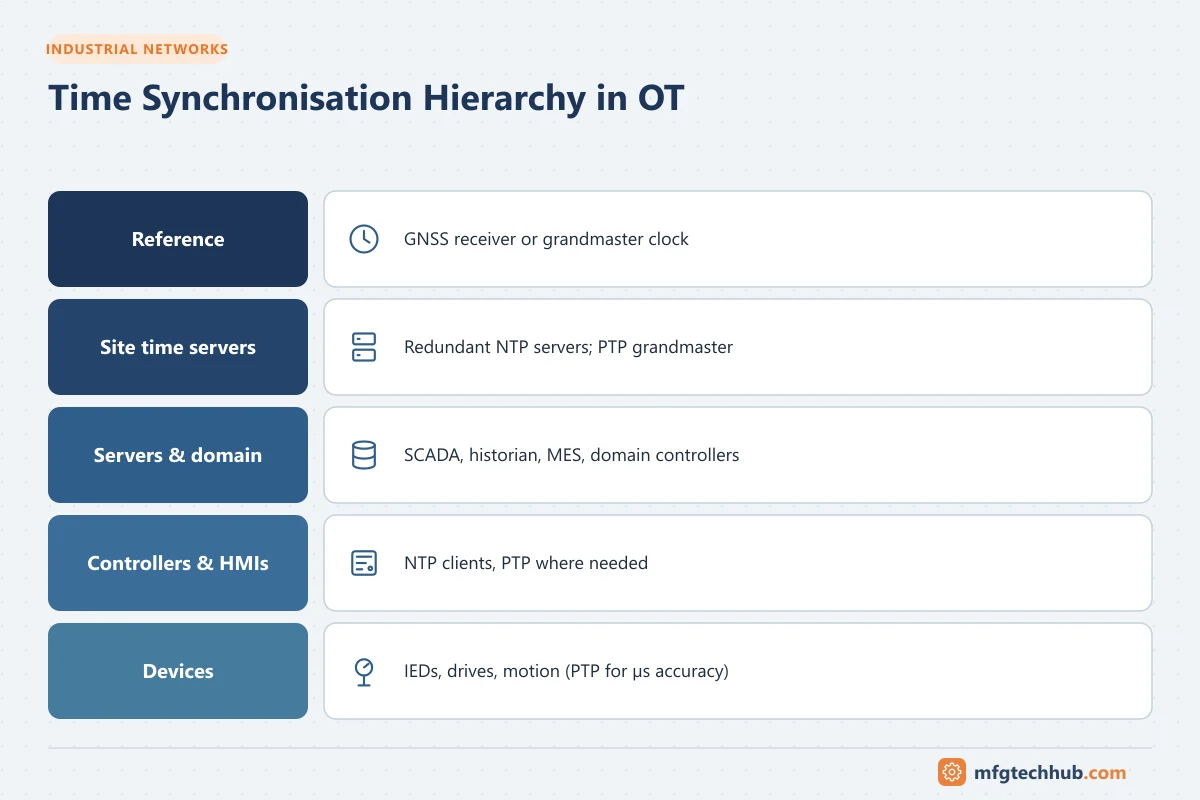
- Servers are organised in strata: stratum 1 servers are directly connected to a reference clock (for example a GNSS receiver); stratum 2 servers synchronise to stratum 1, and so on.
- On a well-designed LAN, NTP commonly achieves millisecond-level accuracy; performance depends on network delay variation and implementation.
- Use at least three or four sources (or a redundant pair of local servers with independent references) so faulty sources can be detected.
A typical OT design
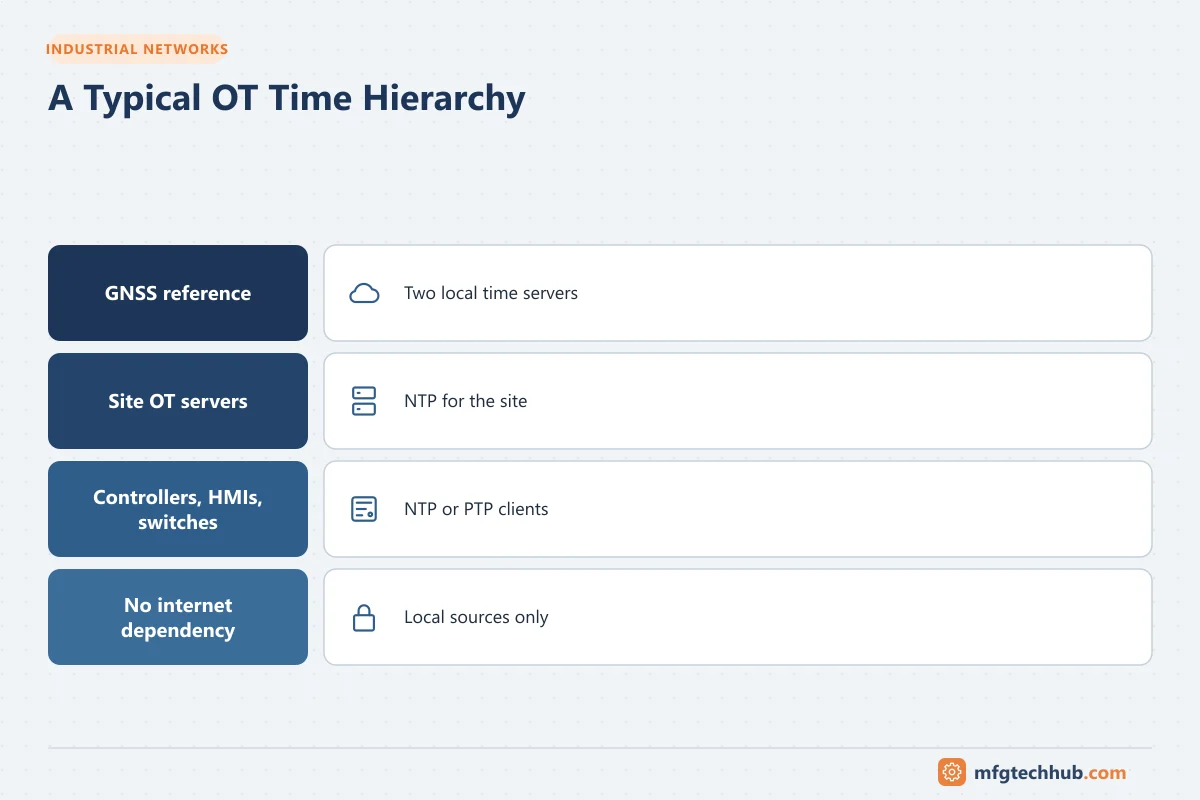
- Two local GNSS-referenced time servers (stratum 1) in the OT network or DMZ, with independent antennas where possible.
- Site OT servers (domain controllers, SCADA, historians) synchronise to them.
- Controllers, HMIs, switches and devices synchronise to the local servers or to designated OT servers.
- No direct dependency on internet time sources from control zones; if external sources are used, they are reached through the DMZ.
PTP (IEEE 1588)
Precision Time Protocol achieves sub-microsecond accuracy using hardware timestamping in devices and network switches:
- Grandmaster clock (usually GNSS-referenced) distributes time.
- Boundary clocks and transparent clocks in switches compensate for network delays.
- Profiles adapt PTP to industries, for example power utility profiles used in IEC 61850 substations.
PTP requires compatible switches and devices along the path; planning it is a network design task, not only a configuration setting.
Windows, Linux and domain time
- In a Windows domain, members synchronise with domain controllers, and the domain hierarchy typically roots at a designated domain controller that should itself use a reliable time source. Commands such as
w32tm /query /statusandw32tm /query /sourceshow the current state. - Linux systems commonly use chrony or systemd-timesyncd;
chronyc trackingandchronyc sourcesshow synchronisation status. - Virtual machines should get time from the guest’s time service configured consistently with host settings, to avoid two mechanisms fighting.
PLCs, HMIs and devices
- Many PLCs and HMIs support an NTP client or receive time from the SCADA system or a master controller. Configure it deliberately; do not rely on manual setting.
- Battery-backed real-time clocks can reset after power loss or battery failure, producing timestamps from a default year.
- Some devices record local time without time zone information; document this.
UTC, time zones and daylight saving
- Store timestamps in UTC in historians, databases and logs; convert to local time only for display.
- Daylight saving changes cause duplicate or missing local hours; systems storing local time can show overlapping records or gaps.
- Batch records and reports must state which time basis is used.
Security
- Time sources are part of the security architecture: attackers who change time can make logs misleading and certificates invalid.
- Restrict who can change system time, protect NTP servers, and monitor for large time jumps.
- Authenticated time protocols (for example NTS for NTP, or authentication options in specific products) add protection where supported.
See Certificates and PKI for OT and Data Integrity.
Troubleshooting clock problems
| Symptom | Likely causes | Checks and fixes |
|---|---|---|
| Events appear in the wrong order across systems | Systems synchronised to different sources, or not at all | Compare offsets of each system to the reference; align all to the same hierarchy |
| One device’s timestamps drift over days | No synchronisation configured; synchronisation failing silently | Enable NTP client; check reachability (UDP 123) and firewall rules |
| Timestamps jump by an hour | Daylight saving handling, time zone misconfiguration, local time storage | Store UTC; check time zone settings |
| Timestamps show a default year after power loss | RTC battery failure on a controller or HMI | Replace battery; enable automatic synchronisation at start-up |
| Certificates suddenly “not yet valid” or expired | Clock wrong on client or server | Fix time first, then retest connections |
| Windows servers disagree with the domain | Wrong time source hierarchy, VM time integration conflicts | Review domain time configuration and VM settings |
| Historian values from two sources misaligned | Source timestamps vs server timestamps used inconsistently | Decide which timestamp is authoritative; synchronise sources |
Monitoring: alarm when a system’s offset from the reference exceeds a threshold, when a time source becomes unreachable, or when a large time step occurs.
Frequently asked questions
What port does NTP use?
NTP uses UDP port 123. Firewalls between zones must allow NTP traffic from clients to their designated time servers.
Should PLCs get time from the internet?
No. Control devices should synchronise to local, trusted time servers inside the plant network or DMZ. Direct internet access from control zones adds security risk and dependency on external connectivity.
When do I need PTP instead of NTP?
When applications need microsecond-level accuracy, such as substation protection, synchrophasor measurement or some motion and distributed control applications. Most SCADA, historian and MES uses are well served by a good NTP design.
Key takeaways
- Consistent time is essential for alarms, historians, batch records, investigations and certificates.
- Use local GNSS-referenced time servers with an NTP hierarchy; add PTP where microsecond accuracy is needed.
- Store timestamps in UTC, configure device synchronisation deliberately and monitor offsets.
Related tutorials
Before you apply this in a plant: this article is for education. Always check the current edition of the relevant standards, the manufacturer's documentation for your exact product and version, and your site's procedures. Safety-related work needs qualified personnel. See our editorial policy.