
Industrial Historians Explained: Collectors, Compression, Asset Models and Architecture
On this page
A process historian stores time-series data from industrial systems (temperatures, pressures, flows, states, counters) with timestamps and quality, often for many years, and makes it fast to retrieve for trends, reports, investigations and analytics. It is one of the most valuable systems in a plant: when something goes wrong, the historian is usually the first place engineers look.
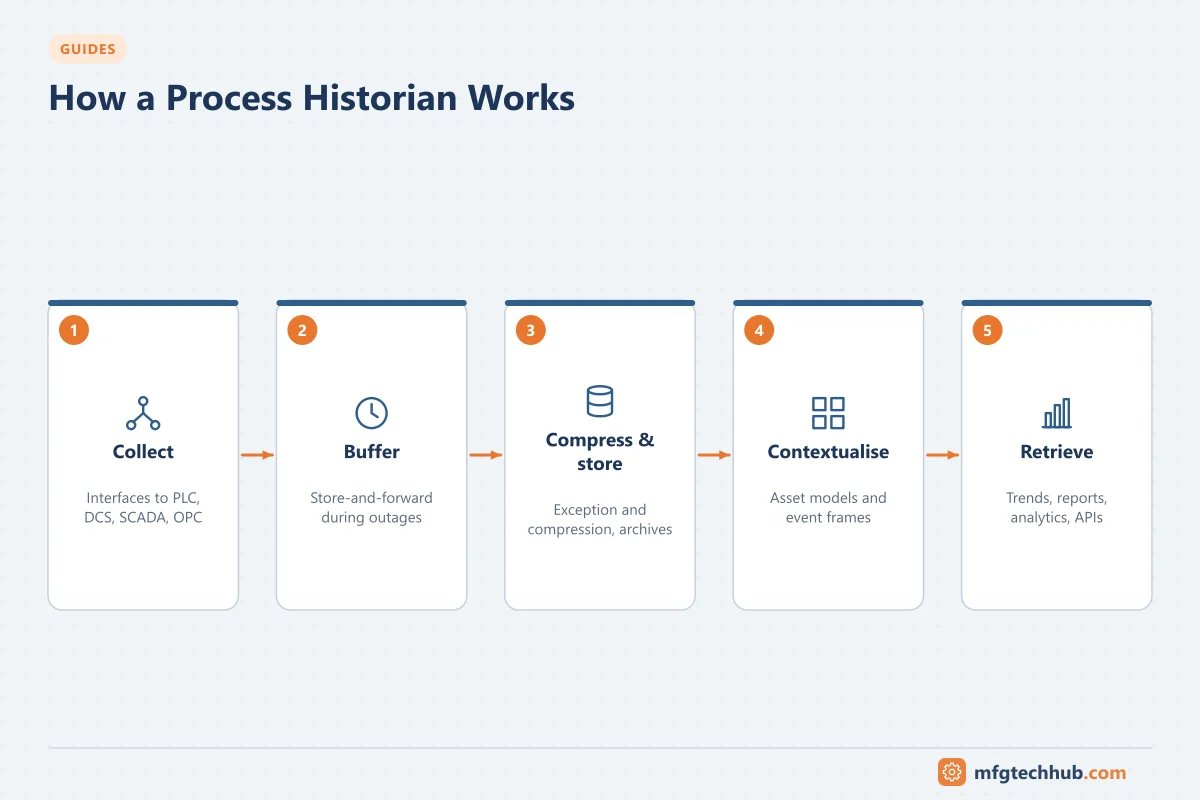
This guide explains how historians work and how to design and run them well.
Where a historian fits
| Source | Historian role | Consumers |
|---|---|---|
| PLCs, DCS, SCADA, analysers, edge devices | Collect and store time-series data with timestamps and quality | Operators and engineers (trends), MES (process data for batches), quality (reports), data platforms and AI (training data), compliance (records) |
Historians usually sit at Level 2–3 of the ISA-95/Purdue model, with enterprise copies in the DMZ or data centre. See How a Factory Works.
How data gets in: collectors and interfaces
- Collectors (interfaces) connect to data sources using OPC UA, OPC DA/HDA, native PLC or DCS protocols, MQTT, SQL or file imports. See OPC UA Explained.
- Collectors run close to the source (on the SCADA server, a dedicated interface node or an edge device).
- Store-and-forward (buffering): if the connection to the historian server is lost, the collector buffers data locally and sends it when the connection returns. This is essential; without it, network outages create permanent data gaps.
- Timestamps should come from the source when possible (device or controller time), with synchronised clocks.
How data is stored efficiently
Historians store billions of values. Two filters reduce what is stored without losing meaningful information:
| Filter | Where it runs | What it does |
|---|---|---|
| Exception (deadband) filtering | Collector | Discards values that have not changed by more than a deadband since the last reported value, with a maximum time between reports |
| Compression | Historian server | Stores only the points needed to reproduce the signal within a tolerance. Many historians use variations of the “swinging door” approach: a new point is archived only when the signal leaves a corridor defined by the last stored point and the tolerance |
Tuning is a trade-off: too tight wastes storage; too loose removes detail you will later need (for example, short spikes during a trip). Set deadbands per tag type based on instrument accuracy and the purpose of the data, and store critical signals (safety trips, events, counters) without compression.
Tags, archives and quality
- A tag (point) represents one measured or calculated value, with attributes such as description, engineering units, data type, compression settings and source address.
- Archives are time-partitioned storage files or tables, managed and backed up.
- Each value carries a quality or status (good, bad, questionable, substituted). Reports and analytics must respect quality; averaging bad values produces wrong results.
- Digital states and strings store discrete information such as equipment states and batch IDs.
Getting data out: retrieval modes
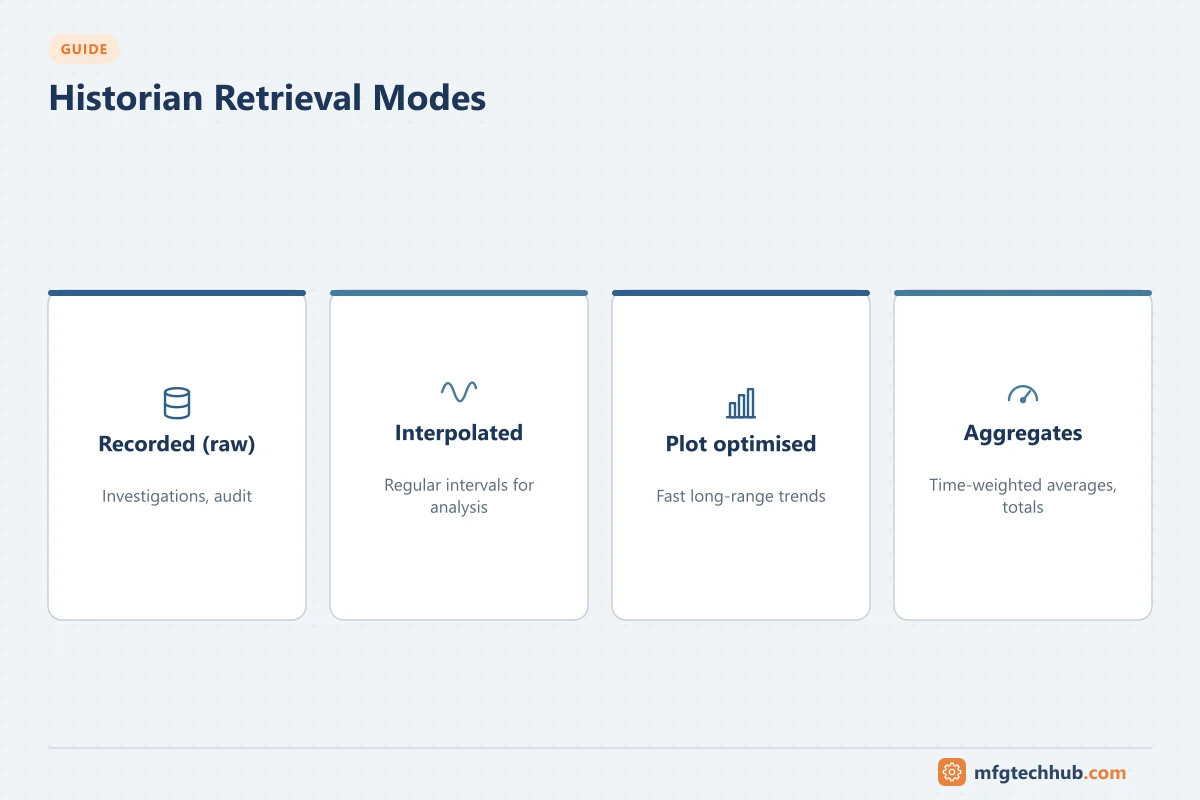
| Retrieval | Meaning | Use |
|---|---|---|
| Recorded (raw) | The stored values exactly | Investigations, audit |
| Interpolated | Values at regular intervals, calculated between stored points | Trends, exports to spreadsheets and analytics |
| Plot / display optimised | Enough points to draw a trend accurately at a given screen width | Fast trending over long periods |
| Aggregates | Average, minimum, maximum, totals, time-weighted averages, counts | Reports and KPIs |
Time-weighted averages are important: because compressed data is not evenly spaced, a simple average of stored values can be misleading.
Context: asset models and event frames
Tag names alone (“FIC101.PV”) are hard to use outside the control room. Modern historians add context:
- Asset models: a hierarchy (site → area → unit → equipment) with templates, so every pump has the same attributes linked to its tags.
- Calculations and analyses: derived values (efficiency, energy per unit, OEE components) computed from tags.
- Event frames: time ranges with meaning, such as a batch, a downtime event, a start-up or an excursion, linked to the asset and to process data.
Context makes data usable for engineers, MES, analytics and AI. See Manufacturing Data and Analytics.
Architecture
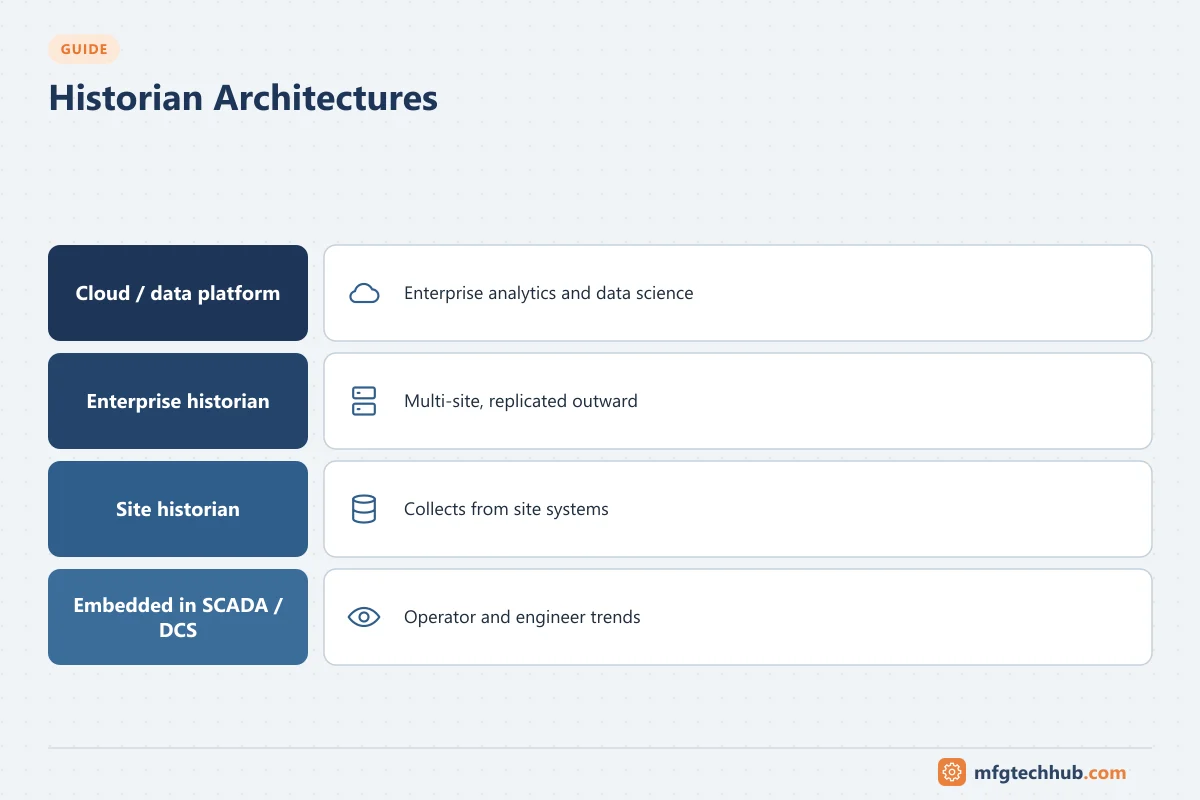
| Pattern | Description | When to use |
|---|---|---|
| Single site historian | One historian server collecting from all site systems | Small and medium sites |
| Tiered: site + enterprise | Site historians collect locally; selected data replicates to an enterprise historian or data platform | Multi-site companies; keeps sites independent of WAN outages |
| Embedded in SCADA/DCS | Historian functions included in the control system | Operational trends; often combined with a site historian |
| Cloud / data platform | Data forwarded to cloud time-series and analytics services | Enterprise analytics, AI, long-term storage |
High availability: redundant collectors, buffering, replicated or clustered historian servers, and tested backup and restore.
Security
- Place site historians in the site operations zone; place enterprise copies in the DMZ or data centre so business users never connect into the control network. See ISA/IEC 62443.
- Replicate outward (plant to enterprise), not inward.
- Collectors should have read-only access to controllers.
- Use role-based access; historian data can reveal process know-how.
- In regulated industries, historians holding GMP records need validation, audit trails and data-integrity controls. See Data Integrity (ALCOA+).
Sizing and operation
- Tag count and update rates (after exception filtering) drive storage and licensing.
- Estimate archive growth per year and plan retention (for example raw data for years, aggregates indefinitely).
- Monitor collector health, buffer usage, data gaps and stale tags.
- Keep a tag governance process: naming standards, ownership, deletion of obsolete tags.
Historian vs time-series database vs data lake
| Aspect | Industrial historian | General time-series database | Data lake / lakehouse |
|---|---|---|---|
| Data collection | Built-in industrial collectors, buffering | Needs external collectors | Needs pipelines |
| Compression and quality | Industrial compression, quality codes | Generic compression; quality must be modelled | Depends on design |
| Context | Asset models, event frames in many products | Tags/labels | Any data, including business data |
| Users | Operators, engineers | Developers, IT/OT teams | Data engineers and scientists |
| Strength | Reliable plant-floor data capture and trending | Flexible, often open source, good for IIoT and development | Combining many data types at enterprise scale |
Many companies use a historian at site level and forward selected, contextualised data to a data platform for enterprise analytics.
Vendor landscape
Widely used historian products include the AVEVA PI System and AVEVA Historian, Proficy Historian, AspenTech InfoPlus.21, Honeywell PHD, Canary Historian, Siemens SIMATIC Process Historian and the historian functions of SCADA platforms such as Ignition. General-purpose time-series databases (for example InfluxDB or TimescaleDB) are also used, particularly in IIoT projects. Product names and ownership change; check current information with vendors, and compare products using the criteria below.
For detailed vendor profiles, ownership and an evaluation plan, see Industrial Historian Software Compared.
Selection criteria: connectivity to your sources, buffering and redundancy, compression and retrieval performance, asset modelling and event features, integration (APIs, SQL, OPC UA, MQTT), security and validation support, scalability, licensing model and local support.
Common problems
| Problem | Typical cause | Fix |
|---|---|---|
| Data gaps after network outages | No store-and-forward, buffer too small | Enable and size buffering; monitor buffer levels |
| Flat-lined values | Source quality bad, collector disconnected, deadband too large | Check tag quality and collector status; review exception settings |
| Spikes missing in investigations | Compression or exception too coarse | Tighten settings for critical tags; store trips and events uncompressed |
| Wrong averages in reports | Arithmetic instead of time-weighted averages; bad-quality values included | Use time-weighted aggregates and quality filtering |
| Timestamps shifted | Clock differences, time zones, daylight saving | Synchronise clocks; store in UTC |
Frequently asked questions
What is a process historian used for?
To store and retrieve plant time-series data for trends, troubleshooting, reports, compliance records, batch analysis, energy monitoring and analytics. It gives engineers a precise record of what happened and when.
What is historian compression?
A method of storing only the data points needed to reproduce a signal within a defined tolerance. It reduces storage greatly while keeping the shape of the signal, if tolerances are set appropriately.
Should I use a historian or a cloud data platform?
Usually both: a historian at site level for reliable data capture, buffering and operator trending, and a data platform for enterprise analytics that combine process data with business data.
Key takeaways
- Historians collect, compress and store time-series data with timestamps and quality.
- Store-and-forward, sensible compression settings and time-weighted retrieval are essential.
- Asset models and event frames turn tags into usable information.
- Use tiered architectures with enterprise copies in the DMZ; replicate outward.
Before you apply this in a plant: this article is for education. Always check the current edition of the relevant standards, the manufacturer's documentation for your exact product and version, and your site's procedures. Safety-related work needs qualified personnel. See our editorial policy.