
SCADA Server Migration Runbook: Planning, Parallel Build, Cutover, Validation and Rollback
On this page
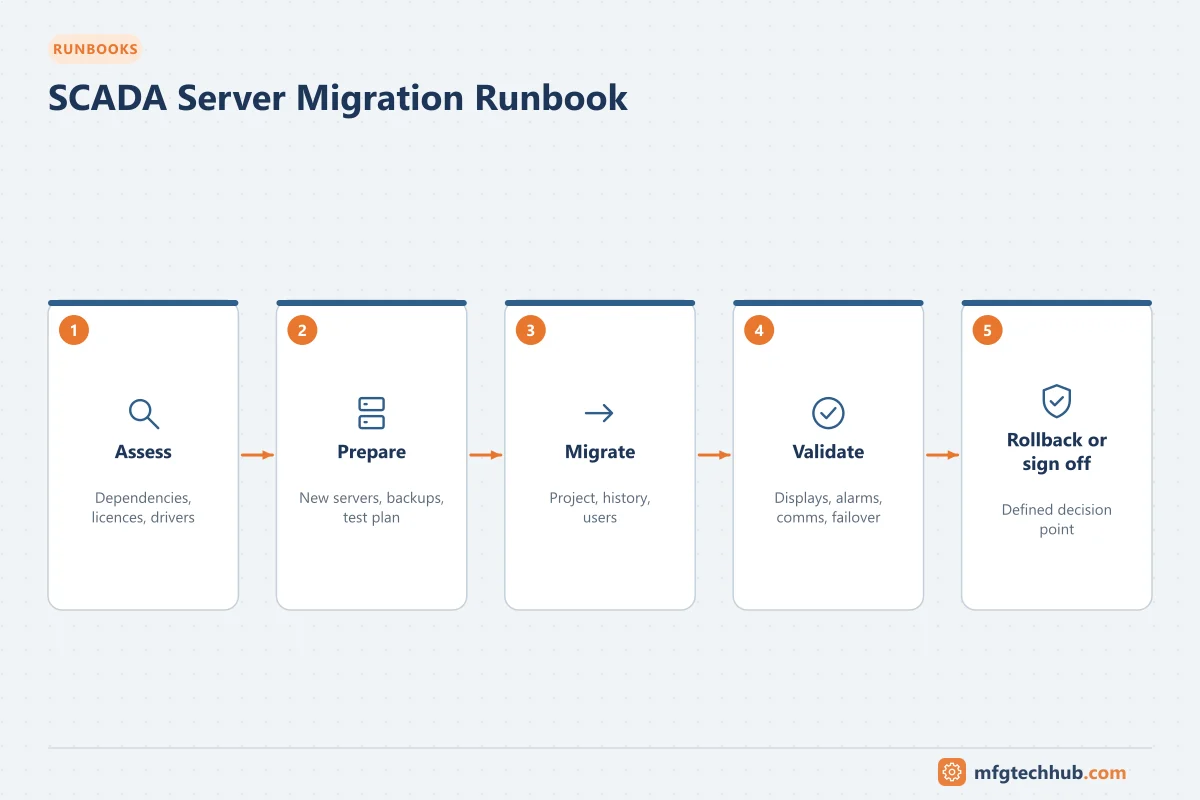
SCADA servers are replaced for many reasons: unsupported operating systems, hardware end of life, virtualisation, or a software upgrade. The process is supervised the whole time, so the migration must be planned so that operators never lose visibility and control, and so there is always a way back. Adapt this template to your platform and site procedures; follow the SCADA vendor’s migration documentation for product-specific steps.
For the strategic view (architecture, display redesign, alarm rationalisation) see Traditional vs Modern SCADA Architecture.
1. Purpose and scope
Move SCADA server functions (communication, tag database, alarms, history, clients) from the existing servers to new servers with no loss of supervision, data or functionality.
Define in scope: servers, clients, drivers, historian, reports, interfaces (MES, historian, OPC, email/SMS alarm notification), user accounts, certificates, licences.
2. Prerequisites
- Current system inventory: servers, OS, software versions, patches, drivers, licences, clients, printers
- Full backups of the current system (application export and system images). See OT Backup and Restore Runbook
- Vendor compatibility matrix for the target OS, database and software version
- New servers built and hardened according to site standards
- Licences for the new servers, including temporary parallel-run licences if needed
- Test plan and acceptance criteria agreed with operations
3. Dependencies
| Dependency | Check |
|---|---|
| Controllers and RTUs | Connection limits (can they accept connections from old and new servers in parallel?) |
| Network and firewall | New IP addresses/hostnames allowed; firewall rules updated |
| Domain and user accounts | Service accounts, groups, permissions |
| Certificates | OPC UA and HTTPS certificates for new hostnames; trust updated on partners. See OPC UA Certificate Errors |
| Historian and MES interfaces | Point to new servers; buffering during switchover |
| Time synchronisation | NTP configuration on new servers |
| Alarm notification | Email, SMS or paging integration |
4. Risk assessment
| Risk | Mitigation |
|---|---|
| Loss of supervision during cutover | Keep old system running until the new one is validated; local HMIs as backup; operators informed |
| Controller overload from double polling | Check connection and load limits; limit parallel run duration or read-only polling |
| Duplicate commands from two systems | New system in read-only/monitor mode until cutover; disable writes |
| Missing alarms or functions | Alarm and function comparison test |
| History gaps | Buffering and overlap period; historian backfill |
5. Execution
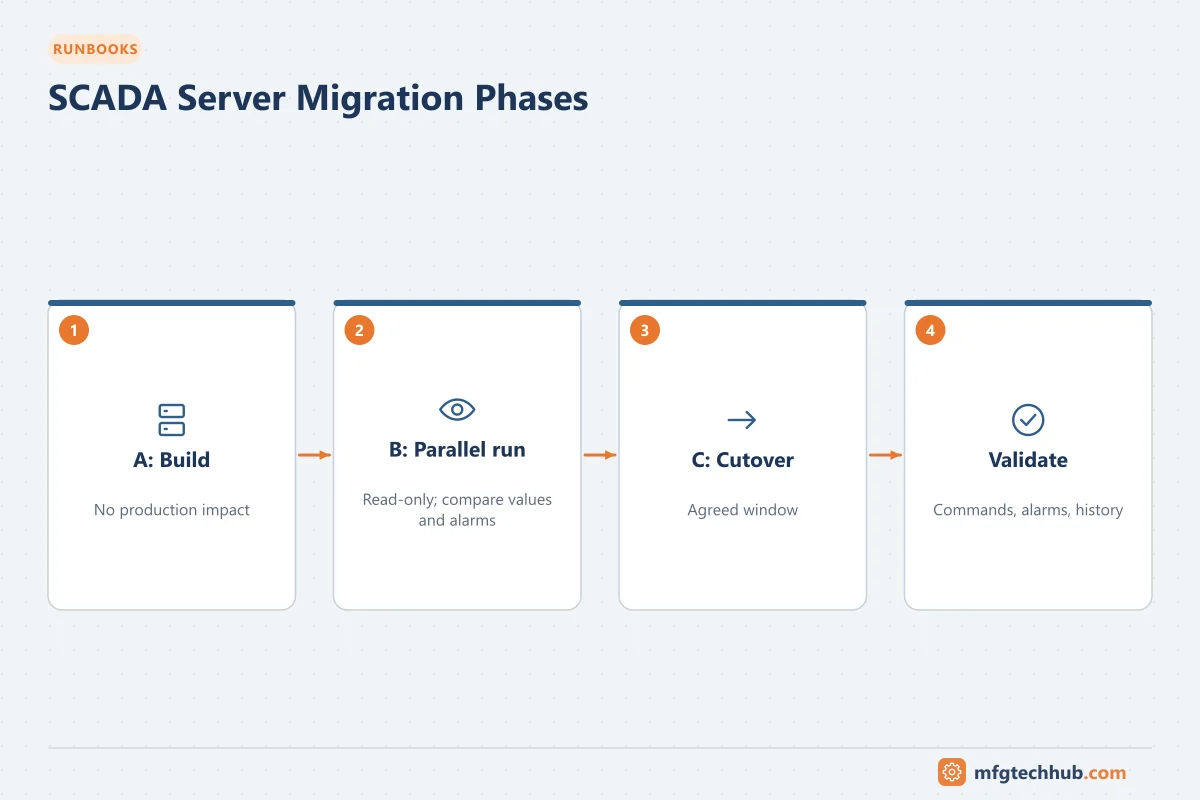
Phase A: Build and configure (no production impact)
- Install OS, database and SCADA software to the approved versions.
- Import/upgrade the project following the vendor procedure.
- Configure drivers with write access disabled.
- Configure users, security, certificates and time synchronisation.
Phase B: Parallel run (read-only)
- Connect the new server to controllers in read-only mode (within connection limits).
- Compare values, quality, alarms and trends between old and new systems for representative tags.
- Test clients, reports and interfaces against the new server in a test configuration.
- Correct differences; repeat until acceptance criteria are met.
Phase C: Cutover (agreed window, low production risk)
- Confirm go/no-go criteria and staff availability (operations, OT, vendor support).
- Freeze configuration changes on the old system.
- Enable write access on the new system and disable writes/commands on the old system.
- Switch clients, historian collectors and MES interfaces to the new servers.
- Operators verify key displays, commands and alarms area by area.
- Keep the old system available in read-only mode for the agreed period.
6. Validation
- All communication channels healthy; no bad-quality tags beyond the known list
- Commands tested for representative equipment (with operations approval)
- Alarm counts and priorities match; notification tested
- Historian receiving data; gap during cutover backfilled or documented
- Reports and MES interfaces verified
- Redundancy failover tested (if redundant servers)
- Backups of the new system taken
7. Rollback
Rollback trigger examples: loss of communication to critical areas, missing commands or alarms that cannot be fixed within a defined time.
Rollback steps: disable writes on the new system, re-enable writes on the old system, switch clients and interfaces back, confirm operator control. Record why rollback was needed.
8. Escalation
Maintain contacts for: shift supervisor, OT lead, SCADA vendor support, network team, IT infrastructure, and management approval for extended outages.
9. Documentation and sign-off
- Updated architecture and network drawings, IP registers, firewall rules
- Updated backup register and restore procedure
- Test records and open punch items
- Sign-off by operations, OT engineering and (where applicable) quality/validation
Related guides
Before you apply this in a plant: this article is for education. Always check the current edition of the relevant standards, the manufacturer's documentation for your exact product and version, and your site's procedures. Safety-related work needs qualified personnel. See our editorial policy.