
Traditional vs Modern SCADA Architecture: Generations, Components, Trends and Migration
On this page
SCADA (Supervisory Control and Data Acquisition) systems collect data from PLCs and RTUs, present it to operators, raise alarms, store history and send supervisory commands. The functions have not changed much in 40 years, but the architecture has. This article explains the main generations of SCADA architecture, what a modern system looks like, and how to move from legacy to modern without disrupting operations.
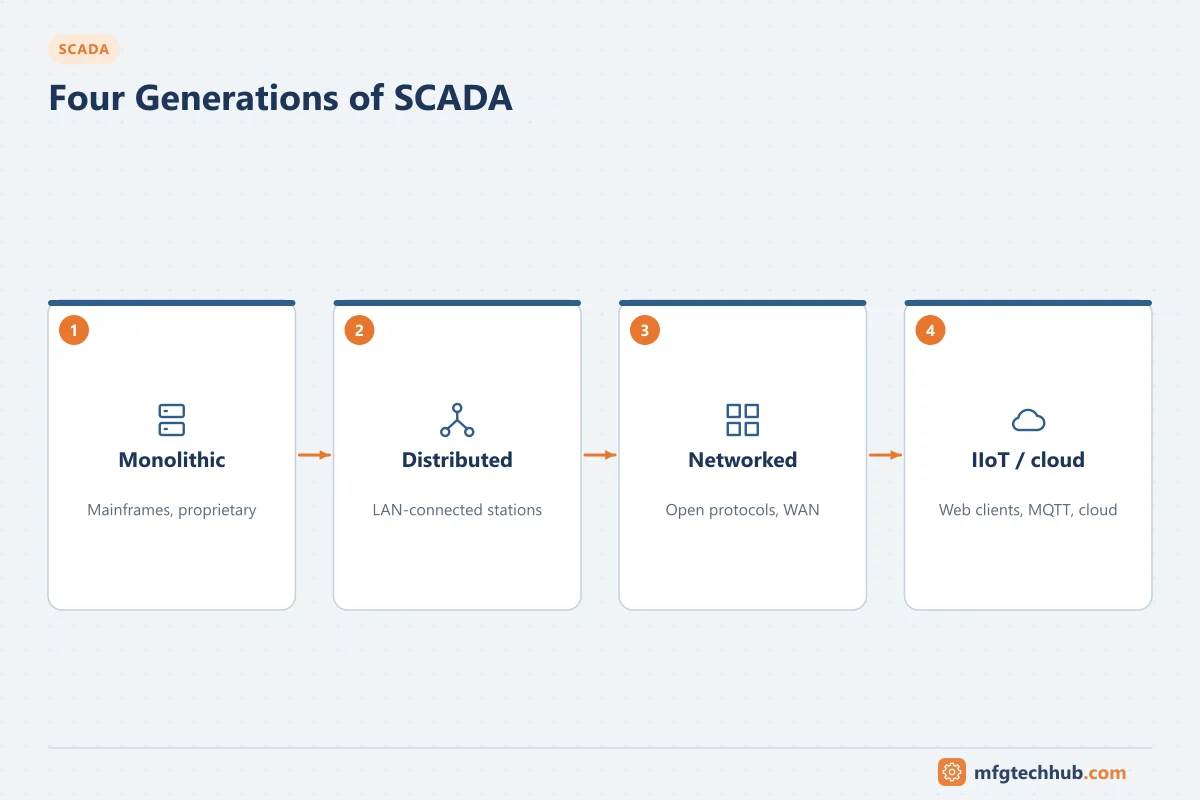
Four generations of SCADA
| Generation | Period (approximate) | Architecture | Typical limitations |
|---|---|---|---|
| Monolithic | 1960s–1980s | One central mainframe or minicomputer; RTUs polled over leased lines or radio | Single point of failure (unless duplicated), proprietary, no network integration |
| Distributed | 1980s–1990s | Several networked workstations sharing functions (communications, HMI, database) on a LAN | Mostly proprietary LAN protocols; limited connections outside the system |
| Networked | 1990s–2010s | Standard PCs, Windows, Ethernet/TCP/IP, OPC, SQL databases; WAN links to remote sites | Security exposure as networks connect to business systems |
| Web and IIoT-based | 2010s onwards | Web-based clients, virtualised servers, MQTT/OPC UA, edge devices, cloud services for analytics | Complexity, cybersecurity, dependence on IT infrastructure |
Most plants and utilities run a mixture: older RTUs and protocols at remote sites, newer servers and clients in the control room.
Components of a modern SCADA system
| Component | Role |
|---|---|
| Field controllers | PLCs, RTUs, IEDs and edge devices that interface with the process. See RTUs and PLCs in SCADA |
| Communication/I/O servers | Drivers for PLC protocols, DNP3, IEC 60870-5-104, OPC UA, MQTT; often redundant |
| SCADA servers | Real-time tag database, alarm engine, events, scripting, redundancy management. See Supervisory Computer |
| Historian | Long-term time-series storage with compression and retrieval for trends and reports |
| Clients | Thick clients, thin clients, web browsers and mobile apps. See SCADA HMI |
| Engineering environment | Templates, object libraries, version control, deployment to servers and clients |
| Integration layer | OPC UA, REST APIs, SQL, MQTT for MES, ERP, maintenance and analytics |
| Security infrastructure | Firewalls, DMZ, identity management, certificate management, backup |
Traditional vs modern: key differences
| Aspect | Traditional SCADA | Modern SCADA |
|---|---|---|
| Data model | Flat tag lists | Object/template-based models (for example a pump object with its tags, faceplate and alarms) |
| Clients | Installed HMI software on each PC | Web and thin clients, mobile access with appropriate security |
| Communication | Polling over serial and proprietary protocols | Report-by-exception (DNP3, MQTT), OPC UA, Ethernet, cellular |
| Servers | Physical, one application per server | Virtualised, highly available, sometimes containerised components |
| History | Limited local archives | Enterprise historians and data platforms |
| Integration | Custom interfaces, file exports | OPC UA, APIs, MQTT/unified namespace approaches |
| Security | Isolation assumed | Segmentation, authentication, encryption and monitoring designed in |
| Licensing | Per-node, often per-tag | Varies widely by vendor (per server, per client, unlimited tags, subscriptions) |
Redundancy and availability
Modern SCADA systems usually provide:
- Redundant SCADA servers (hot standby) with automatic failover.
- Redundant communication servers and network paths to controllers.
- Store-and-forward at edge devices and remote sites, so no data is lost during communication failures.
- Historian replication between site and enterprise levels.
- Virtual machine high availability, which complements but does not replace application-level redundancy.
Always test failover under realistic conditions: alarm handling, operator sessions and historian continuity during a switchover.
Where SCADA ends and other systems begin
Modern architectures blur boundaries, so it helps to be explicit:
- Control (loops, interlocks, sequences) stays in PLCs, RTUs or a DCS, not in SCADA scripts.
- Production execution (orders, genealogy, quality) belongs in MES. See How MES Integrates with SCADA.
- Advanced analytics and AI usually run on data platforms fed by the historian.
- SCADA remains the operator’s real-time supervisory system: visualisation, alarms, supervisory commands and short-term history.
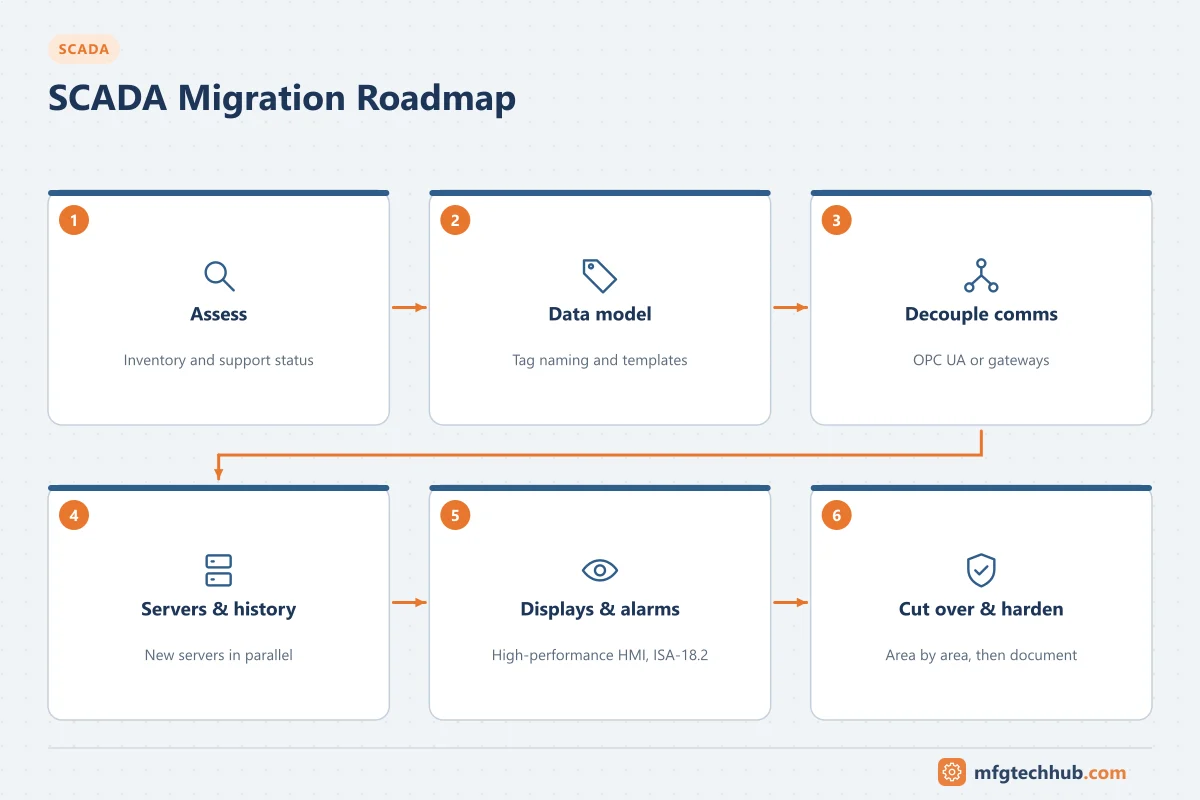
Migration roadmap (without rip-and-replace)
- Assess: inventory servers, operating systems, drivers, protocols, displays, scripts, alarms and interfaces; identify unsupported components.
- Standardise the data model: define tag naming and object templates before converting displays.
- Separate communications from the HMI: introduce OPC UA or protocol gateways so field devices do not need to change during the HMI migration.
- Migrate servers and history: new servers in parallel, historian data migrated or kept accessible.
- Rebuild displays using high-performance HMI principles, rather than copying legacy screens. See Customising SCADA HMI Displays.
- Rationalise alarms during migration (ISA-18.2).
- Cut over area by area, running old and new in parallel where possible, with rollback plans.
- Harden and document: security zones, backups, user roles, runbooks.
What comes next for SCADA
| Trend | What it means in practice | Status and caution |
|---|---|---|
| Web-native and mobile clients | HTML5 displays, browser access, responsive layouts | Mainstream; secure authentication and network design are essential |
| Unified namespace and MQTT | SCADA publishes and subscribes to plant data via brokers, alongside OPC UA | Growing; needs governance of topic structure and data models |
| Containerised and virtualised deployment | SCADA components run on virtual machines or containers, managed like IT services | Growing; test real-time behaviour and redundancy |
| Cloud-hosted analytics and dashboards | Enterprise views across many sites | Common for monitoring; supervisory control usually stays on site |
| AI assistance | Alarm analysis, anomaly detection, operator guidance, engineering assistants | Emerging; outputs must be reviewed; operators remain responsible |
| Security by design | IEC 62443-certified products, certificate management, zero-trust remote access | Increasingly a procurement requirement |
| Grid and renewable integration | Utilities supervise distributed solar, storage and flexible loads | Active area, driven by grid codes and regulation |
Evaluate each against a real operational need, the behaviour when networks or cloud services fail, and the skills needed to support it.
Frequently asked questions
What are the four generations of SCADA?
Monolithic (central computer), distributed (networked workstations on a LAN), networked (standard IT technology, Ethernet and WAN connections) and web/IIoT-based (web clients, virtualisation, MQTT/OPC UA, edge and cloud integration).
Is cloud SCADA safe for critical infrastructure?
Cloud services are generally used for monitoring, analytics and reporting rather than for real-time supervisory control of critical infrastructure. Where cloud connectivity is used, it should be outbound-only through a DMZ, with strong authentication and a clear design for operating when the connection is lost.
Should I copy my old SCADA screens into the new system?
Usually not. Migration is a good opportunity to apply high-performance HMI design and alarm rationalisation. Copying legacy screens preserves their problems.
Key takeaways
- SCADA evolved through monolithic, distributed, networked and web/IIoT-based generations.
- Modern systems use object-based data models, web clients, virtualised redundant servers and open integration.
- Migrate in stages: standardise the data model, decouple communications, rebuild displays and rationalise alarms.
Related tutorials
Before you apply this in a plant: this article is for education. Always check the current edition of the relevant standards, the manufacturer's documentation for your exact product and version, and your site's procedures. Safety-related work needs qualified personnel. See our editorial policy.