
RTUs and PLCs in SCADA: Choosing and Configuring Remote Site Controllers
On this page
Every SCADA system depends on controllers at the remote sites: RTUs (remote terminal units) and PLCs (programmable logic controllers), and in substations IEDs (intelligent electronic devices) with a gateway. They read the site’s instruments, run the local control, time-stamp and buffer events, and communicate with the SCADA master station. The master station can only be as good as the data and control these site controllers provide.
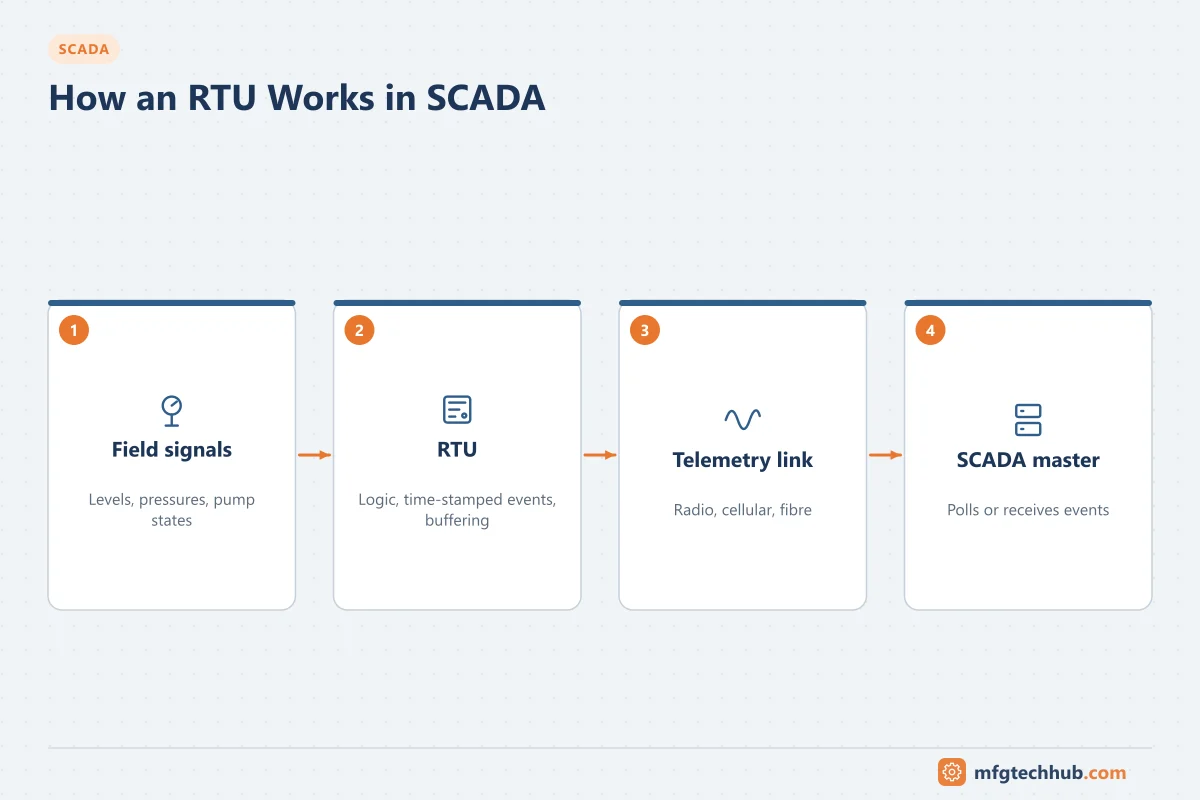
What a remote site controller does
| Function | Detail |
|---|---|
| Data acquisition | Reads analog, digital, pulse and serial inputs from sensors, meters and equipment |
| Local control | Pump level control, valve sequences, interlocks; keeps running without SCADA |
| Event detection and time-stamping | Records changes with a time stamp at the source for sequence-of-events analysis |
| Buffering (store and forward) | Keeps events during communication loss and sends them when the link returns |
| Communication | Responds to polls or reports by exception using DNP3, IEC 60870-5-101/104, Modbus, MQTT or OPC UA |
| Command execution | Carries out operator commands after checking local interlocks and mode (local/remote) |
| Diagnostics | Reports its own health, power supply, battery, communication and I/O status |
RTU or PLC?
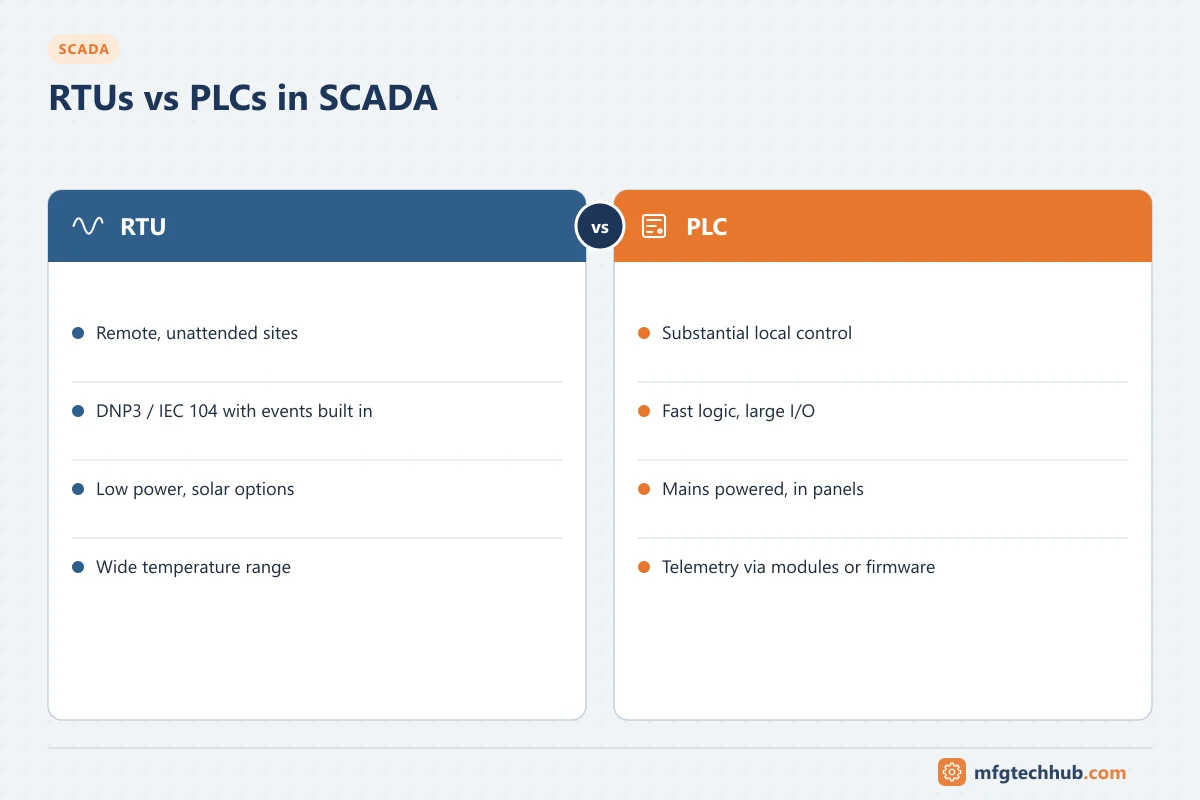
The two categories have converged: many PLCs support DNP3 and event buffering, and many RTUs can be programmed with IEC 61131-3 languages. Differences remain in emphasis:
| Aspect | Typical RTU | Typical PLC |
|---|---|---|
| Designed for | Remote, unattended telemetry sites | Machines, skids and plant control |
| Telemetry protocols | DNP3, IEC 60870-5-101/104 built in, with events and time stamps | Often Modbus, EtherNet/IP, PROFINET; DNP3 via module or firmware on some models |
| Event buffering | Standard, often large event buffers | Varies; may need specific configuration or modules |
| Power | Low power, battery and solar options | Mains powered, higher consumption |
| Environment | Wide temperature range, outdoor enclosures | Control panels in buildings |
| Control capability | Moderate logic | Strong logic, fast scan, motion and large I/O |
| Typical sites | Wells, reservoirs, pipeline valves, metering, substations | Pump stations, treatment works, compressor stations |
Rule of thumb: use an RTU (or a PLC with proper telemetry features) where communication is slow or unreliable and time-stamped events matter; use a PLC where the site has substantial local control. Larger sites often have both: a PLC controls the process and an RTU or gateway handles telemetry to the master.
Substations: IEDs and gateways
In electrical substations, protection relays and bay controllers (IEDs) communicate on an IEC 61850 station bus. A substation gateway or RTU collects their data and translates it into DNP3 or IEC 60870-5-104 for the control centre, and passes controls back. Protection functions stay in the IEDs and never depend on SCADA.
Event buffering and time-stamping
- Configure event classes (for example DNP3 classes 1–3) so important changes are reported first.
- Size the event buffer for the longest expected communication outage and the busiest event rate.
- Decide what happens when the buffer is full (overwrite oldest or stop) and alarm on overflow.
- Synchronise the controller clock (NTP, GPS or protocol time sync) and use source timestamps in SCADA. See Time Synchronisation in OT.
See SCADA Data Acquisition for polling, exception reporting and deadbands.
Power and environmental design
Remote sites often lack reliable mains power or climate control:
- UPS or battery backup sized for the expected outage, with battery status reported to SCADA.
- Solar power with charge controllers for sites without mains, which requires a low-power controller and radio.
- Enclosures rated for dust and water ingress, with heating or ventilation where temperatures demand it.
- Surge and lightning protection on power, signal and antenna cables. See Surge Protection.
- Intrusion detection (door switches) reported as SCADA points.
Local control and fail-safe behaviour
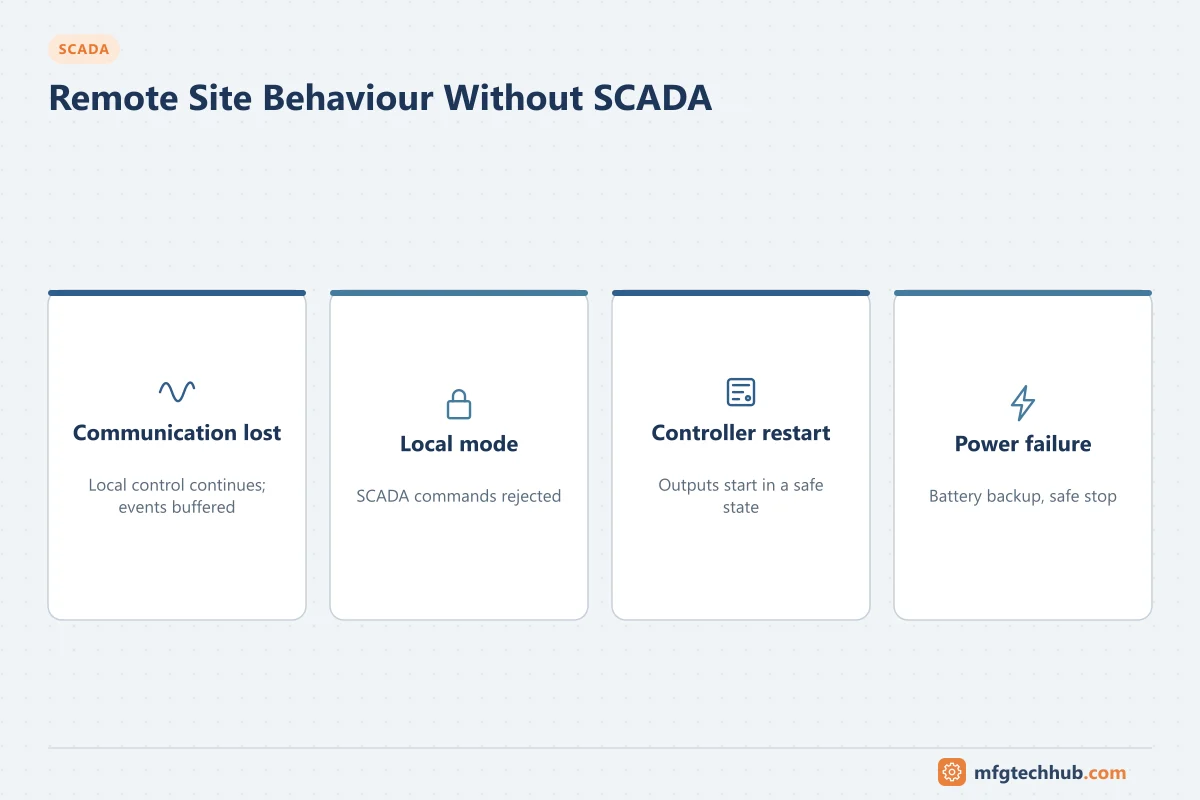
Each site must be able to run without SCADA:
| Situation | Typical behaviour |
|---|---|
| Communication lost | Continue local control on the last setpoints or default settings; buffer events |
| Local/remote switch in local | SCADA commands rejected; site operated from the local panel |
| Controller restart | Outputs start in a defined safe state; control resumes automatically where safe |
| Power failure | Battery keeps controller and radio running for a defined time; equipment stops safely |
Document these behaviours for every site type and test them at commissioning.
Configuring communication (checklist)
- Station address, master address and protocol settings match the master station configuration
- Point list (indices, types, scaling, deadbands, event classes) matches the SCADA database
- Polling or unsolicited reporting mode agreed with the master and sized for the link
- Time synchronisation method configured
- Communication failure alarms configured at both ends
- Security: DNP3 Secure Authentication or VPN/TLS where supported, default passwords changed, unused services disabled
Security
Remote controllers are physically exposed and often reachable over wide-area networks. Minimum measures: change default credentials, disable unused ports and services, use encrypted or authenticated protocols or VPNs, restrict which addresses may connect, log configuration changes, and include firmware updates in maintenance planning. See ISA/IEC 62443 and PLC Security.
Troubleshooting remote sites
| Symptom | Likely cause | First check |
|---|---|---|
| Site shows communication failure | Link down, power failure at site, wrong address after change | Radio or router status; site power; configuration |
| Values stale but communication OK | Point not configured for events or polls, deadband too large | Point list and event class settings |
| Events arrive in bursts after outages | Normal buffered upload | Check buffer did not overflow |
| Events in wrong order | Clock not synchronised | Time sync status at the site |
| Commands rejected | Site in local mode, interlock active, security settings | Local/remote status; site event log |
| Site restarts repeatedly | Power supply or battery problem, overheating | Power and temperature points; enclosure condition |
Frequently asked questions
What is the difference between an RTU and a PLC?
An RTU is designed for remote telemetry sites: low power, rugged, with built-in telemetry protocols, event buffering and time-stamping. A PLC is designed for local control with fast logic and large I/O. The categories overlap, and many sites use features of both.
What protocols do RTUs use?
Mainly DNP3 and IEC 60870-5-101/104 in utilities, Modbus in many industries, and increasingly MQTT and OPC UA for newer IIoT-style systems.
What happens at a remote site if SCADA communication fails?
The site controller continues local control, keeps events in its buffer and sends them when the link returns. SCADA shows the site as communication-failed.
Key takeaways
- RTUs and PLCs acquire data, run local control and communicate with the master station.
- Use RTU features (telemetry protocols, event buffering, low power) where links are slow or sites unattended; use PLCs for substantial local control.
- Size event buffers, synchronise clocks and define fail-safe behaviour for every site type.
- Design for power, environment and security at exposed remote sites.
Related tutorials
Before you apply this in a plant: this article is for education. Always check the current edition of the relevant standards, the manufacturer's documentation for your exact product and version, and your site's procedures. Safety-related work needs qualified personnel. See our editorial policy.