
SCADA Servers and Operator Workstations: Master Station Roles, Redundancy, Clients and Sizing
On this page
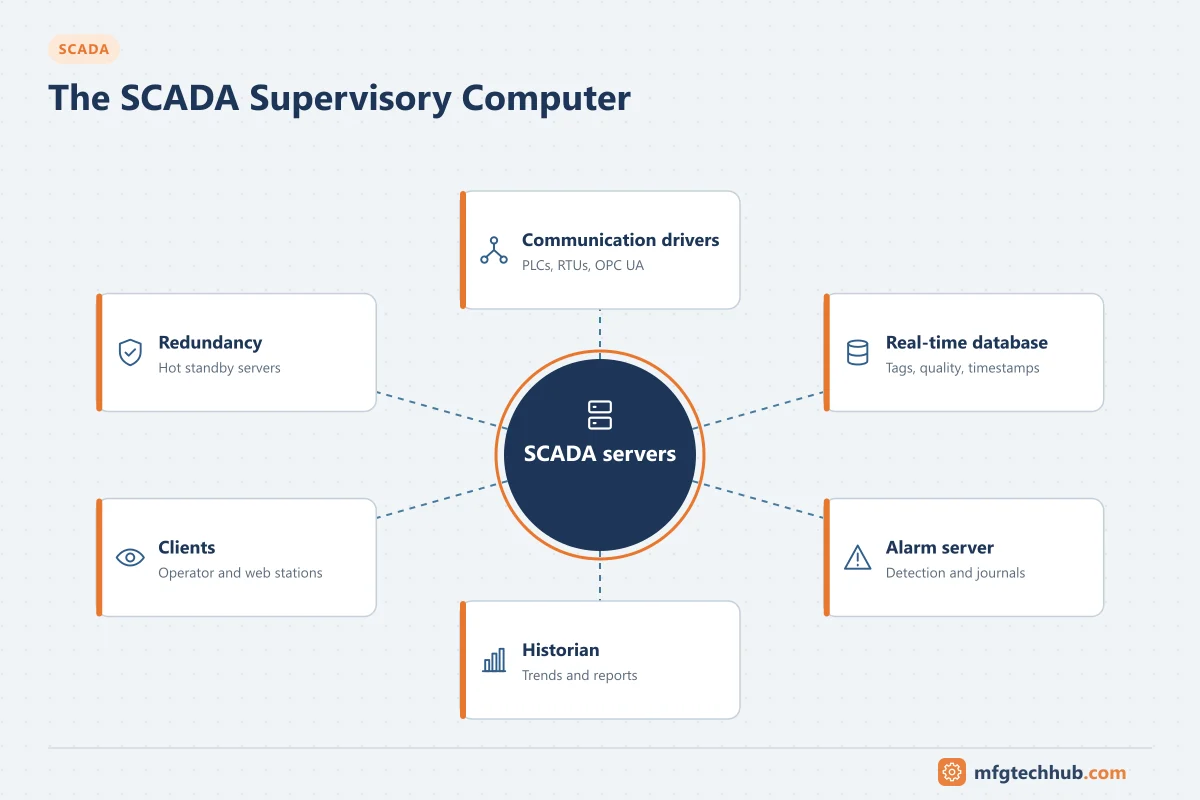
The supervisory computer, or master station, is the central part of a SCADA system: the servers that communicate with remote sites, hold the real-time database, process alarms and store history, and the workstations operators use to supervise the system. In early SCADA it really was one computer. Today it is usually a set of redundant servers, often virtualised, serving many operator and web clients.
Server roles
Names differ between products, and small systems run several roles on one server. The functions are similar everywhere:
| Role | What it does | If it fails without redundancy |
|---|---|---|
| SCADA / real-time server | Holds the tag database with values, quality and timestamps; runs scripts and calculations | Operators lose live data and control |
| Front-end / communication server | Runs protocol drivers (DNP3, IEC 60870-5-104, Modbus, OPC UA, MQTT), manages polling and exception reporting | Sites not updated; stale data |
| Alarm and event server | Detects and manages alarms, acknowledgements, shelving; logs events and operator actions | Alarms missed; incident record lost |
| Historian | Stores time-series data for trends and reports | History gaps unless sites or collectors buffer |
| Web / thin-client server | Serves displays to browsers and mobile devices | Remote users lose access |
| Interface server | Exchanges data with GIS, asset management, MES or business systems | Other systems lose data |
| Engineering workstation | Configuration of tags, displays, alarms and drivers | No changes until restored |
| Domain, patch and backup servers | Accounts, updates, backups for the SCADA system | Logins, patching and recovery affected |
Redundancy
| Approach | How it works | Typical use |
|---|---|---|
| Hot standby pair | Primary and standby servers synchronise the database; standby takes over automatically | Most operational SCADA systems |
| Redundant front-ends | Two communication servers, each able to reach all sites | Large telemetry systems |
| Redundant networks | Two LANs in the control centre | Critical control centres |
| Geographic redundancy | Servers replicated to a backup control centre | Utilities and pipelines with high availability requirements |
| Virtualisation cluster | SCADA VMs restarted on another host after failure | Often combined with application-level redundancy |
Points to verify: failover time, whether operator clients reconnect automatically, whether alarms and pending commands survive failover, and that both servers poll the same devices consistently (avoid duplicate polling that overloads slow links). Test failover regularly and alarm on loss of redundancy.
Operator clients
| Client | Use | Notes |
|---|---|---|
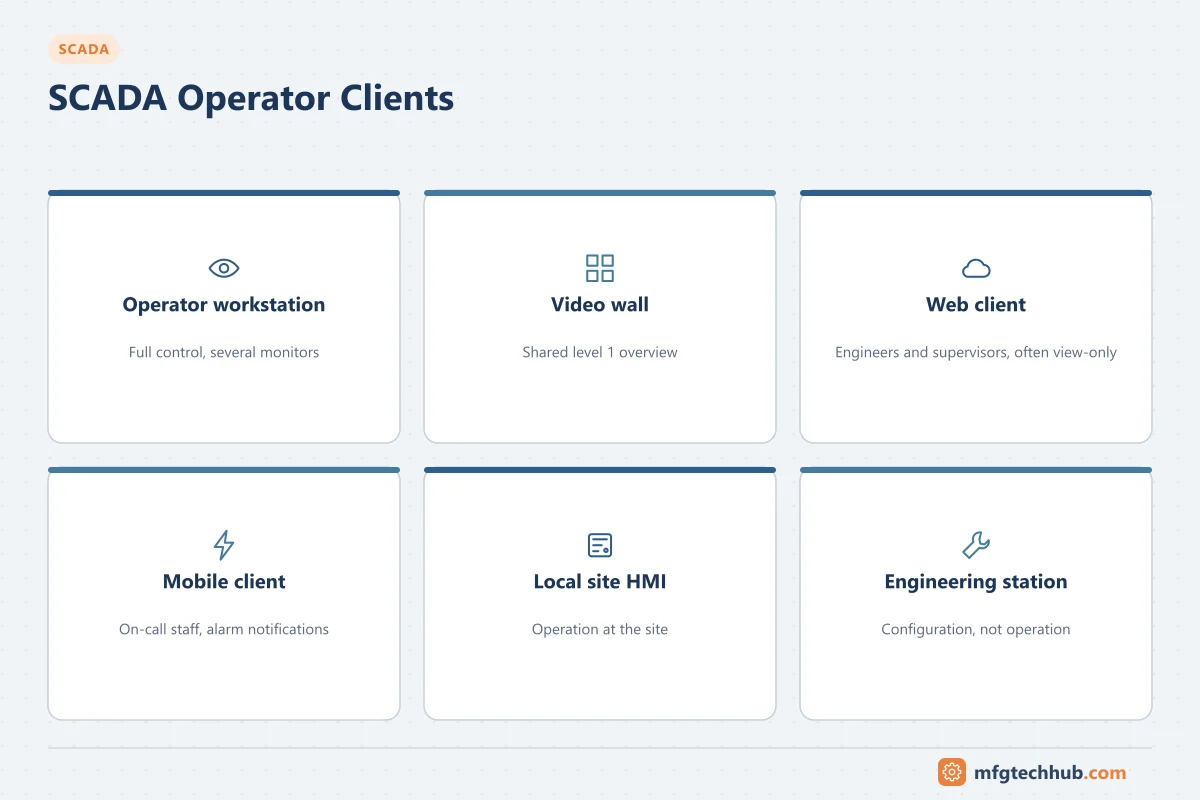
| Operator workstation (installed client) | Main control room positions | Full functionality, several monitors |
| Video wall / overview display | Shared system overview in the control room | Level 1 overview displays; see SCADA HMI Display Design |
| Web client | Engineers, supervisors, other sites | Often view-only; controlled command rights |
| Mobile client | On-call staff, field crews | Purpose-built mobile views and alarm notifications; see SCADA Data Presentation |
| Local site HMI | Operation at the site | Independent of the central SCADA for local operation |
Commands from any client pass through the SCADA server to the site controller, which checks its interlocks. See SCADA Control and Command Functions.
Sizing and licensing
Sizing inputs are similar across products:
- Number of tags (points), and how many are historised.
- Number of sites and devices, protocols and polling or exception rates.
- Number of clients by type (installed, web, mobile).
- Alarm and event rates, including floods during storms or network outages.
- History retention and reporting load.
- Redundancy and backup control centre requirements.
Licensing models vary by vendor: per tag, per client, per server, unlimited-tag server licences, or subscriptions. Compare the total cost for the expected growth, not only the initial configuration. See SCADA Vendors and Products.
Operating system, virtualisation and lifecycle
- SCADA servers follow operating system and database lifecycles; plan upgrades with the SCADA vendor’s compatibility matrix.
- Virtualisation simplifies hardware refresh and recovery; use redundant hosts and storage and the vendor’s supported platforms.
- Keep backups of server images and the SCADA configuration off the SCADA network and test restores. See the OT Backup and Restore Runbook and the SCADA Server Migration Runbook.
Security hardening
- Individual user accounts with role-based rights; no shared logins.
- Application whitelisting, removal of unneeded services, disabled USB storage.
- Vendor-approved patching and antivirus, tested before deployment.
- Remote access only through the DMZ with multi-factor authentication and logging.
- Logging and monitoring of logins, configuration changes and network connections.
See ISA/IEC 62443.
Troubleshooting the master station
| Symptom | Likely cause | First check |
|---|---|---|
| All sites on one protocol stale | Front-end driver or channel stopped | Communication server status and driver diagnostics |
| Failover occurred but clients show old data | Clients bound to the failed server | Client redundancy settings; reconnect behaviour |
| Alarm list slow during storms | Alarm flood, server overloaded | Alarm rates; flood suppression; server resources |
| Both servers polling the same slow radio sites | Redundancy mode misconfigured | Standby polling settings |
| History gaps after maintenance | Collector stopped, buffer overflow | Historian collector status and buffer size |
| Commands rejected | User rights, site in local mode, interlock at site | Event log for the command; site mode |
Frequently asked questions
What is a SCADA master station?
The central set of servers and workstations that communicates with remote RTUs and PLCs, holds the real-time database, processes alarms, stores history and gives operators displays and control.
What is a front-end processor in SCADA?
A server or device dedicated to communication with remote sites: it runs the protocol drivers and polling, so the main SCADA servers are not loaded by slow or unreliable links.
How is a SCADA server made redundant?
Usually with a hot-standby server pair that synchronises the database and takes over automatically, plus redundant networks and, for critical systems, replicated servers at a backup control centre.
Key takeaways
- The master station is a set of servers (real-time, communication, alarm, historian, web, interface) plus operator clients.
- Hot-standby redundancy and, for critical systems, geographic redundancy keep operators in control.
- Size servers and licences for tags, sites, clients, alarm floods and growth.
- Harden, back up, patch and monitor the servers as critical assets.
Related tutorials
Before you apply this in a plant: this article is for education. Always check the current edition of the relevant standards, the manufacturer's documentation for your exact product and version, and your site's procedures. Safety-related work needs qualified personnel. See our editorial policy.