
SCADA System Hierarchy: Field Sites, Communications, Control Centre and Enterprise
On this page
A SCADA system is organised in levels, like any industrial control system, but with one important difference from a DCS: the levels are also geographically separated. The field devices and controllers are at dozens or thousands of remote sites, the servers are in a control centre, and the two are joined by a telemetry network that may be slow, shared or unreliable. That separation drives most SCADA design decisions.
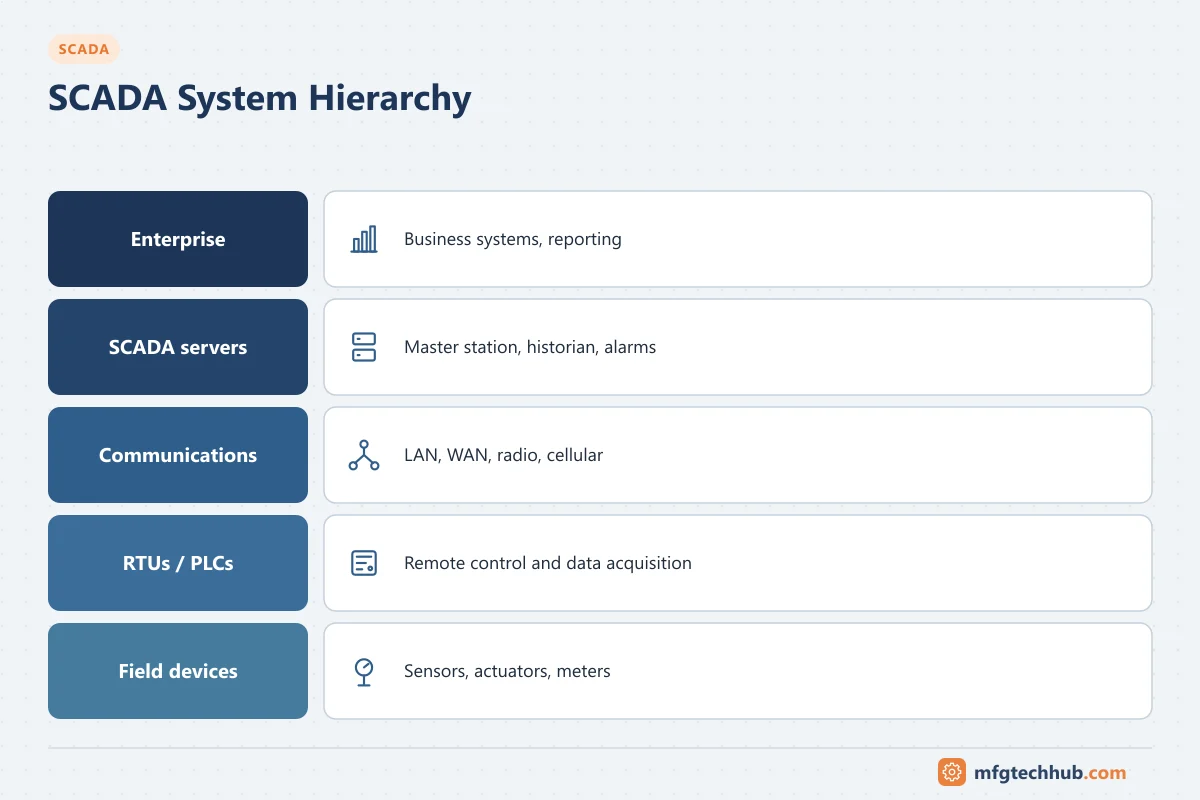
The levels at a glance
| Level | Where | What sits here | ISA-95 / Purdue level |
|---|---|---|---|
| Field devices | Remote sites | Sensors, meters, valves, pumps, breakers | 0 |
| Site control | Remote sites | RTUs, PLCs, IEDs (in substations), local HMIs | 1 (and local 2) |
| Telemetry network | Between sites and centre | Fibre, licensed radio, cellular, satellite, private IP networks | Conduit between 1 and 2 |
| Control centre | Main (and backup) control centre | SCADA servers, front-end processors, operator clients, historian, engineering | 2 |
| Operations and enterprise | Offices, data centre | Plant historian replicas, asset management, GIS, billing, ERP | 3–4 |
See ISA-95 for the level model and What Is SCADA? for the parts themselves.
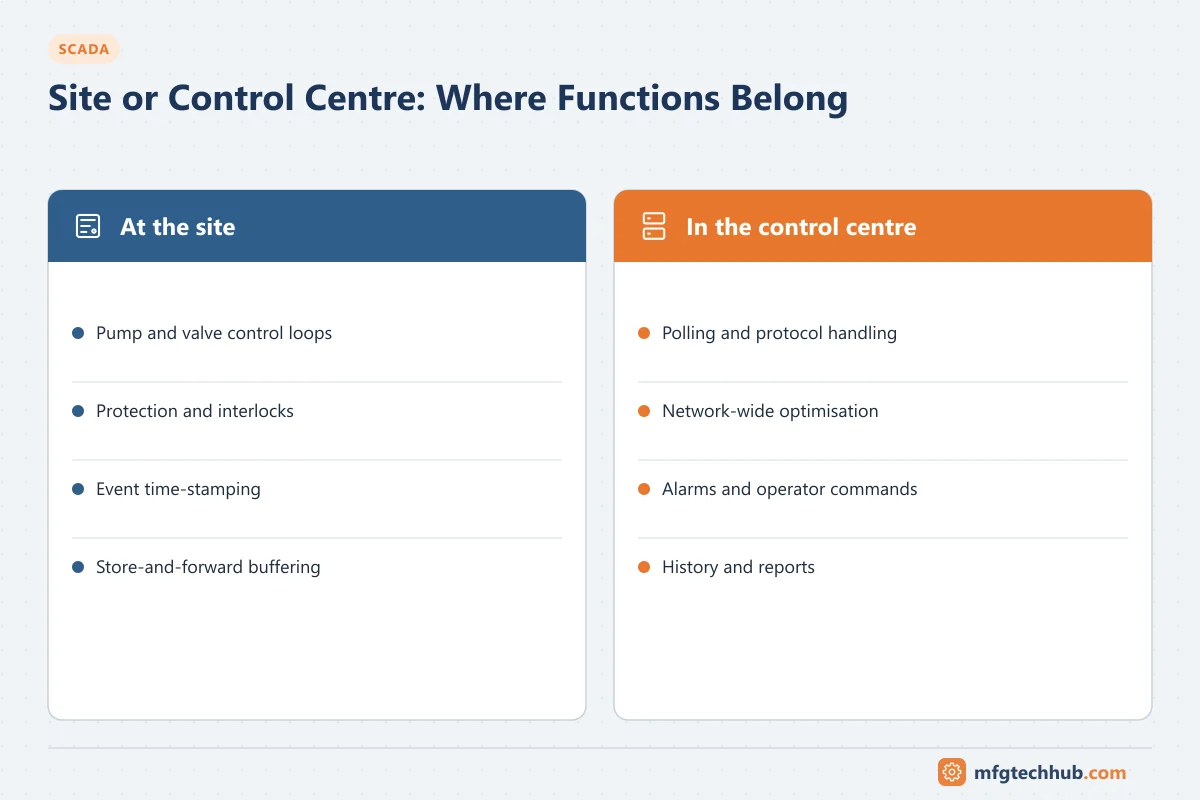
Where each function belongs
| Function | Correct level | Why |
|---|---|---|
| Pump and valve control loops, local sequences | Site RTU or PLC | Must keep running when communication fails |
| Protection and safety interlocks | Site controllers or protection relays, SIS where required | Independent of the telemetry link |
| Time-stamping of events | Site RTU or IED | Accurate sequence of events, independent of polling delay |
| Event buffering (store and forward) | Site RTU or edge device | No data loss during link outages |
| Polling and protocol handling | Control centre front-end or servers | Central management of communication |
| Network-wide optimisation (for example pump scheduling) | Control centre | Needs data from many sites; sites fall back to local control |
| Alarm presentation and operator commands | Control centre clients | Operators supervise the whole network |
| Long-term history, reports, asset analysis | Historian and level 3 systems | Business and engineering use |
The rule is the same as for a DCS: ask what happens to each site if the level above stops. Every site must reach a safe, preferably useful, state on its own.
Site designs
| Site type | Typical equipment | Notes |
|---|---|---|
| Small monitoring site (for example a flow meter or level) | Low-power RTU or IIoT gateway, battery or solar | Report by exception, cellular or LPWAN |
| Pump or lift station | PLC or RTU, local HMI panel, drives | Local level control; SCADA for supervision and setpoints |
| Treatment works or compressor station | PLCs or a small DCS, local SCADA or HMI | Often its own control room, linked to the central SCADA |
| Electrical substation | IEDs, gateway or RTU, IEC 61850 station bus | Gateway translates to DNP3 or IEC 60870-5-104 for the centre |
The control centre and backup control centre
The control centre usually contains redundant SCADA servers, front-end communication servers, operator consoles, historian, engineering workstations and a large overview display. Critical infrastructure operators often add a backup control centre at a different location, with:
- Replicated SCADA servers kept synchronised with the main centre.
- Its own communication paths to the sites.
- Procedures and regular drills for transferring control.
See SCADA Servers and Operator Workstations.
What happens when a level fails
| Failure | Effect | Design response |
|---|---|---|
| Enterprise systems down | No effect on operation | Historian and data replication buffer |
| Control centre servers fail | Operators lose view unless redundant | Redundant servers; backup control centre |
| Telemetry link to one site down | Site runs on local control; operators lose view of it | Local fallback control, event buffering, communication alarms, alternative path |
| Site controller fails | Site stops or goes to its fail-safe state | Local hardware redundancy for critical sites; maintenance response |
Security zones
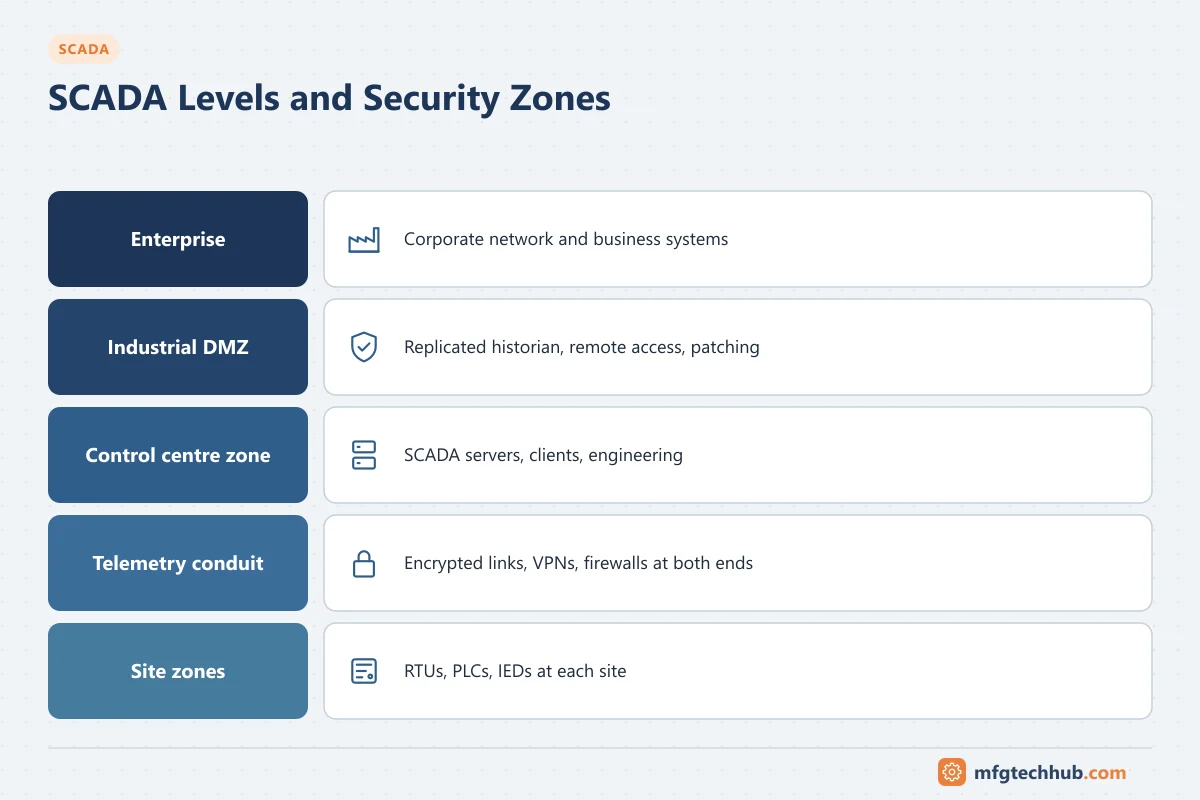
The levels map onto zones and conduits in an ISA/IEC 62443 design:
- Each site (or group of similar sites) is a zone; the telemetry network is a conduit, protected by encryption, VPNs or private networks and firewalls at both ends.
- The control centre’s SCADA servers and clients form a supervisory zone.
- An industrial DMZ separates the SCADA system from corporate networks and hosts replicated historians, remote access and patch servers.
- Remote access by vendors and staff passes through the DMZ with approval and logging, never directly to sites.
Sector requirements add to this, for example NERC CIP for bulk electric systems in North America. See SCADA Standards and Guidelines.
Frequently asked questions
What are the levels of a SCADA system?
Field devices at remote sites, site controllers (RTUs, PLCs, IEDs), the telemetry network, the control centre with servers and operator clients, and enterprise systems above it.
Why does SCADA need local control at each site?
Because the telemetry link can fail or be slow. Each site must keep running safely on its own, with SCADA providing supervision, setpoints and optimisation when the link is available.
What is a backup control centre?
A second control centre at a different location, with replicated SCADA servers and communication paths, from which operators can run the system if the main centre is unavailable.
Key takeaways
- SCADA levels are both functional and geographic: sites, telemetry, control centre and enterprise.
- Real-time control, protection, time-stamping and buffering belong at the site.
- The control centre supervises, optimises and records; critical systems add a backup centre.
- Map the levels to security zones and treat the telemetry network as a protected conduit.
Related tutorials
Before you apply this in a plant: this article is for education. Always check the current edition of the relevant standards, the manufacturer's documentation for your exact product and version, and your site's procedures. Safety-related work needs qualified personnel. See our editorial policy.