
SCADA Project Process: Requirements, Design, Site Standards, Testing, Cutover and Handover
On this page
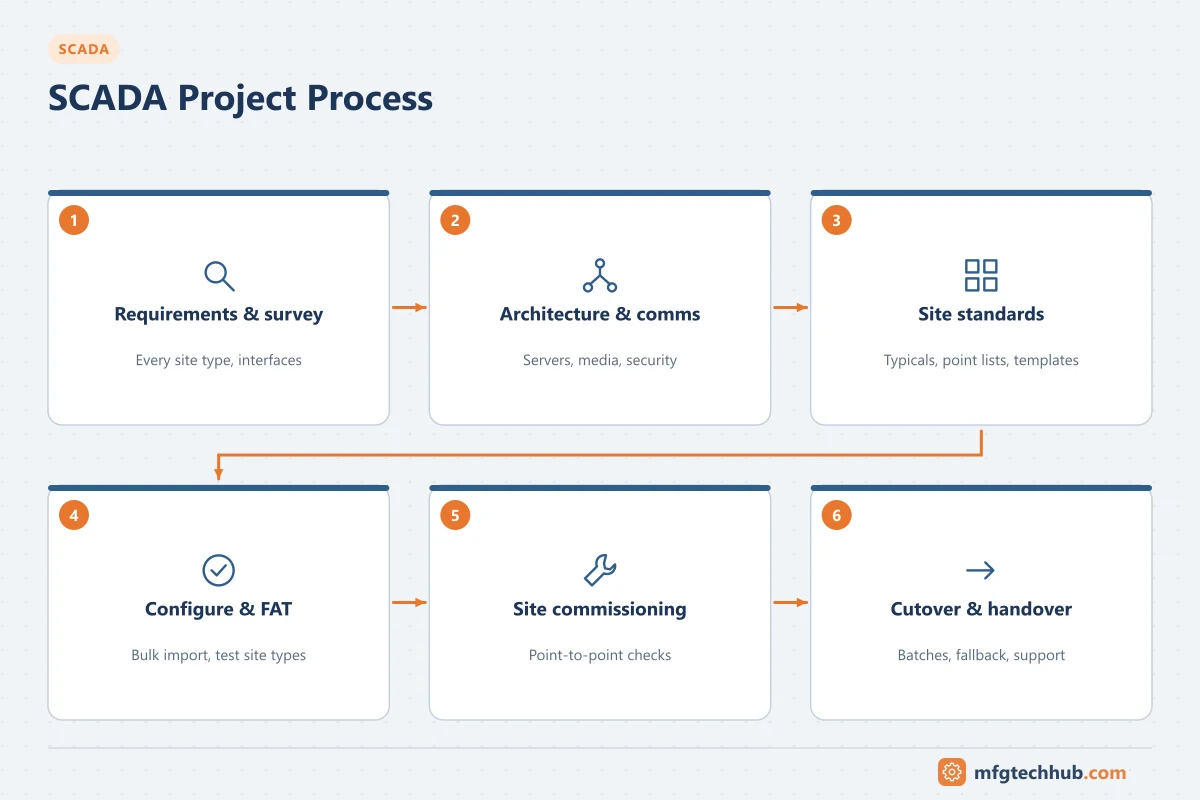
A SCADA project differs from a plant automation project in one important way: the work is spread over many sites, often dozens or hundreds, connected by a telemetry network that is itself part of the project. Success depends on standardising site designs, testing each site’s communication and points systematically, and moving sites from any old system to the new one without losing supervision of the network.
For the DCS equivalent, see DCS Project Lifecycle.
Phase 1: Requirements and site survey
Key activities:
- Define what operators must see and control, from which locations, and with what availability.
- Survey every site type: existing controllers, I/O, power, enclosures, communication options (radio path, cellular coverage, fibre availability).
- Identify interfaces: historian, GIS, work management, billing, MES, regulatory reporting.
- Carry out a cybersecurity risk assessment and identify regulatory requirements. See SCADA Standards.
Deliverables: user requirements specification, site survey reports, interface list, security and regulatory requirements, budget and strategy (new system or phased migration).
Phase 2: Architecture and communication design
- Control centre architecture: servers, redundancy, backup control centre, clients. See SCADA Servers and Operator Workstations.
- Communication design: media per site, topology, protocols (DNP3, IEC 60870-5-104, Modbus, MQTT), bandwidth and polling or exception reporting budget, redundancy for critical sites. See SCADA Network Topologies.
- Security design: zones and conduits, DMZ, remote access, certificates and keys.
- Radio path studies or cellular coverage checks where wireless is used.
Deliverables: architecture drawings, communication design with link budget, security design, functional design specification.
Phase 3: Standard site designs and point lists
Standardisation is what makes a SCADA project manageable:
- Site typicals (for example reservoir, booster pump station, sewage lift station) with standard controller, I/O, panel and communication equipment.
- Standard point lists per site type: names, types, scaling, alarm limits, event classes.
- Standard display templates and faceplates, following an ISA-101 style guide and ISA-18.2 alarm philosophy. See SCADA HMI Display Design and SCADA Alarm Management.
- Tag naming convention that encodes site and equipment consistently.
Deliverables: site typical drawings, point list templates, display templates, naming convention, control narratives per site type.
Phase 4: Procurement and configuration
- Procure servers, software, site controllers and communication equipment against the specification, including licence terms and support.
- Configure the SCADA database from point lists by bulk import rather than manual entry. See Configuring SCADA Software.
- Program site controllers from standard templates with site-specific parameters.
- Configure historian, reports and interfaces.
Phase 5: Factory acceptance test (FAT)
| FAT part | What is tested |
|---|---|
| Servers and redundancy | Failover of servers, front-ends and networks; client reconnection |
| Site typicals | Each site type with a real or simulated controller: all points, alarms, commands |
| Communication | Protocol behaviour, event buffering, time synchronisation, communication failure handling |
| Displays and alarms | Templates, navigation, alarm settings, flood handling |
| Interfaces | Historian, GIS, reporting and other systems (often simulated) |
| Security | Roles, hardening, remote access, backup and restore |
Phase 6: Installation, SAT and site commissioning
- Control centre SAT: servers, networks and clients on site; redundancy and failover.
- Site installation: panels, controllers, power and communication equipment at each site.
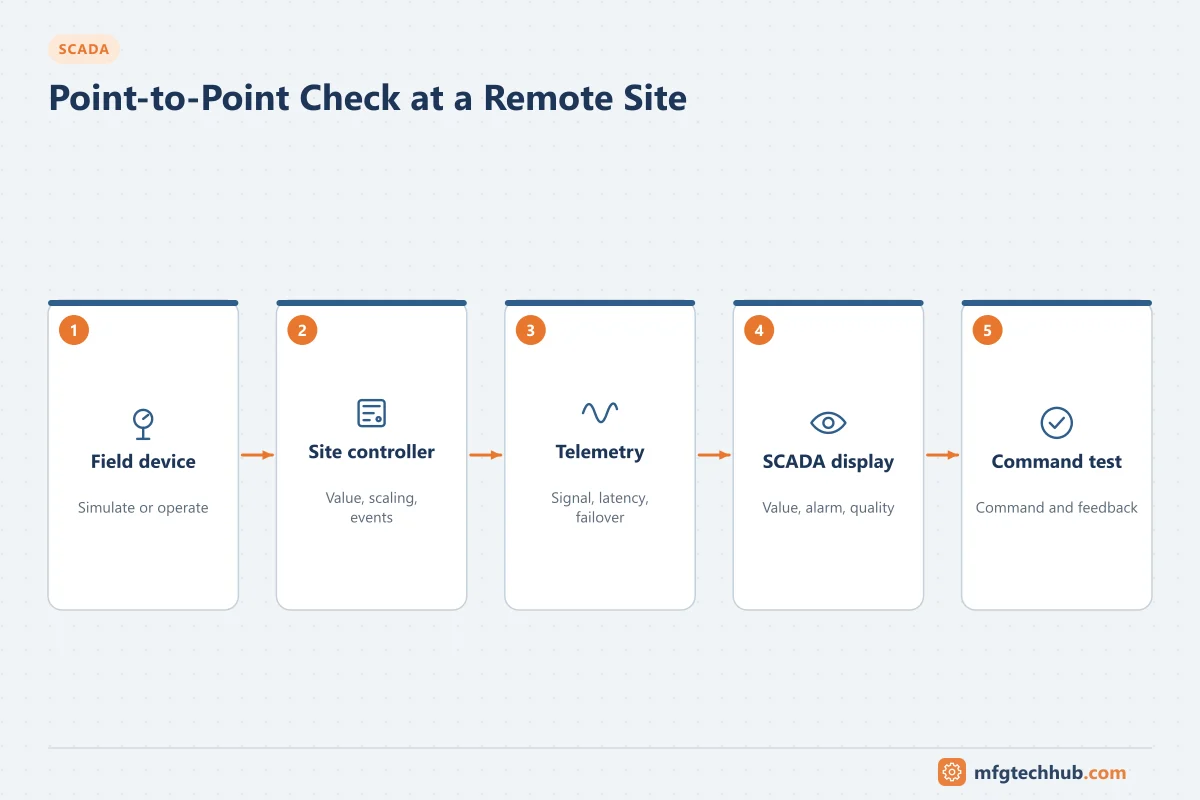
- Point-to-point checks: every point at every site is checked end to end from the field device to the SCADA display, including commands and their feedback.
- Communication tests: signal strength, latency, failover to backup paths, behaviour after power loss.
- Local control tests: site runs correctly when communication is removed.
A test record per site, signed off, is the evidence that the site is ready.
Phase 7: Cutover from an old system
When replacing an existing SCADA system:
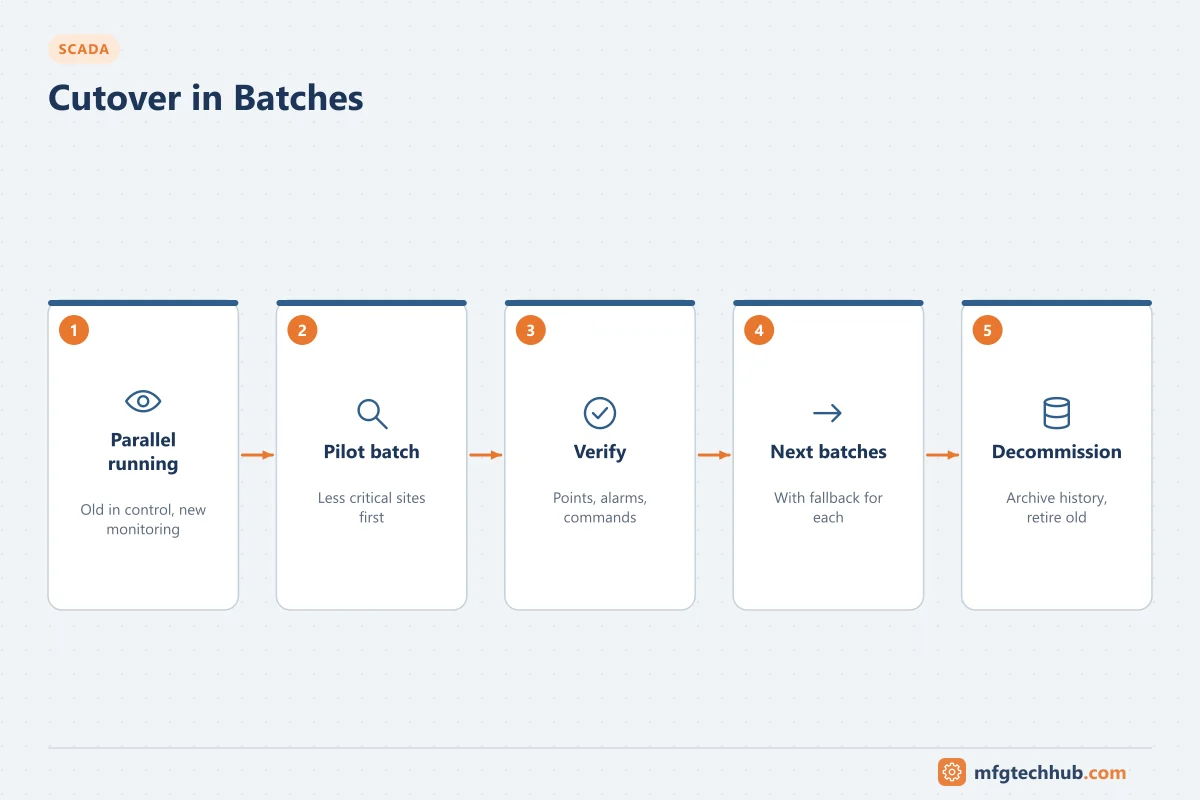
- Run old and new systems in parallel where possible, with one system in control and the other monitoring.
- Move sites in planned batches, starting with less critical sites.
- Have a fallback for each batch: how to return a site to the old system if problems appear.
- Keep operators informed and trained before their sites move.
- Migrate or archive historical data. See the SCADA Server Migration Runbook and the Historian Migration Runbook.
Phase 8: Handover, operation and support
Deliverables at handover: as-built documents and point lists, configuration backups, network and security documentation, operating and maintenance procedures, trained staff, support agreements, spare parts, and a lifecycle plan for software, hardware and communication services.
After handover, keep standard site designs up to date as the system grows, review alarm performance, maintain security and track component and carrier lifecycles. See SCADA Challenges and Risks.
Common pitfalls
| Pitfall | Effect | Prevention |
|---|---|---|
| Every site designed individually | Inconsistent displays, alarms and maintenance | Site typicals and standard point lists |
| Communication designed last | Sites cannot meet update rates; radio paths fail | Survey and communication design early |
| Point lists typed by hand | Addressing and scaling errors | Bulk import from controlled lists |
| No local control testing | Sites stop when communication fails | Test local operation at every site |
| Big-bang cutover | Loss of supervision across the network | Parallel running and batch migration |
| Security added after go-live | Exposed remote access, rework | Security design in the architecture phase |
Frequently asked questions
What are the main phases of a SCADA project?
Requirements and site survey, architecture and communication design, standard site designs, procurement and configuration, factory acceptance testing, installation and site commissioning with point-to-point checks, cutover, and handover with long-term support.
What is a point-to-point check in SCADA?
A test of each point from the field device through the site controller and telemetry to the SCADA display, including commands and their feedback, recorded for every site.
How do you migrate from an old SCADA system?
Usually by running old and new systems in parallel and moving sites in planned batches, starting with less critical sites, with a fallback plan for each batch and migration of historical data.
Key takeaways
- SCADA projects are multi-site projects; standard site designs and point lists are essential.
- Design communication early, based on site surveys.
- Test each site end to end, including communication failure and local control.
- Migrate from old systems in batches with parallel running and fallback plans.
Related tutorials
Before you apply this in a plant: this article is for education. Always check the current edition of the relevant standards, the manufacturer's documentation for your exact product and version, and your site's procedures. Safety-related work needs qualified personnel. See our editorial policy.