
MES Planning, Business Case and System Selection: A Step-by-Step Guide
On this page
Most MES programmes that disappoint were not ruined by the software; they started without clear objectives, chose a system from a demo that showed the vendor’s best case, and underestimated integration, master data and change management. Good planning and selection take weeks, and they save months later.
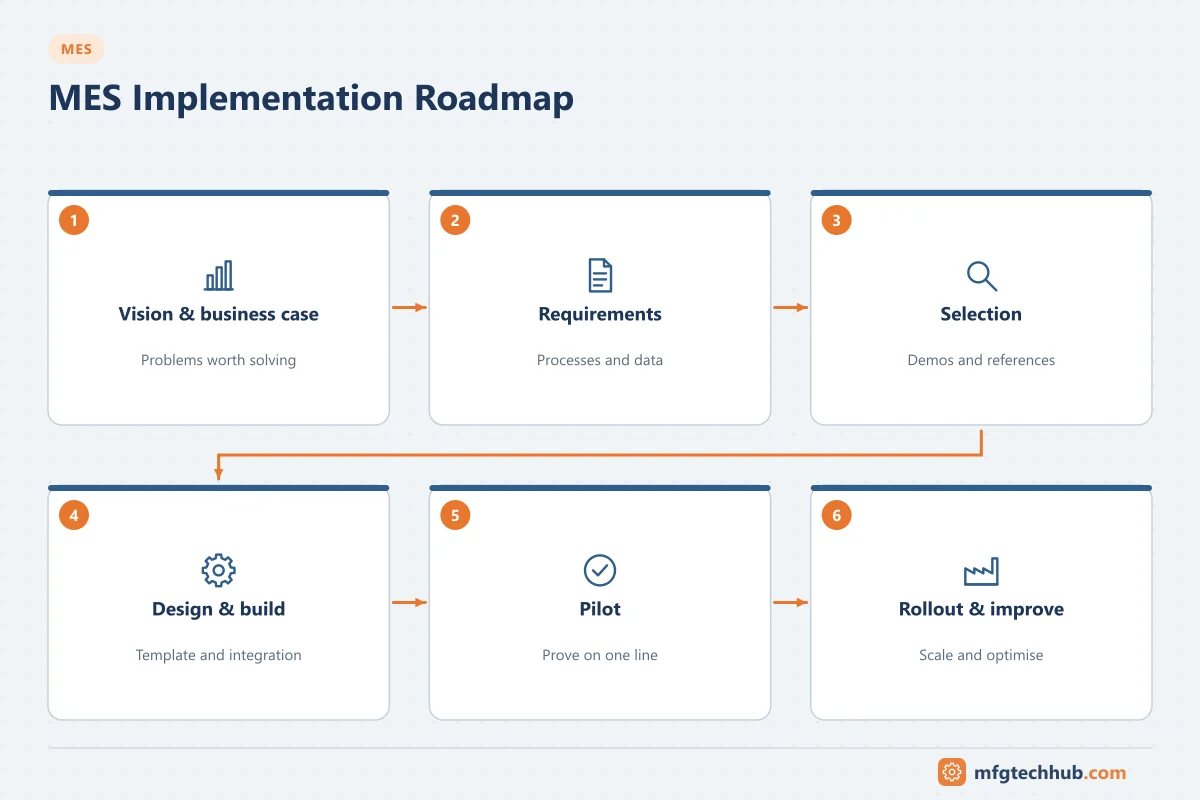
Step 1: Define objectives and KPIs
Start from business problems, not from a list of modules:
| Problem | Objective | KPI to measure |
|---|---|---|
| Traceability takes days during complaints | Trace any lot in minutes | Time to produce a trace report |
| Batch record review delays release | Review by exception | Review time, right-first-time records |
| OEE figures disputed, losses unclear | Automatic, trusted downtime data | Unassigned downtime share, OEE by loss category |
| ERP stock does not match reality | Accurate consumption and confirmations | Inventory adjustments, confirmation delays |
| Wrong material or version used | Error-proofing at the point of use | Material-related deviations |
Measure the baseline before the project so benefits can be shown later.
Step 2: Assess the current state
- Processes: map how orders, materials, quality checks and records flow today, including paper and spreadsheets.
- Systems: ERP, automation, historians, LIMS, WMS and existing shop-floor applications.
- Equipment connectivity: which machines can provide data (OPC UA, PLC access) and which need retrofits.
- Master data: quality of bills of materials, routings, recipes and specifications.
- Infrastructure and security: networks, servers, zones and remote access.
- People: who will own processes and act as key users.
Step 3: Build the business case
Base benefits on your baseline and conservative assumptions, not on vendor brochures:
| Benefit area | How to estimate |
|---|---|
| Reduced downtime and higher OEE | Current losses by category × realistic reduction for categories MES addresses |
| Faster release | Current review time × batches per year |
| Fewer deviations and scrap | Current cost of material-related and documentation errors |
| Reduced paperwork | Hours spent on manual recording, transcription and review |
| Compliance and recall risk | Qualitative, or cost of past events |
Costs include software, infrastructure, integration, machine connectivity, configuration, master data work, validation, training, internal staff and ongoing support. See MES Cost and Implementation Complexity.
Step 4: Set scope and phasing
- Choose a pilot area with a clear problem, cooperative team and representative processes.
- Define a minimum viable scope (for example order execution, material verification and downtime) and add functions later.
- Plan multi-site rollout early if relevant: a global template with local variations, or site-specific systems. See MES Architecture.
Step 5: Write requirements
Good requirements describe scenarios, not features: “The operator scans a material lot; the MES rejects it if the lot is not released, expired or not in the bill of materials, and records the attempt.” Group them by:
- Production processes (per area and product type)
- Integration (ERP, automation, LIMS, WMS)
- Regulatory requirements (electronic records, signatures, validation)
- Non-functional requirements (availability, performance, offline behaviour, security, supportability)
Step 6: Shortlist and evaluate vendors
- Use requirements and industry fit to shortlist three or four systems. See MES Software Vendors Compared.
- Run scripted demonstrations with your own products, orders and exceptions, not the vendor’s standard demo.
- Check integration with your ERP and automation in detail (standard connectors, ISA-95/B2MML, OPC UA).
- Visit or call reference customers in similar industries.
- Evaluate total cost over five to ten years, including upgrades and support.
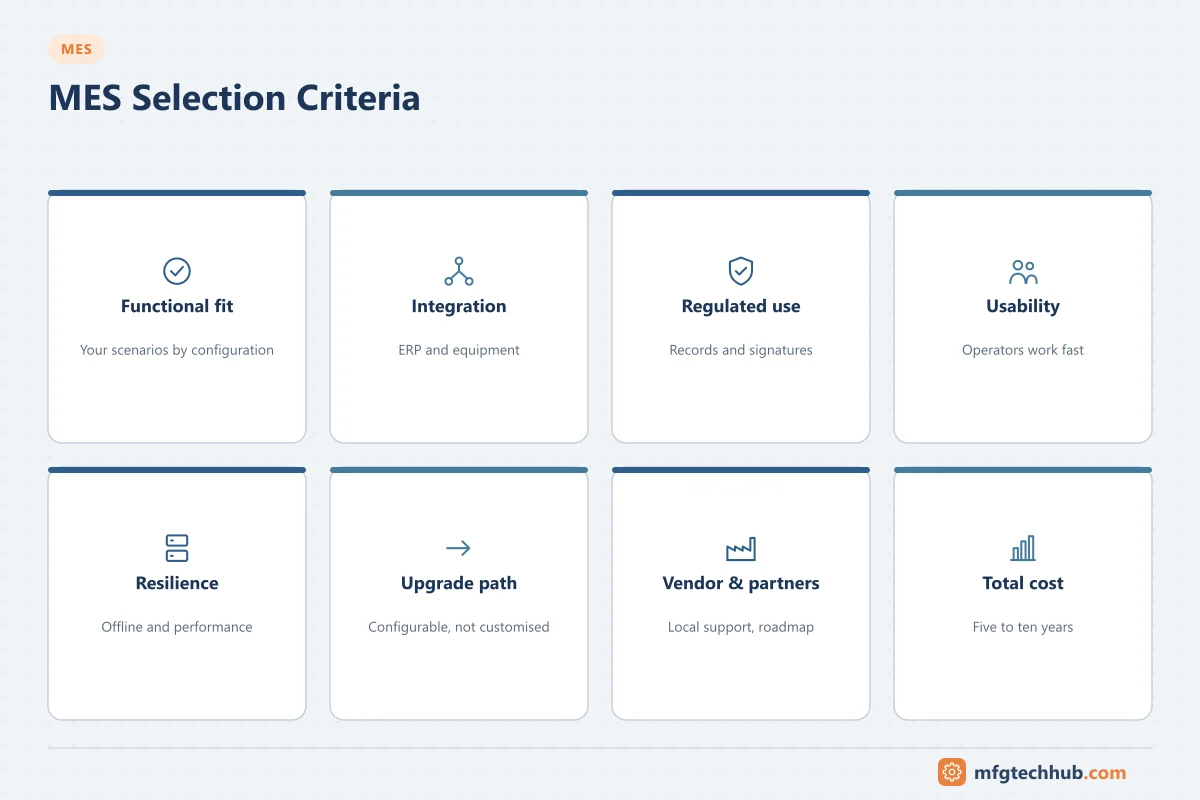
Selection scorecard (example structure)
| Criterion | Weight | What to look for |
|---|---|---|
| Functional fit to scenarios | High | Scenarios work with configuration, not custom code |
| Integration | High | Standard ERP connector; equipment connectivity options |
| Regulated use (if applicable) | High | Electronic records, signatures, validation support |
| Usability on the shop floor | Medium–high | Operators complete tasks quickly |
| Architecture and resilience | Medium | Offline behaviour, performance, deployment options |
| Configurability and upgrade path | Medium | Upgrades without re-implementing customisation |
| Vendor and partner capability | Medium | Local support, implementation partners, roadmap |
| Total cost of ownership | Medium | Licences, services, infrastructure, support |
Adjust weights to your objectives; document scores and reasons.
Step 7: Pilot, then roll out
- Pilot in production conditions and measure against the baseline.
- Fix master data, processes and configuration before scaling.
- Roll out in waves with a stable template and a support organisation. See MES Testing and Deployment and Training and Change Management.
Common mistakes
| Mistake | Consequence | Better approach |
|---|---|---|
| Buying modules before defining problems | Features nobody uses | Objectives and KPIs first |
| Selecting from standard demos | Surprises during implementation | Scripted demos with your scenarios |
| Ignoring integration effort | Delays and budget overruns | Evaluate connectors and interfaces in detail |
| Copying paper processes into software | No improvement | Redesign processes during the project |
| No internal ownership | System does not fit how the plant works | Process owners and key users from the start |
Frequently asked questions
How long does MES selection take?
It depends on scope and organisation, but a structured selection with requirements, scripted demos, reference checks and cost evaluation typically takes several months. Rushing it tends to cost more time later.
What should an MES business case include?
A measured baseline, benefits estimated conservatively from that baseline, all costs (software, services, integration, master data, validation, training, internal staff and support) and the risks and assumptions behind the numbers.
Should we start with a pilot?
Usually yes. A pilot in one area proves the system, the integration and the processes under real conditions before the investment is scaled.
Key takeaways
- Start with business problems, KPIs and a measured baseline.
- Assess processes, systems, connectivity and master data before choosing software.
- Select with scripted scenarios, integration checks, references and total cost.
- Pilot, fix, then roll out in waves.
Related tutorials
Before you apply this in a plant: this article is for education. Always check the current edition of the relevant standards, the manufacturer's documentation for your exact product and version, and your site's procedures. Safety-related work needs qualified personnel. See our editorial policy.