
MES for Make-to-Stock, Make-to-Order, Assemble-to-Order and Engineer-to-Order Production
On this page
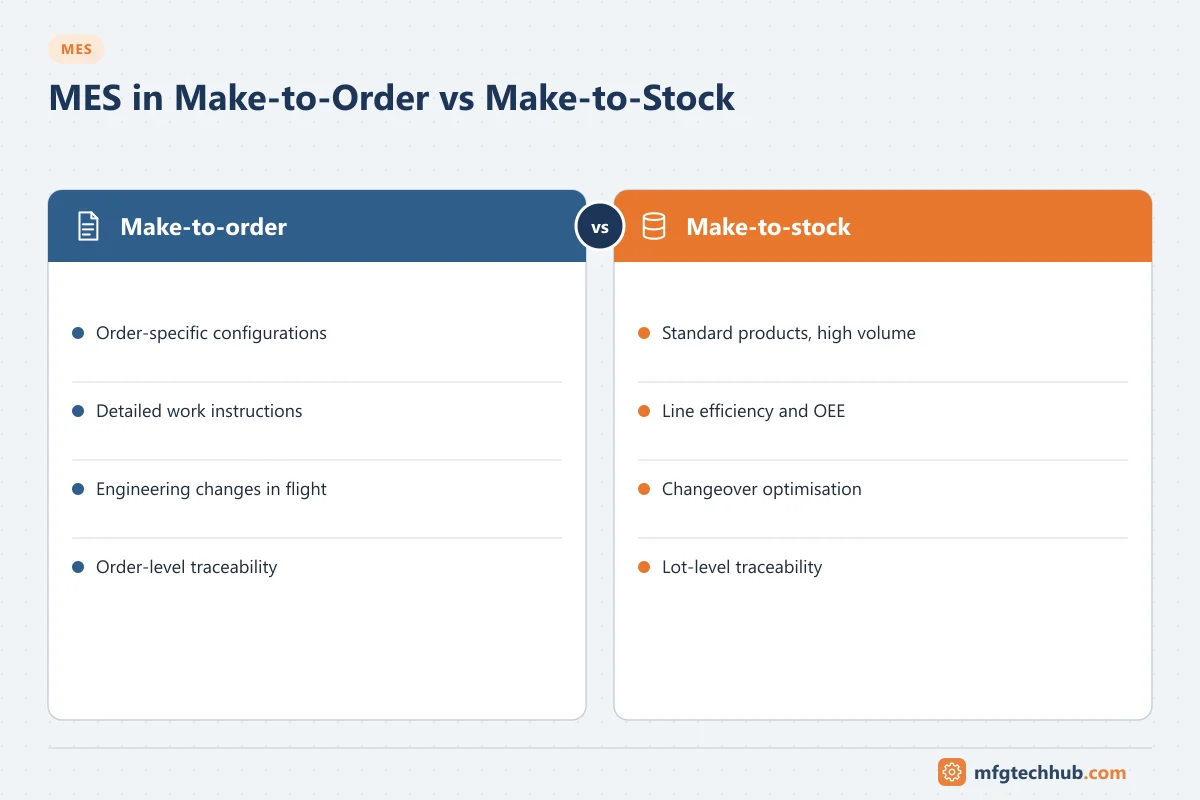
How a plant decides when to produce has a direct effect on what its MES must do. A plant that makes standard products to stock needs efficient long runs, fast changeovers and reliable OEE. A plant that builds each product to a customer’s order needs order-specific instructions, configuration tracking and on-time delivery. The same MES product can serve both, but it is configured and used very differently.
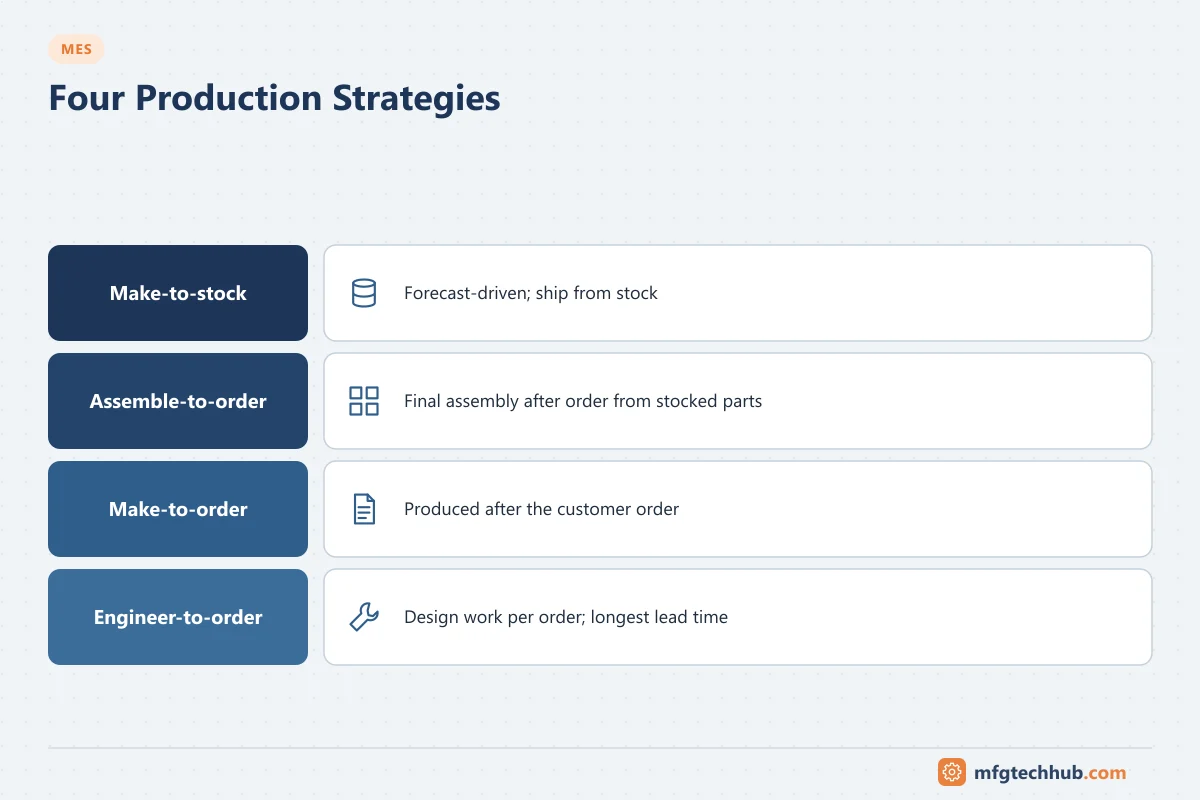
The four production strategies
| Strategy | Production triggered by | Typical products | Customer lead time |
|---|---|---|---|
| Make-to-stock (MTS) | Forecast and stock levels | Food, beverages, consumer goods, standard components | Short: shipped from stock |
| Assemble-to-order (ATO) | Customer order, from stocked sub-assemblies | Configurable machines, PCs, vehicles with options | Medium |
| Make-to-order (MTO) | Customer order, produced after receipt | Custom packaging, special alloys, industrial equipment | Longer |
| Engineer-to-order (ETO) | Customer order that needs design work | Aircraft, ships, large machinery, process plants | Longest |
Many plants combine them, for example making standard parts to stock and assembling final products to order.
How MES requirements differ
| MES area | Make-to-stock | Make-to-order / assemble-to-order | Engineer-to-order |
|---|---|---|---|
| Orders | Repetitive orders or rate-based schedules | One order per customer order or configuration | Project-based work packages |
| Scheduling | Campaigns, sequence to minimise changeovers | Due-date driven; frequent rescheduling | Project milestones, resource-constrained |
| Product definition | Stable master recipes and routings | Variants and options per order | Order-specific engineering data from PLM |
| Work instructions | Standard per product | Order-specific, showing the options to fit | Detailed, revision-controlled per unit |
| Traceability | Lot-based | Serial or order-based | Full as-built configuration per unit |
| Quality | SPC, sampling plans | Order-specific checks, first-article checks | Inspection per unit, non-conformance management |
| Key KPIs | OEE, yield, changeover time, cost per unit | On-time delivery, lead time, WIP | Schedule adherence, rework, cost to complete |
Make-to-stock: what the MES must do well
- Changeovers: guided changeover checklists, line clearance, and measurement of changeover time.
- Performance: accurate machine states and downtime reasons for OEE. See Reporting, KPIs and Analytics.
- Batch and lot tracking for recalls, with shelf-life and release status.
- Sequencing to reduce changeovers, for example product wheels (light to dark colours, allergen-free before allergen-containing products). See Scheduling and Planning.
Make-to-order and assemble-to-order
- Order-specific data flows from ERP (configuration, options) to the MES and on to stations.
- Variant-aware work instructions show the operator exactly which options to build.
- Error-proofing checks that the right part is fitted for this order.
- Serial-level traceability links components and test results to the customer order.
- Order tracking gives sales and customers reliable status and delivery dates.
See MES for Discrete Manufacturing.
Engineer-to-order
- Close PLM integration: the engineering bill of materials and drawings change during the project.
- Revision control: work must be done to the current released revision, and changes during production must be managed.
- As-built records for each unit, including deviations and concessions.
- Long, multi-step routings with inspection points and qualified operators.
See MES in Automotive, Aerospace and Electronics.
Mixed environments
Most real plants mix strategies: components made to stock, final assembly to order. Common practice:
- Model each area according to its own strategy in the MES (lot-based in component production, serial-based in assembly).
- Link them through genealogy: serial numbers in assembly record which component lots were used.
- Use one set of KPI definitions across areas, even when the focus KPIs differ.
Common mistakes
| Mistake | Effect | Better approach |
|---|---|---|
| Configuring an MTO plant like an MTS plant | Operators work from generic instructions; wrong options fitted | Variant-aware instructions and error-proofing |
| Measuring MTO lines only on OEE | Optimising utilisation at the expense of delivery | Add on-time delivery and lead time |
| Duplicating product data in ERP, PLM and MES | Inconsistent variants and revisions | Define the master system for each object |
| No rescheduling rules | Daily chaos when orders change | Frozen horizon and rescheduling triggers |
Frequently asked questions
What is the difference between make-to-order and make-to-stock?
Make-to-stock produces according to forecasts and stock levels, so products ship from stock. Make-to-order starts production only after a customer order, often with order-specific options.
Does MES differ between MTO and MTS plants?
The same product can be used, but MTS plants emphasise changeovers, OEE and lot tracking, while MTO plants emphasise order-specific instructions, variants, serial traceability and on-time delivery.
What is assemble-to-order?
A strategy where standard sub-assemblies are made or bought to stock and final assembly is triggered by the customer order, combining short lead times with product variety.
Key takeaways
- Production strategy (MTS, ATO, MTO, ETO) shapes MES configuration and KPIs.
- MTS focuses on efficiency, changeovers and lots; MTO and ATO on variants, instructions and serials.
- ETO needs PLM integration, revision control and as-built records.
- Mixed plants link areas through genealogy and shared KPI definitions.
Related tutorials
Before you apply this in a plant: this article is for education. Always check the current edition of the relevant standards, the manufacturer's documentation for your exact product and version, and your site's procedures. Safety-related work needs qualified personnel. See our editorial policy.