
SAP PP Explained: Master Data, MRP, Production Orders and Confirmations
On this page
SAP PP (Production Planning) plans and records discrete and repetitive manufacturing in SAP ERP and SAP S/4HANA. It turns demand into planned orders, converts them into production orders, and records what was actually produced and consumed. This article explains the objects and the end-to-end process, with commonly used SAP GUI transaction codes.
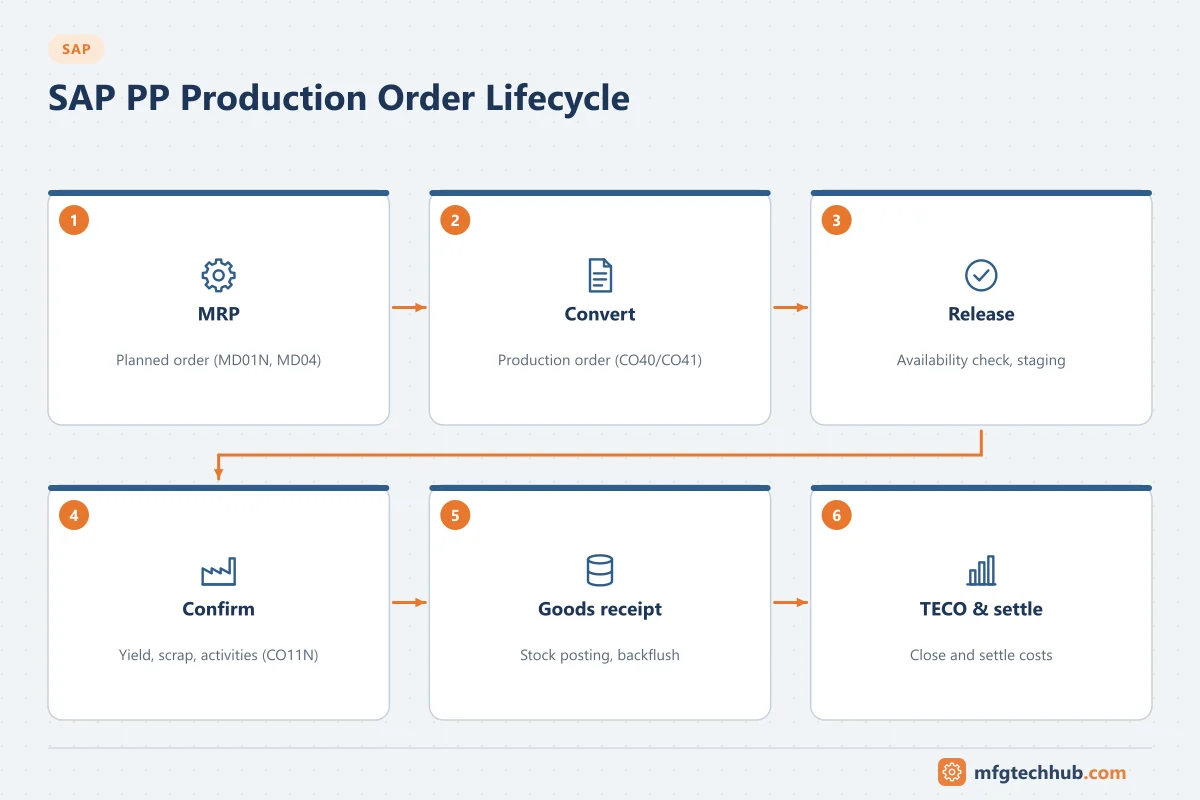
Note on transactions: the transaction codes below are standard in SAP ERP and continue to exist in SAP S/4HANA on-premise. Many companies also use SAP Fiori apps for the same tasks, and availability depends on release, scope and authorisations. Check your system and the SAP Help Portal.
Master data
| Object | Purpose | Common transactions (create / change / display) |
|---|---|---|
| Material master | Product and component data, with plant views for MRP, work scheduling, storage, quality and accounting | MM01 / MM02 / MM03 |
| Bill of materials (BOM) | Components and quantities needed to make the product | CS01 / CS02 / CS03 |
| Work centre | Where operations are performed; capacity, scheduling formulas, cost centre link | CR01 / CR02 / CR03 |
| Routing | Sequence of operations with work centres and standard values (setup, machine, labour times) | CA01 / CA02 / CA03 |
| Production version | Valid combination of BOM and routing for a lot-size range and validity period | C223 (production version maintenance) |
Key settings in the material master (MRP views): procurement type (in-house, external), MRP type, lot-sizing procedure, safety stock, in-house production time, scheduling margin key, and production scheduler. These drive how MRP plans the material.
Demand and MRP
- Demand comes from sales orders (make-to-order) and planned independent requirements (forecasts; created with MD61).
- MRP compares requirements with available stock and receipts, explodes BOMs level by level, and creates planned orders (in-house) or purchase requisitions (external procurement).
- In SAP S/4HANA, MRP Live (transaction MD01N) runs planning on the SAP HANA database and is the standard planning run.
- Planners review results in the stock/requirements list (MD04), which shows every requirement and receipt for a material, with exception messages.
Production order lifecycle
| Step | What happens | Common transactions |
|---|---|---|
| Convert planned order | Planned order becomes a production order | CO40 (single), CO41 (collective) |
| Create directly | Production order created manually | CO01 |
| Change / display | Maintain order, operations, components | CO02 / CO03 |
| Release | Order becomes executable; printing and material staging can start | In CO02, collectively with CO05N or mass processing (COHV) |
| Material staging and goods issue | Components issued to the order | MIGO (goods issue to order), or automatic backflush |
| Confirmation | Yield, scrap, activity times recorded per operation or for the order | CO11N (operation), CO15 (order) |
| Goods receipt | Finished product posted to stock | MIGO, or automatically with the final confirmation |
| Technically complete / settlement | Order closed; costs settled | CO02 status functions; settlement in controlling |
Order information system: COOIS lists orders, operations and components with many selection options, and is widely used for reporting.
Statuses to recognise
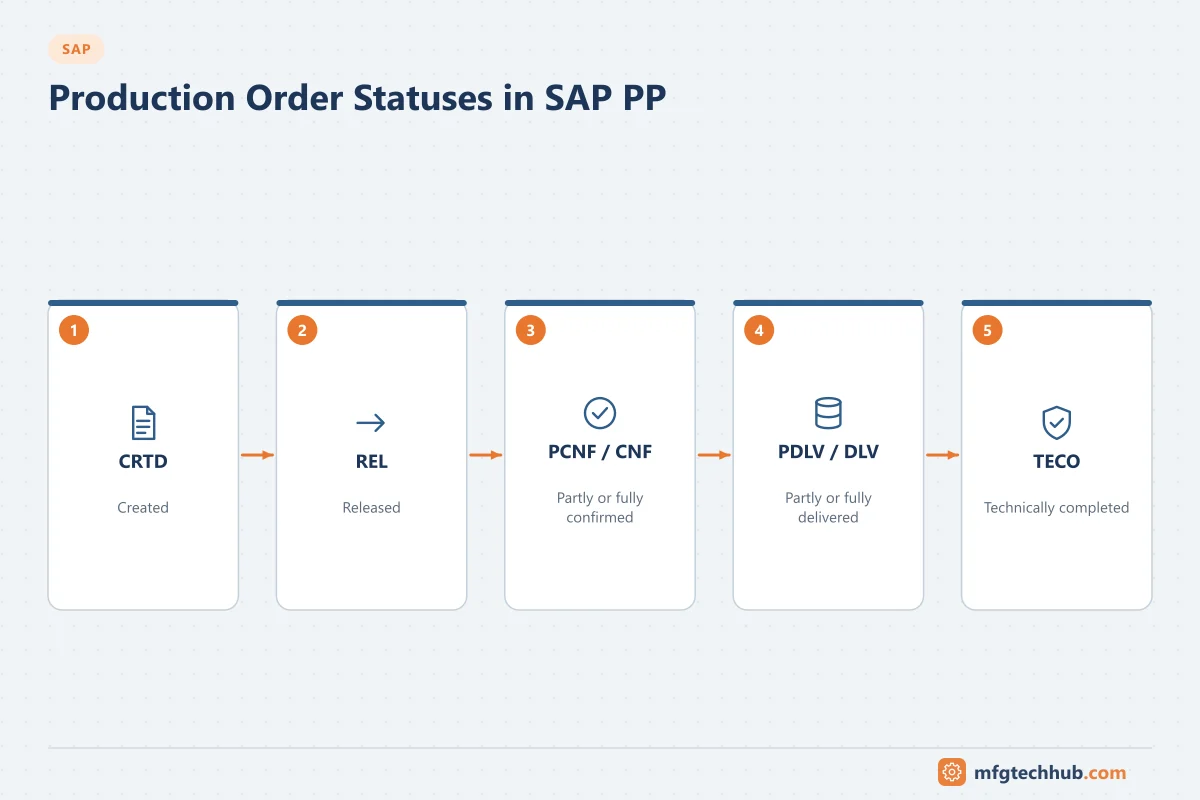
| Status | Meaning |
|---|---|
| CRTD | Created |
| REL | Released |
| PCNF / CNF | Partially confirmed / confirmed |
| DLV / PDLV | Delivered / partially delivered |
| TECO | Technically completed |
Backflush and auto goods receipt
- Backflush: components are issued automatically when the operation is confirmed, based on the BOM quantities. It reduces transactions but needs accurate BOMs and scrap settings.
- Automatic goods receipt: the finished product is received when the last operation is confirmed.
Both are common when MES sends confirmations, because a single confirmation then posts consumption, output and activities.
Where MES fits
- SAP sends the released production order (header, operations, components) to MES, commonly with the LOIPRO IDoc or APIs.
- MES executes and sends confirmations and goods movements back, often using BAPIs such as BAPI_PRODORDCONF_CREATE_TT or APIs, through middleware.
- Design decisions: confirmation granularity (per operation, per shift, at completion), who owns scrap reasons, and how errors in postings are handled.
See SAP–MES Integration.
Repetitive manufacturing (brief)
For high-volume, stable products, repetitive manufacturing plans with run schedule quantities and confirms by period and production line instead of by individual orders. It reduces transaction volume but requires stable master data.
Configuration step by step
Production planning configuration is done in the Implementation Guide (SPRO). Organisational units (company code, plant, storage locations) are normally set up by the finance and logistics teams first. The table lists the core PP settings in a typical order, with the IMG area and the transaction code shortcut where one exists. Paths can differ slightly between releases.
| Step | What you configure | IMG area (Production →) | T-code | Key decisions |
|---|---|---|---|---|
| 1 | MRP plant parameters | Material Requirements Planning → Plant Parameters | OPPQ | Number ranges, planning horizon, rescheduling, conversion order types per plant |
| 2 | MRP groups | Material Requirements Planning → MRP Groups | OPPR | Groups of materials with common planning rules (strategy group, planning horizon, conversion order type) |
| 3 | MRP controllers | Material Requirements Planning → Master Data → Define MRP Controllers | OMD0 | Who is responsible for which materials; used for work lists and exception messages |
| 4 | Order types | Shop Floor Control → Master Data → Order → Define Order Types | OPJH | One order type per business case (standard, rework, prototype); number range; settlement profile |
| 5 | Order-type-dependent parameters | Shop Floor Control → Master Data → Order → Define Order-Type-Dependent Parameters | OPL8 | Routing and BOM selection, production version use, status profile, batch and change management settings, documentation of goods movements |
| 6 | Scheduling parameters | Shop Floor Control → Operations → Scheduling → Define Scheduling Parameters for Production Orders | OPU3 | Scheduling type (forwards/backwards), capacity requirements, whether to schedule automatically on creation |
| 7 | Production scheduling profile | Shop Floor Control → Master Data → Define Production Scheduling Profile | OPKP | Automatic release on creation, automatic goods receipt, batch creation, print on release. Assigned in the material master |
| 8 | Availability check (checking control) | Shop Floor Control → Operations → Availability Check → Define Checking Control | OPJK | Check materials, PRTs and capacity at creation and at release; whether release is allowed with missing parts |
| 9 | Confirmation parameters | Shop Floor Control → Operations → Confirmation → Define Confirmation Parameters | OPK4 | Over/under-delivery tolerances, mandatory sequence, which goods movements post with confirmation, error handling for failed goods movements |
Master data settings that go with the configuration:
- Backflush: set in the material master (MRP 2 view), the work centre or the routing component assignment.
- Control key on each routing operation: whether the operation is scheduled, costed and confirmed, and whether confirmation is required.
- Production scheduler and production scheduling profile in the material master work scheduling view.
- Production version (C223) with validity dates and lot-size ranges; required when order-type settings demand it.
Test the configuration with one material end to end: create a planned order through MRP, convert it, release it, confirm with scrap and a partial quantity, post goods receipt and check costs.
Setting up the MES interface in PP
When an MES executes production orders, SAP must send released orders and receive confirmations. The main technical steps for an IDoc-based interface are:
| Step | T-code | Purpose |
|---|---|---|
| RFC destination to the MES or middleware | SM59 | Technical connection |
| Port | WE21 | Where IDocs are sent |
| Logical system and partner profile | BD54 (logical systems), WE20 | Which message types go to which partner, and how |
| Distribution model | BD64 | Model view with message type LOIPRO (production orders) and master data message types |
| Send production orders | POIT (or report RCCLTRAN) | Generates LOIPRO IDocs for selected orders; can be scheduled as a background job |
| Monitor IDocs | WE02 / WE05, BD87 (reprocess) | Check status and resend failed IDocs |
For confirmations back from MES, the usual options are BAPIs such as BAPI_PRODORDCONF_CREATE_TT (time-ticket confirmation with goods movements), IDocs, or the S/4HANA OData APIs for production order confirmations. Configure OPK4 so that failed goods movements are written to the error log instead of blocking the confirmation, then monitor:
- COGI – goods movements that failed during confirmation (for example missing stock or batch), which must be corrected and reposted.
- COFC – confirmations whose actual cost calculation failed.
See SAP–MES Integration for message design, middleware and reconciliation, and Connecting SAP to the Shop Floor for machine-level connectivity.
Worked example: from demand to goods receipt (illustrative)
- Demand: a planned independent requirement of 1,000 units of finished product FG-100 for week 12 is entered in MD61.
- MRP: MD01N (MRP Live) creates planned orders for FG-100 and purchase requisitions for bought-in components.
- Review: the planner checks MD04, corrects an exception message (a component with a late delivery), and firms the planned order.
- Convert and release: CO41 converts the planned order to production order type PP01; the production scheduling profile releases it automatically.
- Send to MES: the released order is distributed as a LOIPRO IDoc; the MES shows it on the line’s dispatch list.
- Execute: the MES records 980 good units and 20 scrap on the final operation and sends a confirmation.
- Post: the confirmation backflushes components and posts the automatic goods receipt of 980 units. One component fails because its batch has no stock; it appears in COGI, is corrected, and is reposted.
- Close: the order is set to technically complete (TECO) and costs are settled at period end.
Common issues and how to diagnose them
| Issue | Typical cause | Where to look |
|---|---|---|
| MRP does not create planned orders | MRP type or procurement type wrong; material not relevant for planning in the plant | Material master MRP views; MD04 |
| Order cannot be released | Missing parts (availability check), scheduling errors, status restrictions | Missing parts info in the order; order logs |
| Confirmation fails | Order not released or locked, backflush component without stock or batch, period closed | Error message detail; stock overview (MMBE); posting period |
| Wrong component quantities | BOM or scrap percentages wrong; wrong production version selected | BOM, production version validity |
| Costs look wrong | Standard values in routing, activity prices, missing confirmations | Routing, cost centre activity prices, order cost analysis |
Frequently asked questions
What is the difference between a planned order and a production order?
A planned order is a planning proposal created by MRP that can still be changed or rescheduled freely. A production order is an execution document: it is released, has components reserved, collects actual quantities and costs, and is settled.
What does MD04 show?
The stock/requirements list: current stock and all requirements and receipts for a material in a plant, in date order, with exception messages. It is the planner’s main working screen.
What is backflushing in SAP?
Automatic goods issue of components when an operation is confirmed, based on the planned quantities. It saves manual goods issues but depends on accurate BOMs.
Key takeaways
- PP master data (material, BOM, work centre, routing, production version) drives planning and execution.
- MRP creates planned orders; production orders are released, executed, confirmed and settled.
- MES integration exchanges released orders and confirmations; confirmation design and error handling are critical.
Related tutorials
Before you apply this in a plant: this article is for education. Always check the current edition of the relevant standards, the manufacturer's documentation for your exact product and version, and your site's procedures. Safety-related work needs qualified personnel. See our editorial policy.