
SAP EWM and MM for Production: Staging Materials, Production Supply Areas and Goods Movements
On this page
A production order is useless if its components are not at the line. In SAP, material staging connects inventory management (MM), the warehouse (SAP EWM in SAP S/4HANA, or older warehouse solutions) and production (PP or PP-PI). This article explains the concepts from an operations and integration perspective.
Note: warehouse and production integration options differ between releases and between embedded and decentralised EWM. Confirm details in the SAP Help Portal for your release.
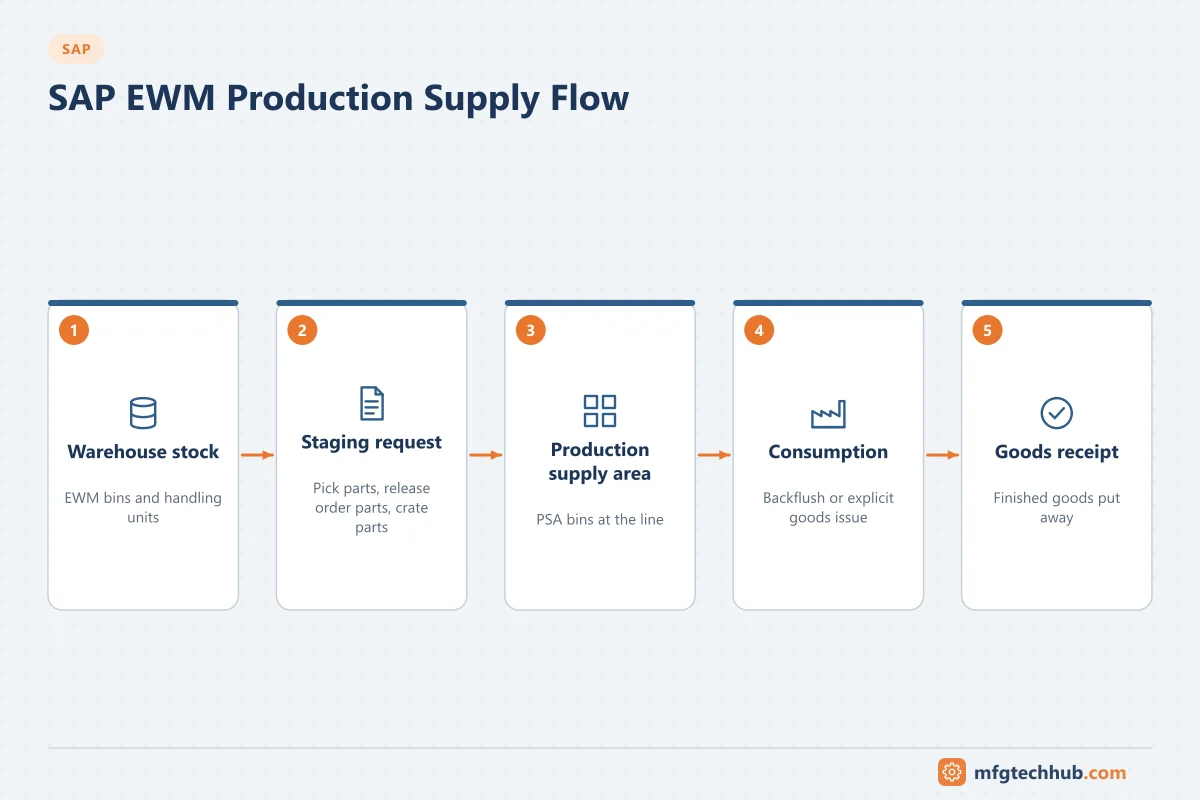
The material flow
- A released production or process order reserves its components.
- Components are staged from the warehouse to the production supply area (PSA) near the line.
- Components are consumed (goods issue to the order), either explicitly or by backflush at confirmation.
- Finished products are received (goods receipt from production) and put away or shipped.
MM basics for production
| Concept | Meaning |
|---|---|
| Reservation | Components reserved for an order; drives staging and availability |
| Goods movement | A posting that changes stock (for example goods issue to order, goods receipt from order, transfer postings), typically with MIGO |
| Movement types | Codes that define the type of posting (for example goods issue to an order, goods receipt from an order); your system’s configuration determines which are used |
| Stock types | Unrestricted, quality inspection, blocked; QM usage decisions move stock between them. See SAP QM |
| Batches | Batch-managed materials need batch determination at staging or consumption |
Stock overview (MMBE) and material document lists (MB51) are standard tools for checking what happened.
Production supply areas
A production supply area (PSA) is an area near the production line where components are staged. In SAP EWM, PSAs are linked to storage bins where products are physically placed, and are mapped to production work centres or resources. In EWM, PSAs are maintained with transactions such as /SCWM/PSA, with product-specific settings for staging.
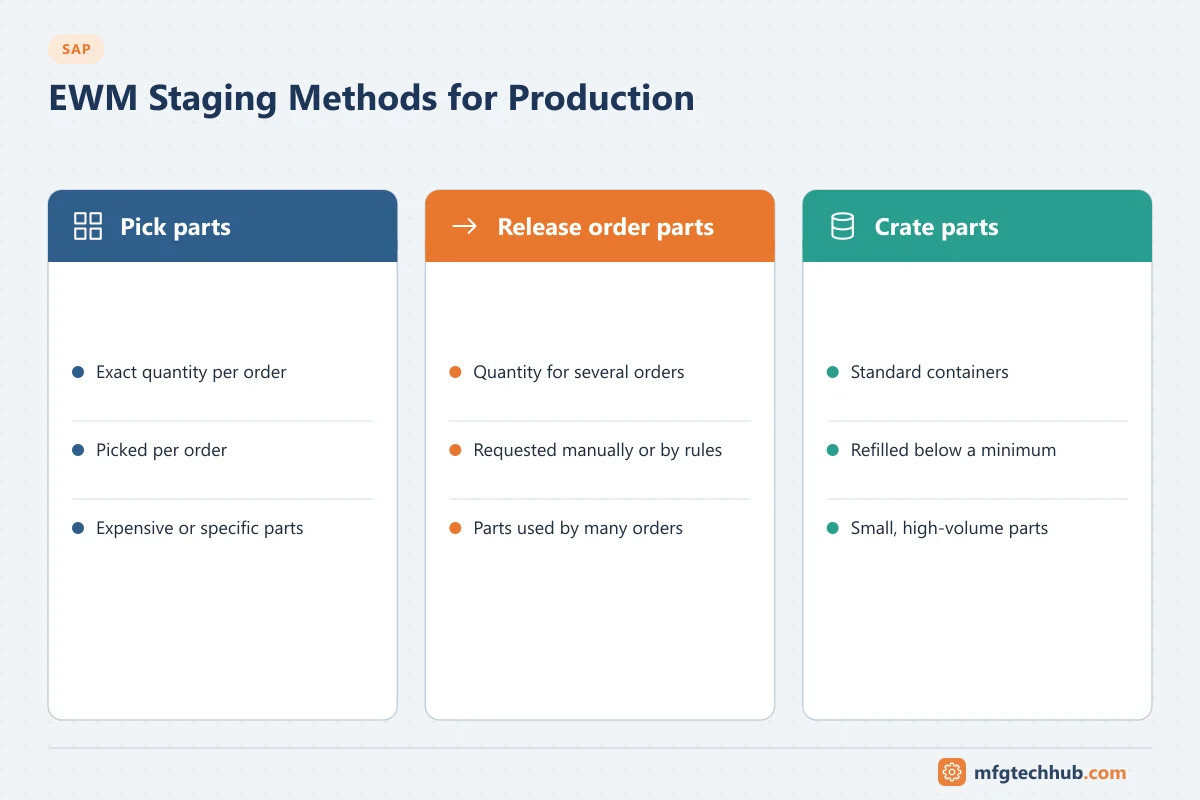
EWM staging methods
| Staging method | How it works | Suitable for |
|---|---|---|
| Pick parts | Exactly the quantity required by a specific order is staged, with reference to the order | Order-specific or expensive components, batch-controlled materials |
| Release order parts | Material is requested for several orders together; quantities are requested manually or by rules, not fixed per order | Components used by many orders, bulk materials |
| Crate parts | Standard containers are replenished to the PSA when stock at the PSA falls below a minimum, independent of orders | Small, high-volume parts (fasteners, packaging) |
Pick parts and release order parts are typically triggered from the production side and executed as warehouse tasks in EWM; crate parts are replenished within EWM.
Advanced production integration in SAP EWM uses production material requests to stage and consume materials with closer integration between production orders and warehouse processes. Check which integration model your implementation uses.
Kanban
Kanban replenishes components based on consumption signals rather than orders: when a container is empty, a signal triggers replenishment from the warehouse, production or a supplier. SAP supports Kanban with control cycles that define the material, PSA, container quantity and replenishment strategy.
Consumption and finished goods
| Option | Description | Consideration |
|---|---|---|
| Backflush | Components issued automatically at confirmation based on planned quantities | Simple; needs accurate BOMs and scrap factors |
| Explicit goods issue | Actual quantities and batches posted, for example from MES scanning | More accurate; more transactions |
| Goods receipt from production | Finished product received manually or automatically with final confirmation | Can trigger QM inspection (inspection type 04) and put-away tasks |
MES and automation integration
- MES can request staging (for example when an order is scheduled), confirm consumption with batch data from barcode scanning, and trigger goods receipts with handling unit labels.
- Automated warehouses and AGVs/AMRs execute warehouse tasks created by EWM, often via material flow control.
- Line-side sensors or scales can support consumption or replenishment signals.
Clear ownership is essential: which system knows the stock at the line, and which system posts consumption? Double postings (MES and backflush) are a common error. See SAP–MES Integration.
Setup step by step
The exact steps depend on whether you use embedded EWM in S/4HANA or decentralised EWM, and whether you use classic staging or advanced production integration. The typical master data and settings are:
| Step | What you set up | Where / T-code | Notes |
|---|---|---|---|
| 1 | Production supply area in the ERP/S/4HANA side | PK05 | Defines the PSA and its storage location for staging |
| 2 | EWM production supply area and mapping to the ERP PSA | /SCWM/PSA, /SCWM/PSAMAP | In embedded EWM, PSAs can be replicated; mapping links ERP and EWM PSAs |
| 3 | Bins for staging per product (or product group) and PSA | /SCWM/PSASTAGE | Which EWM bin receives staged stock for a product at a PSA |
| 4 | Control cycle with the staging method | LPK1 (control cycle for production supply); PKMC for Kanban control cycles | Staging method (pick parts, release order parts, crate parts), replenishment quantities and containers |
| 5 | Warehouse process types for staging and consumption | EWM customising (process-oriented storage control, warehouse process types) | Separate process types for staging, consumption and returns simplify monitoring |
| 6 | Backflush and goods movement settings in production | Material master (MRP views), routing/recipe components | Decide backflush vs explicit consumption per component |
| 7 | Staging triggers | Production order release, staging transactions (for example MF60 for release order parts in classic staging), or production material requests in advanced production integration | Who triggers staging: planners, schedules or MES |
Test with one line: stage for an order, consume at confirmation, return unused stock, and check that ERP and EWM stock agree.
Worked example: staging for a packaging line (illustrative)
- Line PK-02 has PSA PSA-PK02 mapped to EWM bin area PK02-STAGE.
- Cartons (release order parts) are requested each shift for all orders on the line; labels with product-specific artwork (pick parts) are staged per order; screws and caps (crate parts) are replenished when a container is empty.
- When the MES releases the next order to the line, it requests staging of the order-specific components; EWM creates warehouse tasks and a forklift driver moves the pallets.
- Operators scan component batches at the line; the MES reports actual consumption with batch numbers instead of backflushing, avoiding double postings.
- At order end, unused labels are returned to the warehouse with a return posting so that line-side stock does not drift.
Common issues
| Issue | Typical cause | Where to look |
|---|---|---|
| Order cannot start; parts not at line | Staging not triggered, PSA not assigned, stock not available | Order components, staging status, stock overview |
| Consumption posted twice | Both MES postings and backflush active | Integration design, backflush indicators |
| Failed goods movements after confirmation | Missing stock at the PSA, wrong batch, posting period closed | COGI (postprocess faulty goods movements) |
| Stock at line differs from system | Unrecorded scrap, manual moves, crate part counting | Cycle counting at PSAs; process discipline |
Frequently asked questions
What is a production supply area in SAP?
An area close to production where components are staged for consumption. It links warehouse bins to the production work centres or resources that use them.
What are pick parts, release order parts and crate parts?
Three EWM staging methods: pick parts are staged per order in the exact quantity; release order parts are requested for several orders together; crate parts are replenished in standard containers when stock at the line falls below a minimum.
Should consumption be backflushed or posted from MES?
Backflush is simpler and works well when BOMs are accurate. Posting actual consumption from MES gives better accuracy and batch traceability, especially in regulated or high-value production. Do not use both for the same components.
Key takeaways
- Materials flow from reservation to staging at the PSA, consumption and finished goods receipt.
- EWM staging methods (pick, release order, crate parts) suit different component types; Kanban covers consumption-driven replenishment.
- Decide clearly which system posts consumption and keep line-side stock accurate.
Related tutorials
Before you apply this in a plant: this article is for education. Always check the current edition of the relevant standards, the manufacturer's documentation for your exact product and version, and your site's procedures. Safety-related work needs qualified personnel. See our editorial policy.