
Connecting SAP to the Shop Floor: PLC, SCADA, Historian and MES Integration with Plant Connectivity, Production Connector and Digital Manufacturing
On this page
SAP runs the business: orders, inventory, quality decisions, maintenance and costs. PLCs, SCADA and historians run and record the process. Connecting them brings real production data into SAP and SAP orders to the line. It also creates risk: a badly designed link can overload controllers, post wrong quantities, or open a path from the business network into the control system.
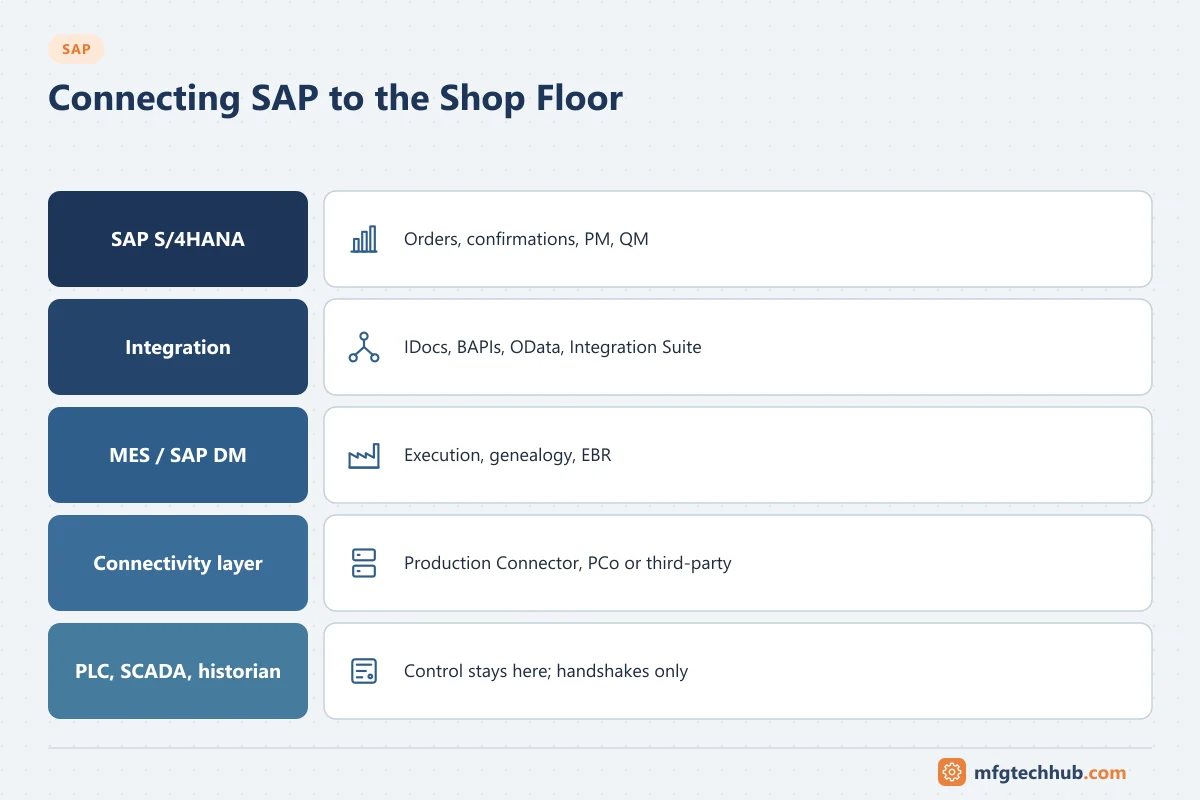
This guide explains which layer should talk to which, the SAP connectivity components, and step-by-step configuration examples for PLC, SCADA, historian and MES integration.
Last technical review: September 2026. SAP product names, maintenance dates and capabilities change. Confirm details for your release on the SAP Help Portal and in SAP notes before designing a solution.
Rule one: SAP does not talk to PLCs for control
Following the ISA-95 levels, SAP (Level 4) exchanges business transactions with Level 3 systems (MES, historian, connectivity platforms). It should never be part of a control loop or interlock, and it should not poll controllers directly across the network.
| Integration | Typical path | What flows |
|---|---|---|
| SAP ↔ MES | IDocs, BAPIs, OData APIs, usually via middleware | Orders and master data down; confirmations, goods movements, quality results up. See SAP–MES Integration |
| SAP ↔ PLC (no MES) | Connectivity layer (for example SAP Plant Connectivity or Production Connector, or a third-party connectivity platform) with a handshake to the PLC | Order and material data to the machine; counts, completion and weights back |
| SAP ↔ SCADA | Connectivity layer or SCADA’s own integration modules | Events such as equipment faults (to PM notifications), production counts, energy data |
| SAP ↔ historian | Connectivity layer or historian integration tools | Aggregated values: run hours, counters, consumption totals, quality values |
| SAP ↔ LIMS | IDocs, BAPIs, APIs | Inspection lots and results. See SAP QM |
For how data moves from sensors to these layers, see How a Factory Works and MES Data Collection and Integration.
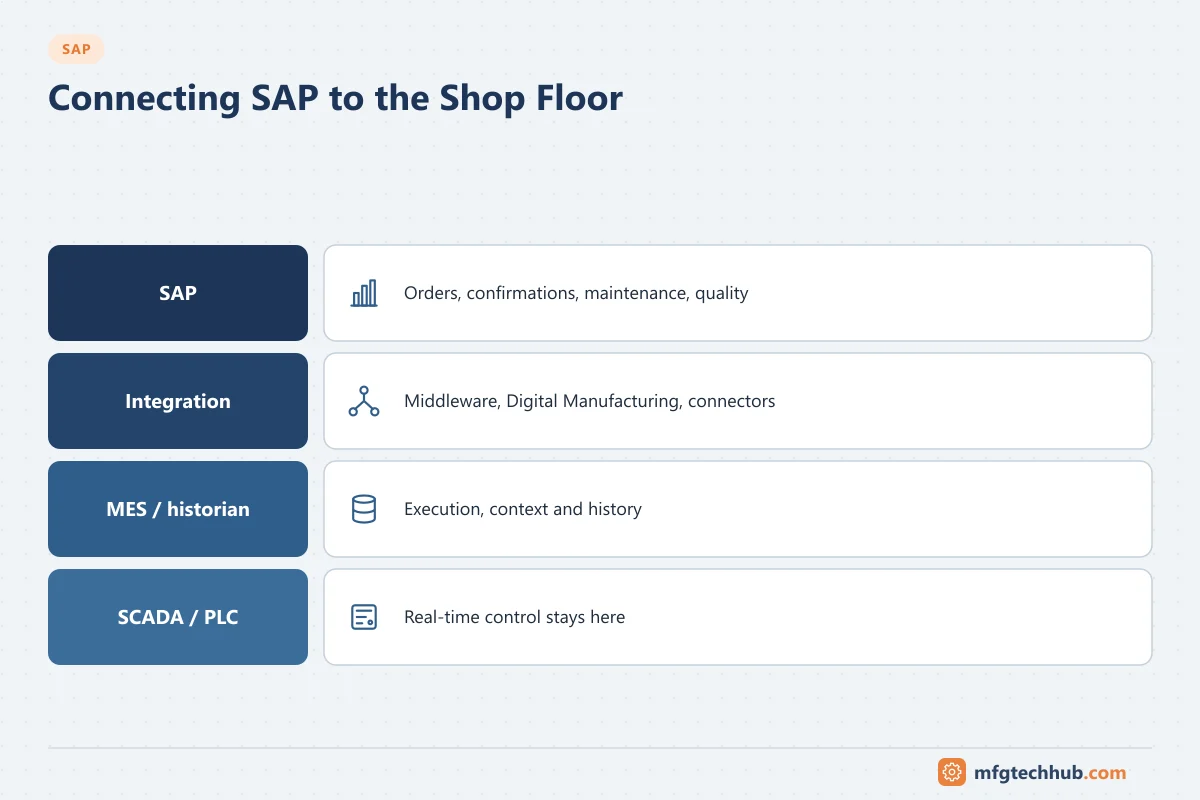
SAP’s shop-floor connectivity components
| Component | What it is | Status and notes |
|---|---|---|
| SAP Plant Connectivity (PCo) | Windows-based software that connects to shop-floor data sources and forwards data to SAP systems | Sources include OPC UA, OPC DA/HDA/A&E, Modbus, MQTT, ODBC/OLE DB, file and socket interfaces, and historian interfaces such as PI and IP.21. Destinations include SAP MII, SAP ME, SAP Digital Manufacturing, SAP Business Suite systems (for example ERP), SAP HANA, SQL Server, MQTT and OPC UA. SAP recommends the Production Connector instead of PCo for integration with SAP Digital Manufacturing |
| Production Connector for SAP Digital Manufacturing | SAP’s current connectivity layer between SAP Digital Manufacturing and the shop floor; runs on Windows or on edge | Agents include OPC UA, OPC DA/HDA, MQTT, Modbus, ODBC/OLE DB, PI Asset Framework and IP.21 |
| SAP Digital Manufacturing (DM) | SAP’s cloud manufacturing execution and insights solution integrated with SAP S/4HANA | SAP’s strategic MES direction; includes an edge component for local execution |
| SAP Manufacturing Integration and Intelligence (MII) and SAP Manufacturing Execution (ME) | Older on-premise products (NetWeaver AS Java based) | Version 15.5 is the final release. SAP partners citing SAP’s maintenance statements report end of mainstream maintenance at the end of 2027 and optional extended maintenance to the end of 2030. Confirm in the relevant SAP notes and plan migration |
| SAP Integration Suite / middleware | Integration platform for mapping, routing and monitoring | Used between SAP and MES or other plant systems |
| SAP Cloud Connector | Secure tunnel from cloud services to on-premise systems | Initiated from the on-premise side; used by cloud solutions such as SAP Digital Manufacturing |
Third-party connectivity platforms, historian integration tools and MES products are equally valid choices; see Connectivity Software Compared.
Example 1: machine counts from a PLC to SAP Digital Manufacturing (outline)
The exact app names and screens depend on the SAP Digital Manufacturing release. The logical steps are:
- Prepare the PLC data: expose good count, reject count, machine state and the current order number, ideally through the PLC’s OPC UA server or a gateway. See OPC UA Explained.
- Install the Production Connector on a Windows host or edge node in the plant’s supervisory zone or DMZ, and register it with the SAP Digital Manufacturing tenant.
- Configure the connection to the source: OPC UA endpoint URL, security policy, and certificate trust on both sides. See OPC UA Certificate Errors.
- Define the tags or subscriptions needed, with sampling rates matched to the use (counts every few seconds are usually enough).
- Model the machine in SAP Digital Manufacturing and map it to the resource (work centre) used by production orders.
- Define how events are processed: for example, a count increase posts yield for the active order and operation, and a state change records downtime.
- Test with a simulated source, then with the real line, including communication loss and restart.
- Monitor the connector and message processing, and include the connector in backup and patch processes. See OT Backup and Restore Runbook.
Example 2: SAP order to a PLC without an MES (handshake design)
Small lines sometimes need only the order number, material and target quantity at the machine, and counts back. A connectivity layer (PCo, Production Connector or a third-party platform) mediates between SAP and the PLC.
PLC interface data block (illustrative):
| Field | Direction | Purpose |
|---|---|---|
| OrderNumber, Material, TargetQty, RecipeID | SAP → PLC | Order data written by the connectivity layer |
| NewOrderRequest | Connectivity → PLC | Set when new order data is ready |
| NewOrderAck, ResultCode | PLC → connectivity | PLC confirms it accepted (or rejected) the order |
| GoodCount, RejectCount (cumulative) | PLC → connectivity | Counts read periodically; differences calculated outside the PLC |
| OrderComplete | PLC → connectivity | Triggers the final confirmation |
| Heartbeat | Both | Detects communication loss |
Sequence:
- The order is released in SAP and distributed (for example LOIPRO IDoc or API) to the connectivity layer.
- The connectivity layer writes order data and sets NewOrderRequest.
- The PLC checks that it is idle and the recipe exists, loads the order and sets NewOrderAck with a result code.
- During production, the connectivity layer reads cumulative counters and sends partial confirmations (for example every hour) using the confirmation BAPI or API.
- OrderComplete triggers the final confirmation and goods receipt in SAP.
- Errors (rejected confirmation, SAP unavailable) are queued and retried; the line keeps running.
The PLC keeps all interlocks and does not depend on SAP to operate. See MES Data Collection and Integration for handshake and counter practices.
Example 3: SCADA or historian data to SAP PM
- Create equipment and measuring points in SAP PM for the assets.
- Map SCADA or historian tags to those measuring points in the connectivity layer.
- Send counter readings (run hours, cycles) periodically as measurement documents; SAP maintenance plans create orders when due.
- Send condition events (for example a confirmed high-vibration condition) as maintenance notifications, with deduplication so one condition creates one notification.
See SAP PM Explained for the configuration steps.
Example 4: weighing and labelling at goods receipt
Scales and label printers at the end of a line or in dispensing are common integration points:
- The scale sends the net weight to the connectivity layer or MES, which posts the goods receipt or consumption in SAP with the weight and batch.
- SAP (or the MES) returns the handling unit or batch number, and the label is printed with a barcode.
- Validate weights against tolerances before posting, and record scale IDs and calibration status. See MES Process Management.
Security design
- Place connectivity components in the supervisory zone or industrial DMZ, with connections initiated from the plant side outward where possible. See Industrial Network Design for OT Engineers.
- Use OPC UA security (sign and encrypt, certificates) towards controllers and TLS towards SAP and cloud services. See Certificates and PKI for OT.
- Use dedicated technical users in SAP with only the authorisations needed (specific BAPIs or APIs, specific plants).
- Restrict writes to PLCs to a small, documented set of tags; never write to safety-related data.
- Follow ISA/IEC 62443 zones and conduits.
Troubleshooting
| Symptom | Likely cause | Check |
|---|---|---|
| Counts in SAP lower than at the machine | Communication gaps without buffering; counter rollover; failed confirmations | Connector buffer and logs; rollover logic; confirmation error queue (COGI) |
| Duplicate confirmations | Retries without unique IDs | Idempotency keys; middleware retry settings |
| Connector cannot read the PLC | Certificate not trusted, endpoint changed, firewall rule | OPC UA certificate folders; endpoint URL; firewall logs |
| Notifications flood SAP PM | Raw alarms sent instead of confirmed conditions | Event rules and deduplication |
| Orders not reaching the machine | IDoc or API failure; handshake stuck | WE02/BD87; PLC handshake flags and result codes |
| Performance problems on the PLC | Too many tags at high rates | Sampling rates; use a connectivity server or aggregation |
Frequently asked questions
Can SAP connect directly to a PLC?
Not directly. SAP communicates with plant equipment through a connectivity layer such as SAP Plant Connectivity, the Production Connector, a third-party connectivity platform, or an MES. The PLC keeps all control and interlocks.
What is SAP Plant Connectivity (PCo)?
A Windows-based SAP component that connects to shop-floor data sources such as OPC servers, Modbus devices, MQTT brokers, databases and historians, and forwards data to SAP systems including SAP MII, SAP ME, SAP Digital Manufacturing and SAP ERP. For SAP Digital Manufacturing, SAP now recommends the Production Connector.
What replaces SAP MII?
SAP positions SAP Digital Manufacturing as the strategic successor for manufacturing execution, with the Production Connector for shop-floor connectivity and SAP’s data platforms for analytics. Many companies also evaluate third-party MES and connectivity products.
Key takeaways
- SAP exchanges business transactions with Level 3 systems; it never participates in control.
- Use a connectivity layer (PCo, Production Connector or third party) or an MES between SAP and PLCs, SCADA and historians.
- Design PLC interfaces with handshakes, cumulative counters and heartbeats, and queue postings to SAP.
- Plan SAP MII/ME migrations now, and secure every connection with zones, certificates and least-privilege users.
Related tutorials
Before you apply this in a plant: this article is for education. Always check the current edition of the relevant standards, the manufacturer's documentation for your exact product and version, and your site's procedures. Safety-related work needs qualified personnel. See our editorial policy.