
MES Training, User Adoption and Change Management: A Practical Plan
On this page
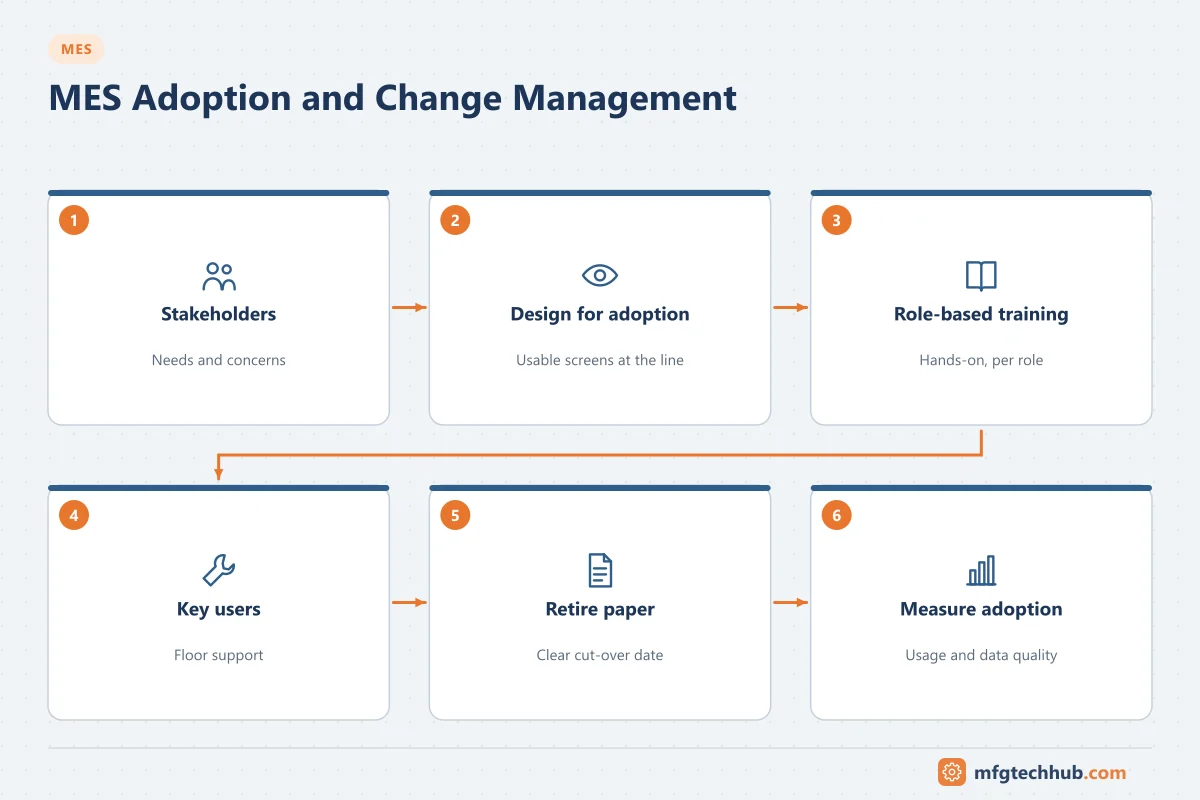
An MES changes how people work every shift: operators record production on screens instead of paper, supervisors manage from dashboards, quality reviews electronic records. If users do not trust or understand the system, they work around it, data quality falls, and the promised benefits never appear. Adoption is a project deliverable, not something that happens automatically after go-live.
Why adoption fails
| Cause | What it looks like |
|---|---|
| The system makes work harder | More clicks than paper, slow screens, entries that do not help the user |
| Users were not involved | Screens and workflows do not match reality on the floor |
| Training too early or too generic | People forget before go-live; training shows features, not their tasks |
| Fear and mistrust | “The system is there to monitor me”; concerns about job changes |
| No visible benefit | Data goes in, nothing useful comes back to the user |
| Weak go-live support | Problems at night shift go unresolved; workarounds start |
| Parallel paper systems continue | Nobody decides when paper stops |
Step 1: Understand the stakeholders
List every group affected and how their work changes:
| Group | What changes | Main concern | What they need |
|---|---|---|---|
| Operators | Recording production, following electronic instructions, scanning materials | Speed, usability, blame | Simple screens, hands-on practice, fast support |
| Supervisors / team leaders | Order management, downtime reasons, shift handover | Visibility, workload | Dashboards they can act on |
| Quality | Electronic checks, review by exception, deviations | Data integrity, compliance | Clear procedures, audit trail understanding |
| Maintenance | Equipment states, downtime data | Accurate reasons | Reliable automatic state detection |
| Planners | Order release, schedule adherence | ERP–MES consistency | Reliable interfaces |
| IT/OT support | Operation of the system | Supportability | Admin training, runbooks |
| Management | KPIs and decisions | Return on investment | Trustworthy data |
Step 2: Design for adoption
- Involve operators and supervisors in design workshops and usability tests.
- Minimise manual entry: automate data capture from machines and scanners wherever possible.
- Give something back to each user group: line-side OEE displays, shift reports that replace manual reports, faster batch release.
- Test screens on the actual hardware (touchscreens, gloves, lighting, noise).
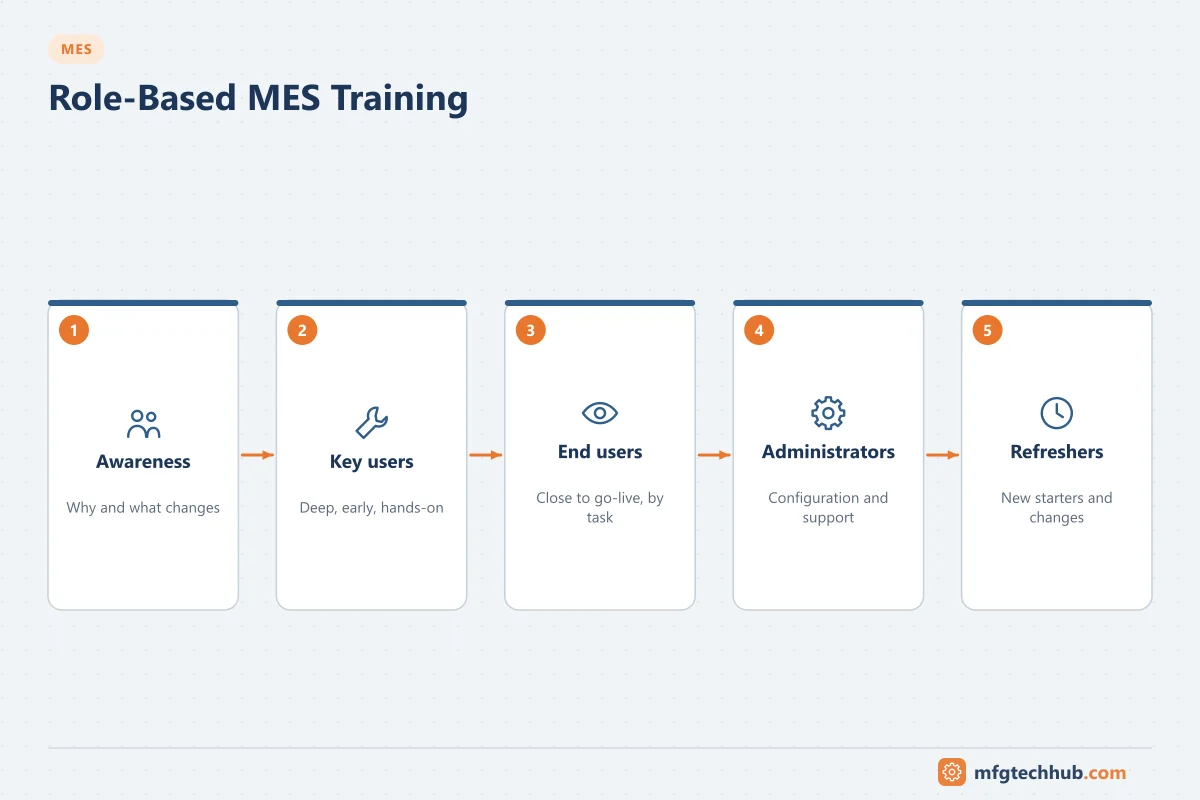
Step 3: Role-based training
| Training type | Audience | Content | Timing |
|---|---|---|---|
| Awareness sessions | Everyone affected | Why MES, what changes, timeline, what it means for them | Early in the project |
| Key-user training | Selected experienced users | In-depth system use, troubleshooting, supporting colleagues | During testing |
| End-user training | Operators, supervisors, quality | Their tasks step by step, in a training environment with realistic data | 1–3 weeks before go-live |
| Administrator training | IT/OT support | Configuration, user management, interfaces, backups, monitoring | Before go-live |
| Refresher and new-starter training | New staff, changed roles | Updated procedures | Ongoing |
Good practices:
- Train on their own products, orders and equipment in a training environment.
- Use short job aids (one-page quick guides at the workstation) and short videos.
- Train-the-trainer with key users, so knowledge stays on site.
- In regulated industries, document training as part of the quality system before users are given access.
Step 4: Key users and support
- Nominate key users on every shift, with time allocated to support colleagues.
- Provide floor support at go-live (project team or vendor on the line for the first days or weeks, including night shifts).
- Set up a simple way to report issues and show that they are fixed.
- Hold short daily review meetings during the first weeks to address problems quickly.
Step 5: Decide when paper stops
Running paper and MES in parallel for too long doubles the workload and gives people a reason to avoid the new system. Define:
- The criteria for stopping paper (for example, a number of successful shifts without critical issues).
- The date after which paper is no longer accepted (except for approved contingency procedures).
- Contingency procedures for when MES is unavailable, with a controlled way to enter data afterwards.
Step 6: Measure adoption
| Indicator | Why |
|---|---|
| Percentage of transactions recorded in MES (vs paper or late entry) | Shows real usage |
| Data quality (for example, downtime with valid reasons, missing entries) | Shows whether data can be trusted |
| Time to complete common tasks | Detects usability problems |
| Support tickets per week and their themes | Shows training gaps and defects |
| User feedback surveys | Captures frustration early |
Handling resistance
- Listen first: resistance often points to real problems in the design or workload.
- Explain the “why” in terms that matter to users: less paperwork, fewer disputes about counts, faster problem solving.
- Address fears directly: be clear about how data will and will not be used.
- Show quick wins and recognise people who help the rollout succeed.
- Leadership visibility: supervisors and managers must use the system and its data in daily meetings.
Frequently asked questions
When should MES end-user training take place?
Close to go-live, typically one to three weeks before, so users remember what they learned. Awareness sessions and key-user training should happen much earlier.
What is a key user in an MES project?
An experienced employee who receives in-depth training, helps test the system, supports colleagues during and after go-live, and passes improvement ideas to the project team.
How do you measure MES adoption?
By the share of transactions recorded in the system, data quality indicators, task completion times, support ticket trends and user feedback.
Key takeaways
- Adoption fails when the system makes work harder, users are not involved, or support is weak.
- Design for users, train by role close to go-live, and support every shift during go-live.
- Stop paper deliberately and measure adoption with concrete indicators.
Related tutorials
Before you apply this in a plant: this article is for education. Always check the current edition of the relevant standards, the manufacturer's documentation for your exact product and version, and your site's procedures. Safety-related work needs qualified personnel. See our editorial policy.