
DCS Servers: Configuration Database, Historian, Alarm Journal, Interfaces and Backup
On this page
Controllers run the process and stations display it, but a DCS also needs servers: to hold the engineering configuration, to store history and events, to serve data to operator stations in larger systems, and to connect the DCS to other systems. When these servers are badly designed, the plant still runs, but engineers lose history, operators lose view, and recoveries take days instead of hours.
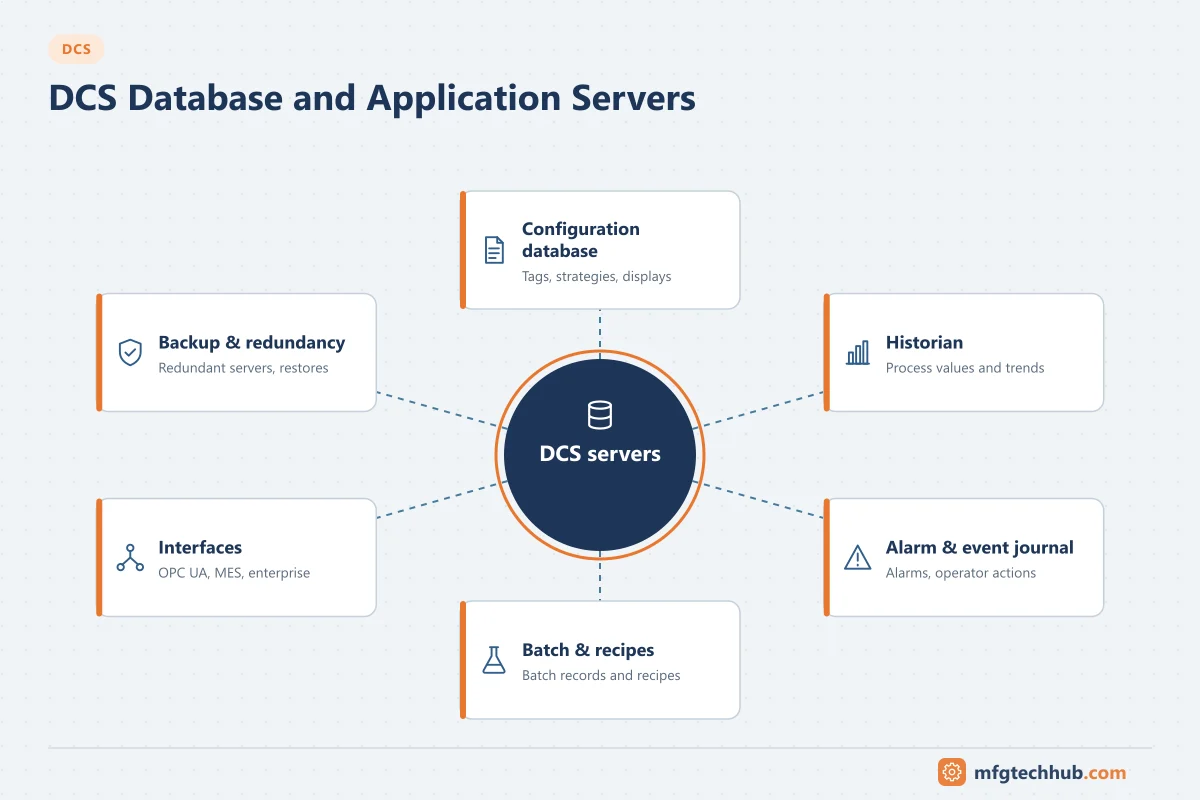
Server roles in a DCS
Exact names differ by vendor, and small systems combine several roles on one machine. The functions are similar across platforms:
| Server role | What it holds or does | If it fails |
|---|---|---|
| Engineering / configuration database | Master copy of tags, control strategies, displays, alarm settings, user rights | No configuration changes until restored; control continues |
| Operator data server (server/client systems) | Collects controller data and serves it to operator stations | Stations lose data unless a redundant server takes over |
| Process historian | Time-series values for trends, reports and analysis | Gaps in history unless controllers or collectors buffer |
| Alarm and event journal | Alarms, acknowledgements, operator actions, system events | Loss of the record needed for incident analysis and compliance |
| Batch server | Recipes, batch execution and batch records (ISA-88) | Batches cannot start; running phases in controllers continue |
| Advanced control / application server | Model predictive control, calculations, optimisation | APC switches off; base PID control continues |
| Interface server | OPC UA, OPC Classic, links to MES, LIMS or plant historian | Other systems lose DCS data |
| Domain controller | User accounts and policies for DCS computers | Logins and changes may fail; keep redundant |
| Patch and antivirus server | Distributes vendor-qualified updates | Stations fall behind on updates |
| Asset management server | Device diagnostics and configuration (HART, fieldbus) | Loss of diagnostics; control continues |
The common rule behind this table: no server should be needed for the controllers to keep running the process. Servers support operation, engineering and record keeping.
The engineering database
The configuration database is the most valuable software asset in the DCS:
- It is the master for everything downloaded to controllers and stations. Compare it with the running system before every download.
- It should be under version control or change records, with each change linked to a management-of-change reference.
- Back it up before and after every significant change and keep copies off the DCS network.
- Losing it and having to recover from the running controllers is possible on some systems but slow and incomplete (comments, displays and documentation may be lost).
Historian and event data
The DCS historian stores values from controllers at configured rates, usually with compression. Key design decisions:
| Decision | Considerations |
|---|---|
| Which tags to store | All process values and outputs is common; diagnostics as needed |
| Storage rate and compression | Fast enough for troubleshooting, compressed to control storage; see Industrial Historians |
| Retention | Months to years online; regulatory records may need longer, with archives |
| Buffering | Collectors or controllers buffer data during network or server outages |
| Replication | Copy to a plant-level historian in the DMZ or level 3 for business users |
Alarm and event journals are just as important: incident investigations rely on the exact sequence of alarms and operator actions. Keep time synchronised across controllers and servers (see Time Synchronisation in OT) and retain event data for as long as incident reviews and regulations require.
Where servers sit in the network
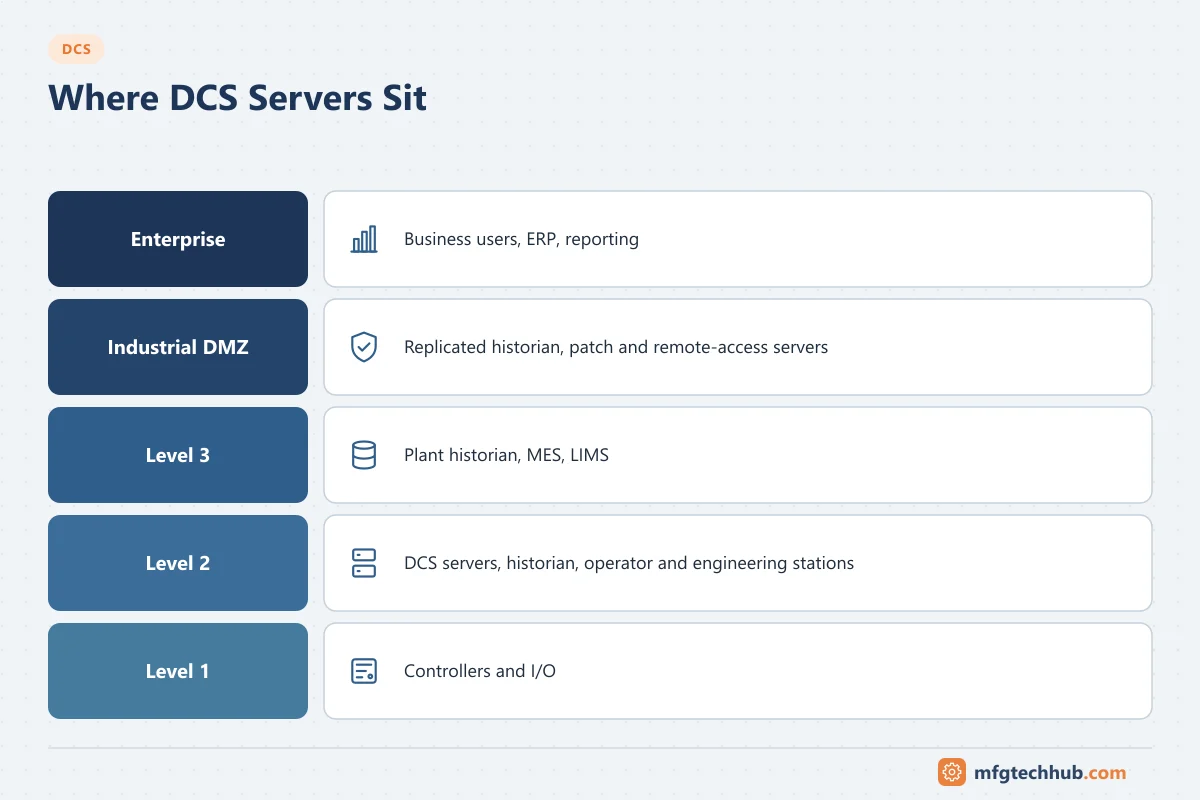
- DCS servers that serve controllers and stations sit on the DCS supervisory network (level 2).
- Business users should not connect to them directly. A plant historian or interface server in the DMZ or at level 3 receives replicated data. See OT Network Design Fundamentals.
- Firewalls allow only defined connections, typically initiated from the DCS side outwards.
- Remote support connects through a controlled remote access solution, not directly to servers.
Redundancy and recovery
| Measure | Purpose |
|---|---|
| Redundant operator data servers | Stations keep live data if one server fails |
| Redundant domain controllers | Logins keep working |
| Historian buffering | No data loss during short outages |
| RAID storage and redundant power | Survive disk and supply failures |
| Virtualisation on redundant hosts | Move workloads after a host failure; faster restore |
| Tested backups (images and databases) | Rebuild a server in hours, not days |
A backup that has never been restored is an assumption, not a recovery plan. Test restores on spare hardware or a virtual environment at least once a year. See the OT Backup and Restore Runbook.
Sizing servers (illustrative)
Server sizing comes from the vendor’s specification tools, but the inputs are the same everywhere:
- Number of tags and the number that are historised.
- Storage rates and expected compression.
- Required online retention.
- Number of operator stations and clients.
- Alarm and event rates, including alarm floods during upsets.
- Interfaces and the data volume they read.
Add margin for growth: new units, more historised tags and more interface clients almost always arrive after start-up.
Troubleshooting DCS servers
| Symptom | Likely cause | First check |
|---|---|---|
| Gaps in trends | Historian collector stopped, buffer overflow, storage full | Collector status, disk space, buffer settings |
| Trends show flat lines | Compression deviation too large, tag not updating | Compression settings; value in the controller |
| Stations slow to call up displays | Server CPU or memory overloaded, heavy client queries | Server performance counters; interface client load |
| Events out of order | Clocks not synchronised | Time source and sync status on all nodes |
| Interface clients lose data | Session limits, certificate problems, firewall changes | Interface server logs; see OPC UA Certificate Errors |
| Download fails from engineering station | Database locked or inconsistent, network issue | Database status; vendor diagnostics |
Frequently asked questions
Does a DCS stop if its servers fail?
Control continues in the controllers. Depending on the architecture, operator stations may lose data if the operator data servers fail, which is why those servers are normally redundant. History, events and interfaces are interrupted until the server returns or a standby takes over.
What is the difference between the DCS historian and a plant historian?
The DCS historian is part of the control system and serves operators and engineers on the DCS network. A plant historian collects data from the DCS and other systems for the whole site and serves business users, usually from level 3 or the DMZ.
How often should DCS servers be backed up?
Before and after significant changes, and on a regular schedule set by risk. Just as important is testing restores periodically and keeping copies off the DCS network.
Key takeaways
- DCS servers support operation, engineering and records; control must never depend on them.
- Protect the engineering database with change control and regular, tested backups.
- Design historian storage, retention and buffering deliberately, and keep clocks synchronised.
- Keep business users off the DCS network; replicate data to level 3 or the DMZ.
Related tutorials
Before you apply this in a plant: this article is for education. Always check the current edition of the relevant standards, the manufacturer's documentation for your exact product and version, and your site's procedures. Safety-related work needs qualified personnel. See our editorial policy.