
PLC Programming Software and Tools: Engineering Workflow, Simulation, Versions and Version Control
On this page
PLC programming software is where most of an automation engineer’s time goes: configuring hardware, writing and testing logic, going online with running machines, and managing changes over the life of the system. Knowing the language is only half the job; knowing how to use the tools safely and keep programs under control is the other half.
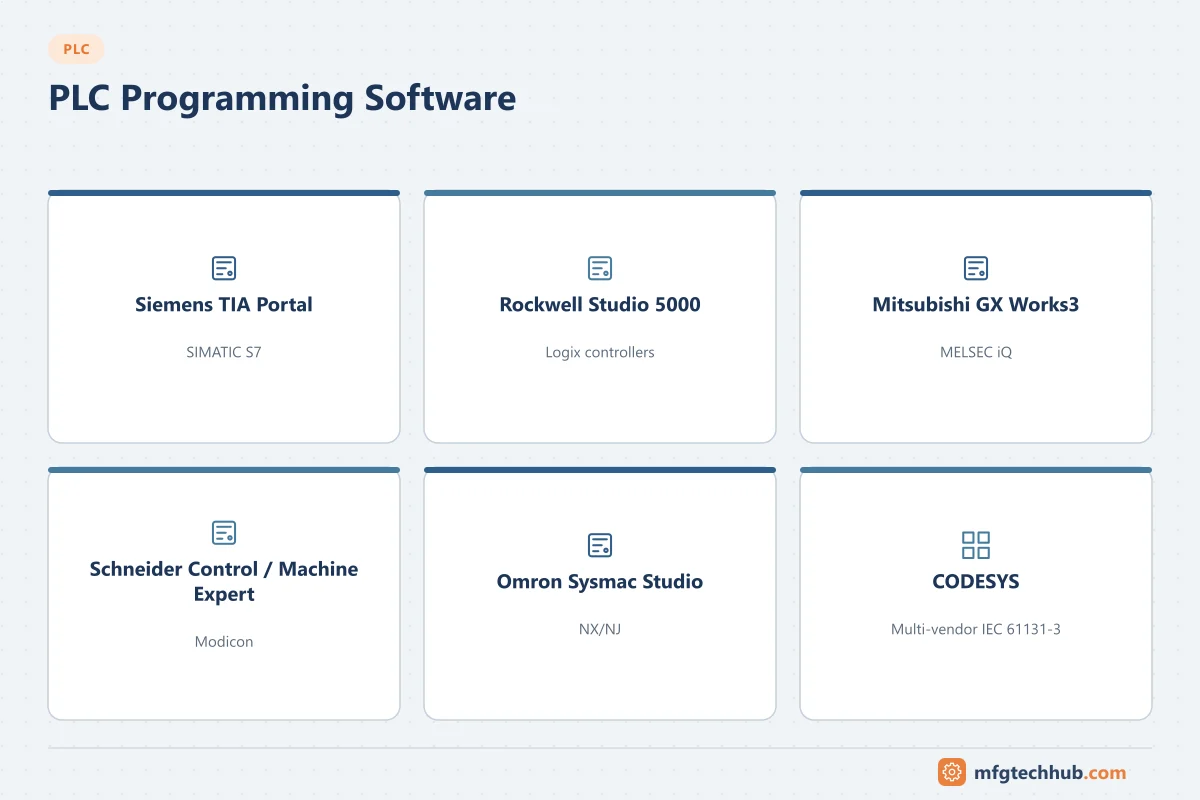
Main tools by platform
| Platform | Engineering software | Simulation / emulation |
|---|---|---|
| Siemens SIMATIC S7-1200/1500 | TIA Portal (STEP 7) | PLCSIM, PLCSIM Advanced |
| Rockwell Logix | Studio 5000 Logix Designer | FactoryTalk Logix Echo |
| Rockwell Micro800 | Connected Components Workbench | Built-in simulator for some models |
| Mitsubishi MELSEC iQ-R/iQ-F | GX Works3 | Built-in simulation |
| Schneider Modicon M340/M580 | EcoStruxure Control Expert | Built-in simulator |
| Schneider machine controllers | EcoStruxure Machine Expert | Simulation mode |
| Omron NJ/NX | Sysmac Studio | Integrated simulation including motion |
| Beckhoff | TwinCAT (in Visual Studio) | Runs on a PC as the controller |
| CODESYS-based controllers | CODESYS Development System | CODESYS simulation |
Product names and features change; see PLC Vendors Compared for the platforms themselves.
What a PLC project contains
| Part | Content |
|---|---|
| Hardware configuration | CPU, modules, remote I/O stations, network addresses, module parameters |
| Program | Tasks, programs, function blocks, functions |
| Data | Tags, data types, data blocks, retentive settings |
| Networks and devices | Drives, robots, HMIs and other devices with their device description files (GSDML, EDS) |
| Safety program | In safety CPUs, a separately protected safety program with its own signature |
| HMI (in integrated tools) | Screens, alarms, recipes |
| Documentation | Comments, cross-references, project properties |
Offline and online work
| Mode | What you do | Risks and precautions |
|---|---|---|
| Offline | Edit the project on the engineering PC | Keep the project synchronised with the running PLC |
| Online monitoring | Watch live values, rung states, tag tables | Safe; the normal way to troubleshoot |
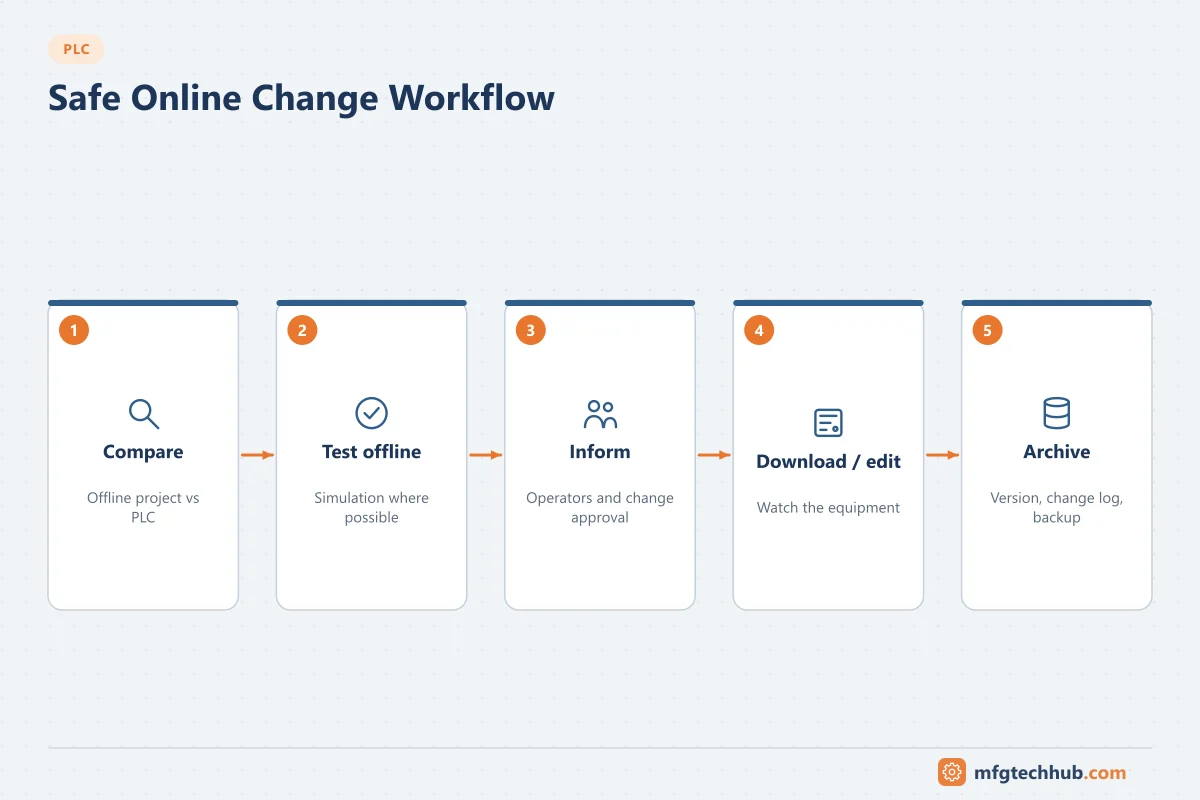
| Download | Transfer the program to the PLC | May stop the CPU; check what changes; follow change control |
| Online edit | Change logic while the PLC runs | Can move equipment immediately; test first, inform operators |
| Forcing | Override inputs or outputs | Can defeat interlocks; remove all forces and log their use |
| Upload | Read the program from the PLC | Comments and symbols may be missing if not stored in the PLC |
Before any download or online edit, compare the offline project with the PLC, so you do not overwrite someone else’s change. See PLC Troubleshooting Guide.
Simulation and virtual commissioning
Simulation lets you test logic without hardware:
- Logic simulation (PLCSIM, Logix Echo, CODESYS simulation) runs the program on the PC.
- Virtual commissioning connects the simulated PLC to a model of the machine or process, so sequences, interlocks and HMI can be tested before site. See Digital Twins and Simulation.
- Test the fault paths, not only the normal sequence: failed sensors, drive faults, emergency stops.
Software and firmware versions
Version compatibility causes many site problems:
- The engineering software version must support the CPU firmware version. Opening a project in a newer software version may upgrade it, and colleagues with older versions can then no longer open it.
- Keep a record of the software version, updates and firmware for each machine.
- Many engineers keep virtual machines with the software versions needed for older plants.
- Plan firmware updates deliberately: they can fix security issues but may require project upgrades and retesting.
Licences
Engineering software is usually licensed per user or per installation, with separate licences for options (safety, motion, simulation, HMI runtimes). Check licence availability before site visits, and keep licence records with the project documentation.
Comparing and version control
PLC projects are binary or proprietary files, which makes version control harder than for ordinary code, but it is still essential:
| Practice | How |
|---|---|
| Naming and archiving | Archive each released version with date, author and change reference |
| Compare tools | Use the vendor’s compare function (offline vs online, version vs version) before downloads |
| Change log | Record what changed, why and who approved it |
| Version control systems | Vendor tools, change management servers or Git-based workflows using exports, depending on the platform |
| Backups from the plant | Regularly back up the running programs and compare them with the archive to detect undocumented changes |
See PLC Programming Best Practices and the OT Backup and Restore Runbook.
Automation interfaces and exchange formats
- Scripting interfaces (for example Siemens TIA Portal Openness) let you generate code, tags and hardware configuration from spreadsheets or databases, useful for large, repetitive projects.
- PLCopen XML is an exchange format for IEC 61131-3 programs; support and completeness vary between tools.
- AutomationML exchanges plant topology and hardware data between engineering tools.
Choosing and setting up an engineering PC
- Use a dedicated, hardened laptop or virtual machine for OT work, with the required software versions.
- Keep it patched and scanned, and restrict USB use; engineering laptops are a common path for malware into control systems. See PLC Security.
- Store projects in a controlled location, not only on the laptop.
Frequently asked questions
What software is used to program PLCs?
Each manufacturer has its own environment: Siemens TIA Portal, Rockwell Studio 5000, Mitsubishi GX Works3, Schneider EcoStruxure Control Expert and Machine Expert, Omron Sysmac Studio and Beckhoff TwinCAT. Many other brands use CODESYS.
Can I practise PLC programming without hardware?
Yes. Most engineering tools include simulators (for example PLCSIM, Logix Echo or CODESYS simulation), so programs can be tested on a PC.
How do you version-control PLC programs?
Archive each released version with a change record, compare versions and the running PLC with the vendor’s compare tools, and use a version management system suited to the platform. Back up running programs regularly to detect undocumented changes.
Key takeaways
- Each PLC platform has its own engineering software; CODESYS serves many brands.
- Compare before downloading, test online edits, and remove forces.
- Manage software, firmware and licence versions per machine.
- Archive, compare and back up programs to keep control of changes.
Related tutorials
Before you apply this in a plant: this article is for education. Always check the current edition of the relevant standards, the manufacturer's documentation for your exact product and version, and your site's procedures. Safety-related work needs qualified personnel. See our editorial policy.